CALIBRATION AND SETUP
Calibrations should be performed anytime one or more
analog channels appear to be inaccurate, or whenever a
new analog device or analog board is replaced or installed
in the system. All analog calibrations should be checked
on a regular basis to ensure proper operation of the
system. This should be considered as part of the normal
maintenance schedule, and will vary as to the frequency of
the individual customers requirements. A good starting
point would be to check all calibrations once per year. This
time frame can then be modified as conditions warrant.
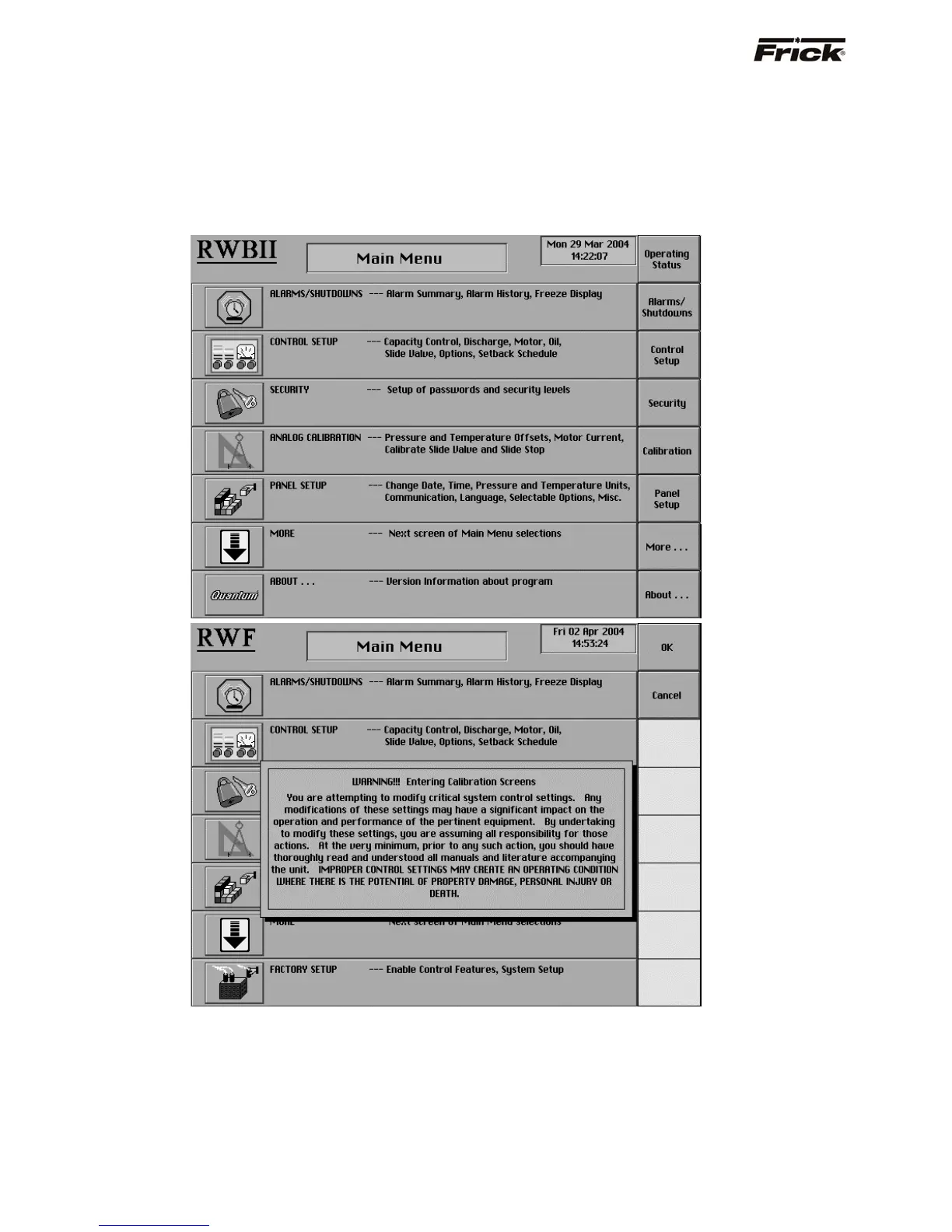
The calibration screens are accessed from the Main Menu
screen, by pressing the [Calibration] key as shown
below:
A warning message will be superimposed on the Main
Menu screen, to alert the operator of the possible danger
that they may be accessing. If the operator is in
agreement with the warning, they should press [OK],
otherwise press [Cancel] to return to the regular Main
Menu screen. The following is the content of the message:
!!! Warning Entering Calibration Screens !!!
You are attempting to modify critical system control
settings. Any modifications of these settings may have a
significant impact on the operation and performance of the
pertinent equipment. By undertaking to modify these
settings, you are assuming all responsibility for those
actions. At the very minimum, prior to any such action, you
should have thoroughly read and understood all manuals
and literature accompanying the unit.
IMPROPER CONTROL SETTINGS MAY CREATE AN
OPERATING CONDITION WHERE THERE IS THE
POTENTIAL OF PROPERTY DAMAGE, PERSONAL
INJURY OR DEATH.
S90-010 O FRICK QUANTUM™ COMPRESSOR CONTROL PANEL
Page 64 OPERATION



 To Next Page