FRICK
QUANTUM™ COMPRESSOR CONTROL PANEL S90-010 O
OPERATION Page 5
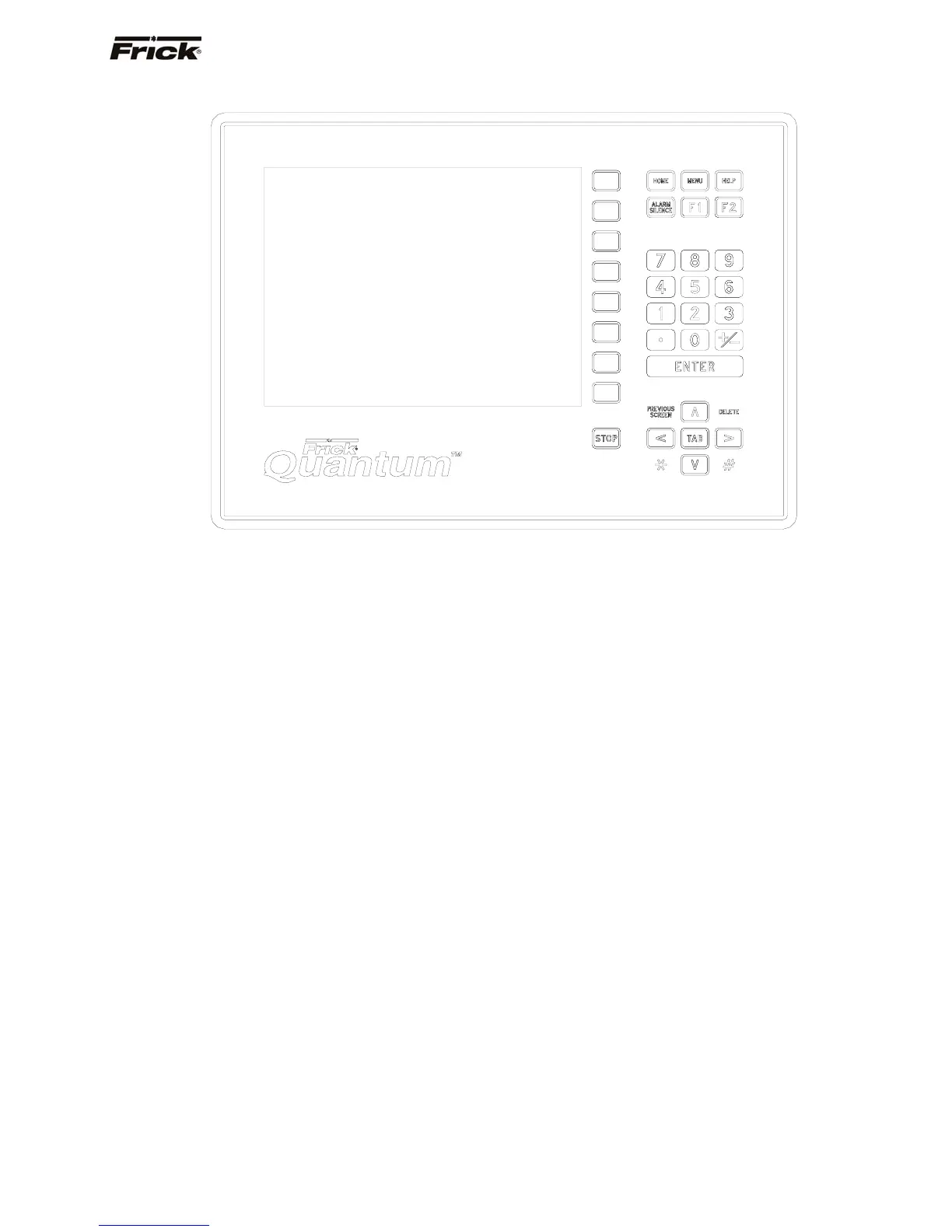
KEYS AND KEY FUNCTIONS
KEYPAD KEYS
Following is a list of the labeled keypad keys and the
actions that occur when they are pressed:
[STOP] - Immediately stops the compressor. The
compressor is stopped regardless of any other
conditions.
[HOME] - Shows the Operating Status screen. This
screen is an overview of the present readings,
operating modes and operating status.
[MENU] - Shows the Main Menu screen. This screen
has the main selections for accessing information,
setup of options, and setpoint entry.
[HELP] - Displays the on-line HELP. Information is
shown for the operation of the compressor control
panel.
[ALARM SILENCE] - Immediately silences a
sounding alarm and turns off the alarm annunciation
device that is connected to this panel.
[F1] - A function key that is only active when a screen
indicates it as a selection key. Its function is
dependent on what the screen indicates will occur.
[F2] - A function key that is only active when a screen
indicates it as a selection key. Its function is
dependent on what the screen indicates will occur.
NUMERALS [0] - [9] - The numerical keys are used
to enter a value in a data field.
DECIMAL [.] - The decimal point is used when
entering a decimal value in a data field.
[+/-] - When changing a value in a data field, this key
enters a negative (-) sign in the data field.
[ENTER] - When changing data in a data entry field,
this key will input the change.
[PREVIOUS SCREEN] - Shows the screen that was
viewed previously to the current screen. Also is used
to return to the previous set of screen keys when
accessing different sets of screen key selections on
the same screen.
[DELETE] - When changing a value in a data field,
this key will delete the selected character.
Up Arrow [∧] - When in the mode of changing
setpoints, this arrow is used to go to the previous data
entry field.
Down Arrow [∨] - When in the mode of changing
setpoints, this arrow is used to go to the next data
entry field.
Right Arrow [>] - When in the mode of changing
setpoints, this arrow is used to go to the next data
entry field. When in the mode of changing a data
entry field, this arrow is used to go to the next
character.
Left Arrow [<] - When in the mode of changing
setpoints, this arrow is used to go to the previous data
entry field. When in the mode of changing a data
entry field, this arrow is used to go to the previous
character.



 To Next Page