S90-010 O FRICK
QUANTUM™ COMPRESSOR CONTROL PANEL
Page 80 OPERATION
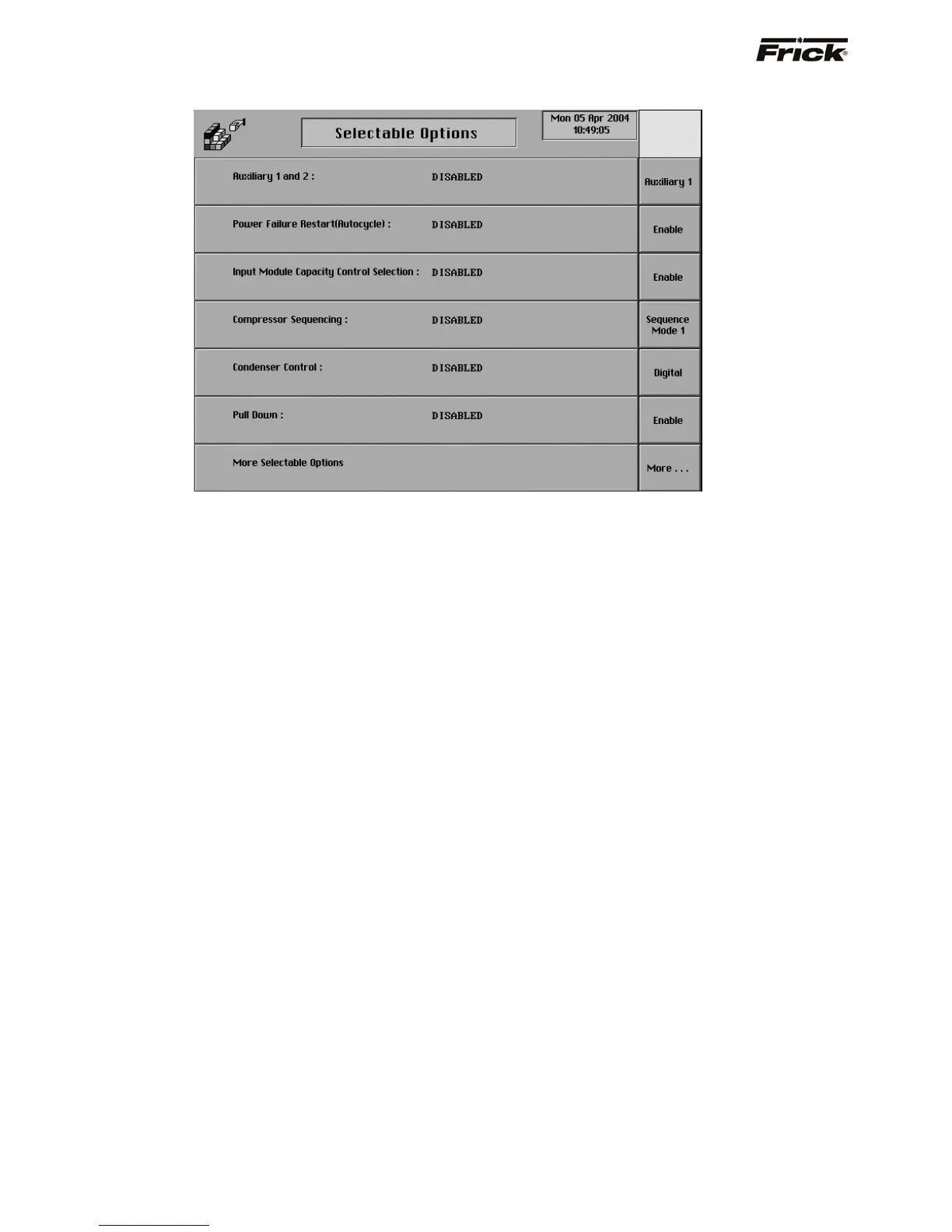
Selectable Options (Page 1)
The operator will only see the setpoints that are relevant to
their plant by enabling or disabling options and selecting
options from this screen. Reference the Quantum™
drawings for proper setup of options. Screen setup
features are also selected from this screen. The present
setup is shown. Following are the options that can be
selected:
Auxiliary 1 and 2 - This provides for selecting these
auxiliary digital input modules to be used as an alarm
or a shutdown when the auxiliary input is de-
energized. For further setup, see the Auxiliary Setup
screen. A toggle key is provided that changes
between the following selections:
[Disable]
[Auxiliary 1]
[Auxiliary 2]
[Auxiliary 1 and 2]
Power Failure Restart - In the event of a plant
shutdown, this option will cause the compressors to
restart at different times. This is to prevent a situation
where all of the compressors restart simultaneously
and heavily tax the plant’s power system. If this option
is enabled, a [Power Failure Restart] key is shown
on the Motor Control Setpoint screen. On the Power
Failure Restart page, the period of time is specified
that the compressor will remain off after power-up. A
toggle key is provided that changes between the
following selections:
[Enable] - This key is provided if the control is
disabled.
[Disable] - This key is provided if the control is
enabled.
Input Module Capacity Control Selection - This
provides for selecting the Capacity Control via the two
digital input modules rather than via the keypad or
communication port. For further setup, see the Input
Module Control Selection screen.
A toggle key is provided that changes between the
following selections:
[Enable] - This key is provided if the control is
disabled.
[Disable] - This key is provided if the control is
enabled.
Compressor Sequencing - A toggle key is provided
that changes between the following selections:
[Sequence Mode 1] - This key is provided to
select a method of sequencing compressors
using serial communication. This is an adaptation
of the Lead-Lag option used in other Frick
panels. For further setup, see the Compressor
Sequence Control (Mode 1) screen.
[Sequence Mode 2] - This key is provided to
select a method of sequencing compressors
using digital inputs and outputs. For further setup,
see the Compressor Sequence Control (Mode
2) screen.
[Compressor Interlock] – This key is provided
to select a method of sequencing a High Stage
compressor with a Booster compressor using
serial communication. For further setup, see the
Compressor Interlock screen.
[Disable] - This key is provided if this feature is
enabled.
Condenser Control - This provides a method for
stepping on and off condenser digital outputs and
varying the Condenser Analog output signal. For
further setup, see the Condenser Control screen. A
toggle key is provided that changes between the
following selections:



 To Next Page