S90-010 O FRICK
QUANTUM™ COMPRESSOR CONTROL PANEL
Page 76 OPERATION
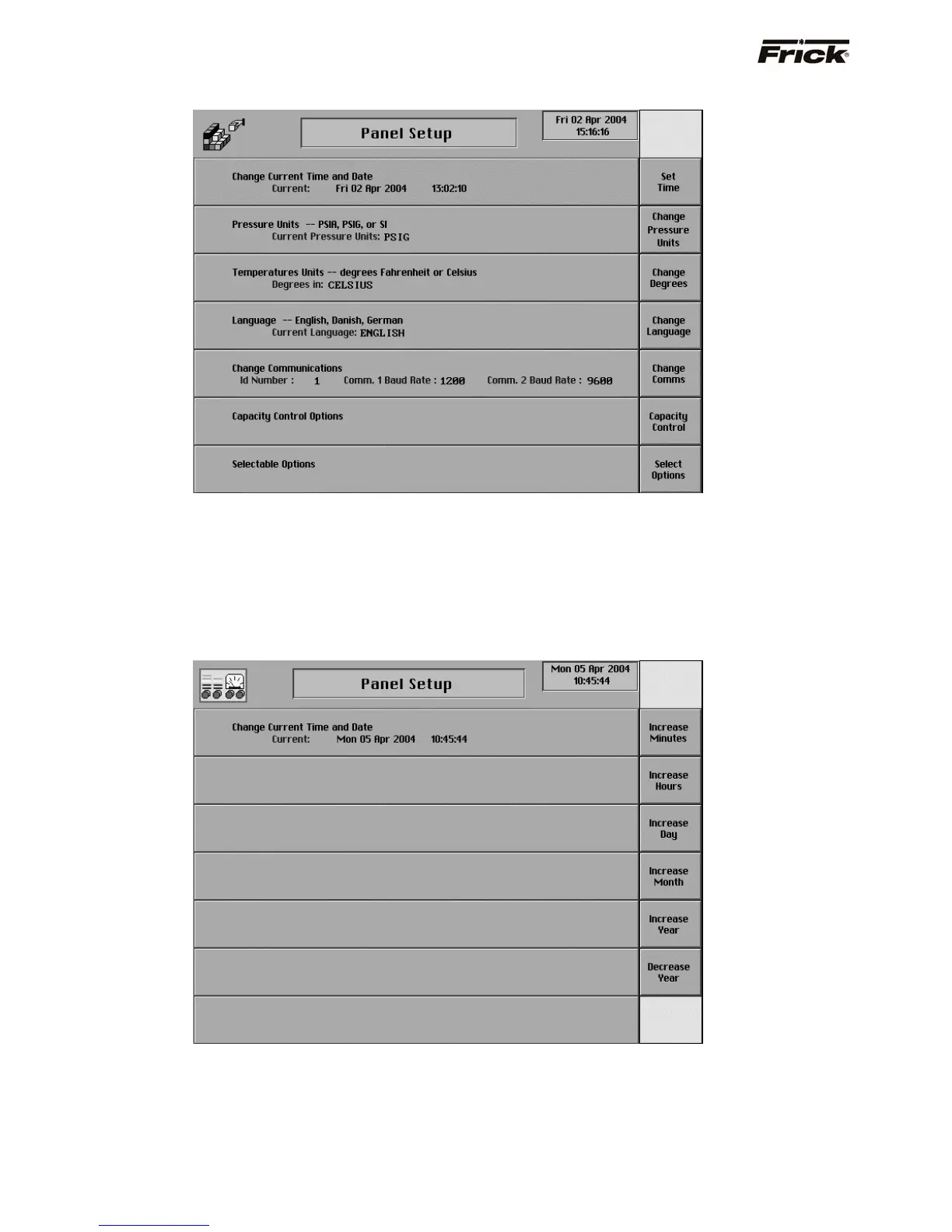
Panel Setup
The current setup is shown here. The following Panel
Setup screens can be selected:
• Change Current Time and Date
• Pressure Units -- PSIA, PSIG, or SI
• Temperature Units -- degrees Fahrenheit or
Celsius
• Language – English, Danish, German, Spanish,
French
• Change Communications
• Capacity Control Options
• Selectable Options
Change Current Time and Date
This screen allows the user to enter the current date and
time. It is very important to ensure that the date/time is
kept accurate, as many maintenance related features are
based on this accuracy.
The following screen keys are provided:
[Increase Minutes]
[Increase Hours]
[Increase Day]
[Increase Month]
[Increase Year]
[Decrease Year]



 To Next Page