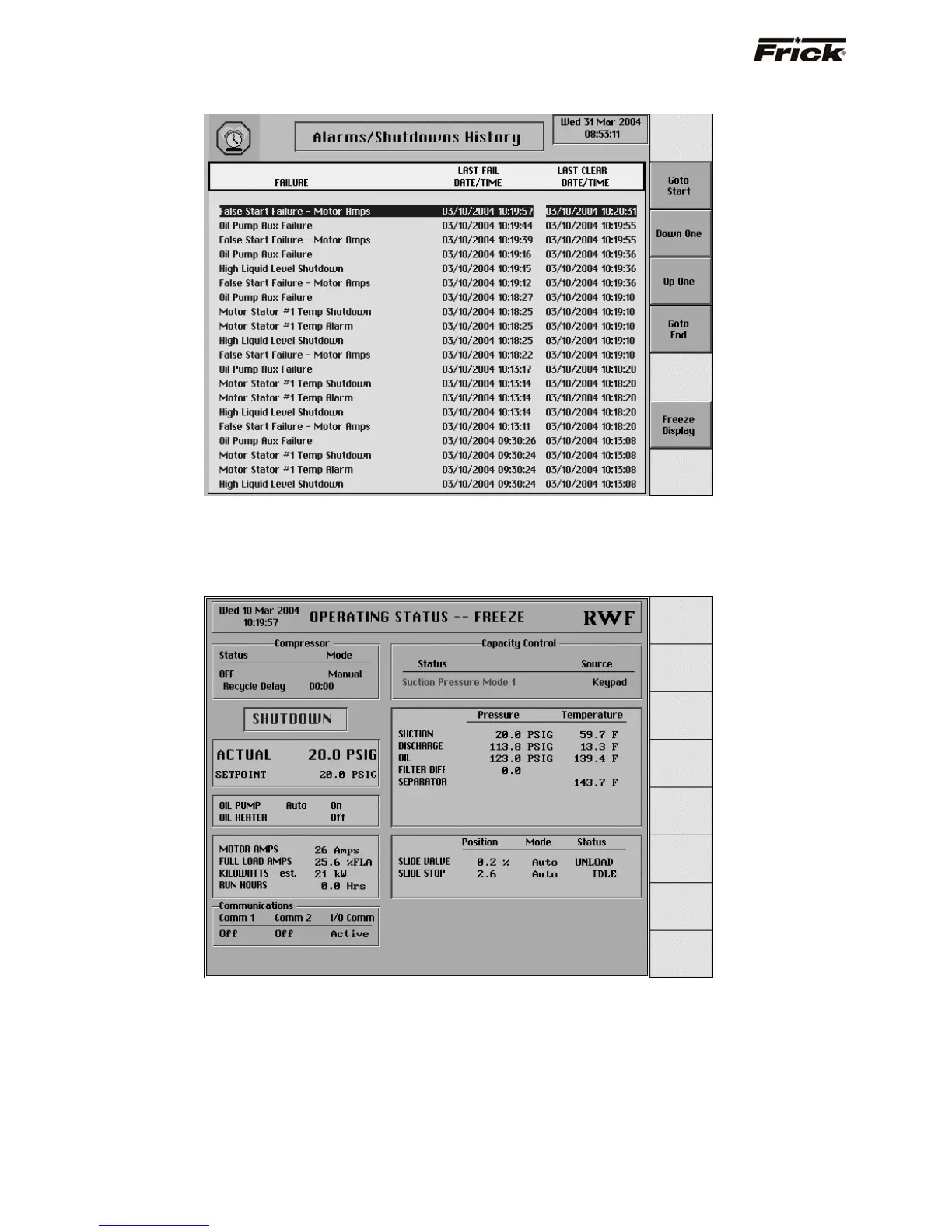
Alarms/Shutdowns History
[Freeze Display] – Accesses the Freeze screen. Use the
arrow keys or the screen command keys on the
Alarms/Shutdowns History screen to select an alarm or
shutdown and then press this screen selection key to view
it’s Freeze screen.
OPERATING STATUS -- FREEZE
This screen provides a snapshot of the values that were
current at the time of the latest shutdown. The information
on the Freeze screen can help the operator to identify the
cause of a fault, which occurred when no one was
present. The Freeze
screen freezes the information of the
Operating Status screen AT THE MOMENT OF A
COMPRESSOR ALARM OR SHUTDOWN. The Freeze
screen has the same appearance and contains the same
information as the Operating Status screen. (For a
description of the information presented by the Freeze
screen, refer to the Operating Status screen). The
Freeze screen will retain the information generated by an
alarm or shutdown. The last ten alarms/shutdowns Freeze
screens are saved. This data is saved during a power
outage.
S90-010 O FRICK
QUANTUM™ COMPRESSOR CONTROL PANEL
Page 16 OPERATION



 To Next Page