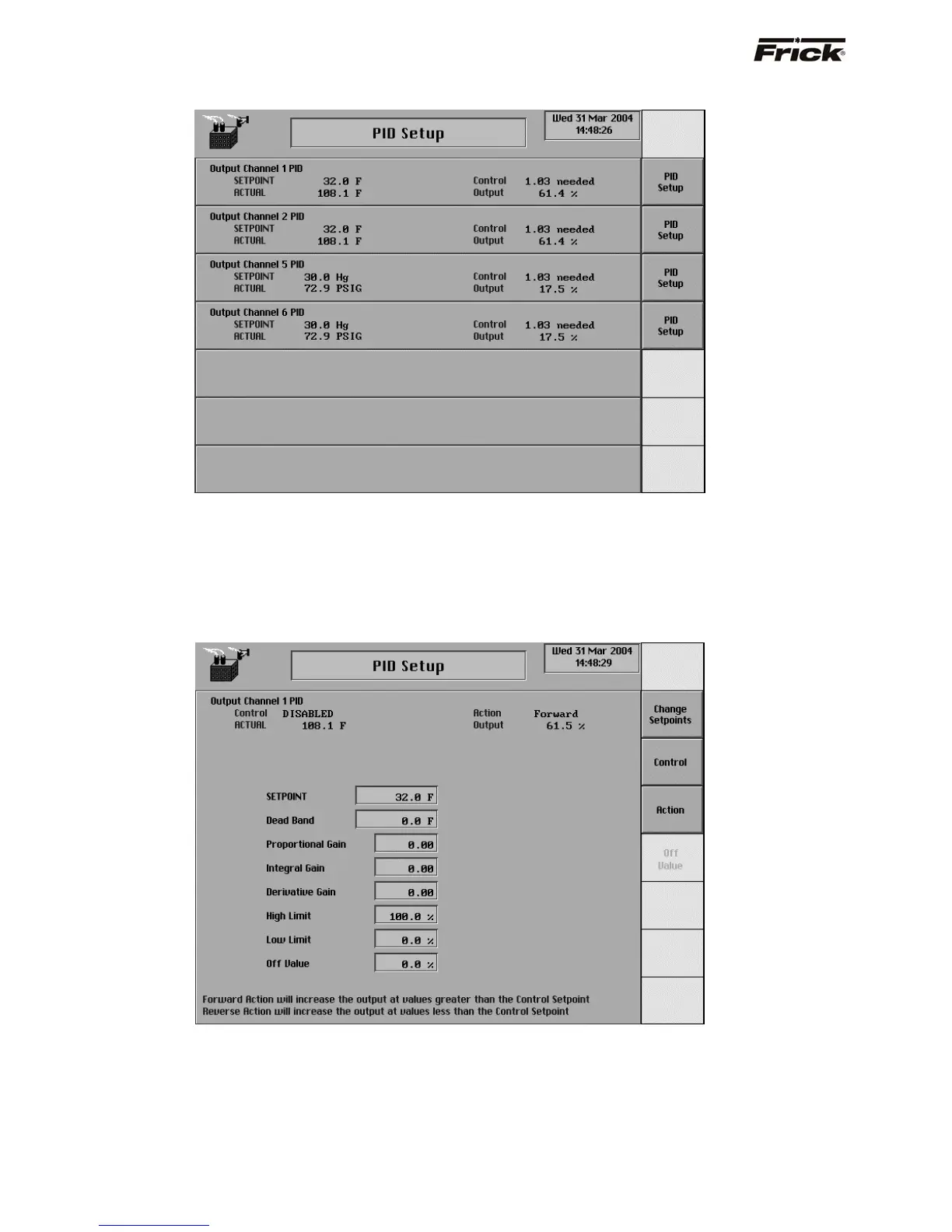
PID Setup
The PID Setup screen is accessible by pressing the [PID
Setup] key on the Control Setup screen.
Each Output channel can be designated to a tune a
particular input signal by setting it up from the Analog
Output Setup screen in Calibration.
The following are the PID Setup screen selections:
[PID Setup] - A PID Setup button is provided for
Output Channel 1, 2, 5 and 6.
PID Setup
This screen is accessible by pressing the [PID Setup] key
on the PID Setup screen. The following are the PID Setup
screen selections:
[Change Setpoints] - A key is provided to change
the following values:
• SETPOINT - The value that you wish to
control to.
• Dead Band - If the Actual value is within this
Deadband, plus or minus to the setpoint
value, no control will occur. Control will only
occur if the Actual is not within the limits of
the Deadband.
S90-010 O FRICK QUANTUM™ COMPRESSOR CONTROL PANEL
Page 44 OPERATION



 To Next Page