FRICK
QUANTUM™ COMPRESSOR CONTROL PANEL S90-010 O
OPERATION Page 85
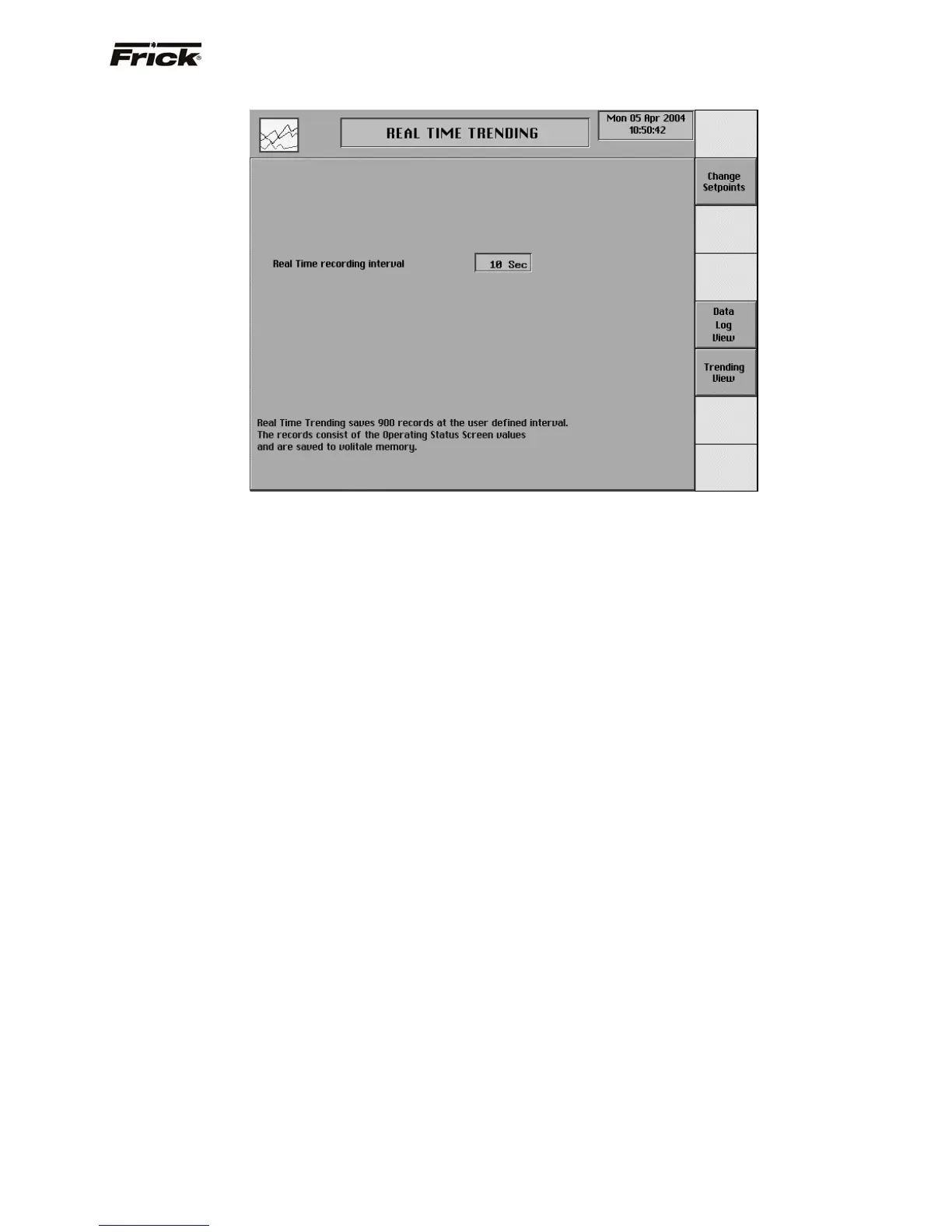
REAL TIME TRENDING
Real time trending saves 900 recordings of the data items
from the Operating Status screen. The data is stored in
RAM memory. RAM memory is volatile memory and all
information is lost if the power to the panel is lost. The
data can be selected to be saved as frequently as once a
second.
The following setpoint is provided:
Real time recording interval – The time interval in
seconds that defines how often the trending data
values are recorded.
The following screen command keys are provided:
[Data Log View] – Accesses the Real Time
Trending screen for viewing the data in a tabular
format.
[Trending View] – Accesses the Real Time
Trending screen for viewing the data in a graphical
format.
The data items to be viewed are selected from either the
Data Log View or Trending View screen. The recorded
data of a pressure or a temperature reading can be added
or removed from what is currently displayed. Up to eight
separate channels can be viewed at a time in any order.
The screen command keys are used to select what data
and time period to view. The Data Log View screen
shows (hg) values in parenthesis. The Trending View
screen automatically scales to include all the data. The
time period to view is selected from the Data Log View
screen.
The following screen command key is provided for both
the Data Log View and the Trending Log View:
[Select Data] – Changes the screen command keys
to the following selections of data to show:
• Suction Temperature
• Discharge Temperature
• Oil Temperature
• Separator Temperature
• Leaving Process
• Oil Pressure
• Filter Pressure
• Discharge Pressure
• Suction Pressure
• Balance Piston
• System Discharge
• Remote Setpoint
• Remote Position
• Slide Valve
• Slide Stop
• Motor Current
• Entering Temperature
• Auxiliary Analog 1
• Auxiliary Analog 2
• Auxiliary Analog 3
• Auxiliary Analog 4
• Auxiliary Analog 5
• Auxiliary Analog 6
• Auxiliary Analog 7
• Auxiliary Analog 8
• Auxiliary Analog 9
• Auxiliary Analog 10
• Oil Injection
• Kilowatt Monitor
• Analog 1 Out
• Analog 2 Out
• Slide Valve Out
• Setpoint Out
• Drive Out
• Condenser Out
A toggle key is provided for each of the data selections:
[Show] - Selects the data to be shown.
[Remove] – Removes this data from being shown.



 To Next Page