S90-010 O FRICK
QUANTUM™ COMPRESSOR CONTROL PANEL
Page 82 OPERATION
Kilowatt Monitor Calibration and Setup - This
provides for using the kW Monitoring analog channel
16. If Kilowatt monitoring is enabled, the current value
of the kW Monitoring analog input is displayed on the
Operating Status screen. For further setup, see the
Kilowatt Monitor Calibration screen. A toggle key is
provided that changes between the following
selections:
[Kilowatt Monitor Enable] - This key is provided
if this feature is disabled.
[Kilowatt Monitor Disable] - This key is
provided if this feature is enabled.
Auxiliary Analog Temperature and Pressures
- This provides for using from one up to ten
analog input auxiliaries to monitor either
temperature, pressure or other readings. For
further setup see the Auxiliary Analog
Temperatures & Pressures screen and the
Calibrate Auxiliary Analog screen. A toggle key
is provided that changes between the following
selections:
[Analog Auxiliaries Enable] - This key is
provided if this feature is disabled.
[Analog Auxiliaries Disable] - This key is
provided if this feature is enabled.
Entering Process Temperature - This provides for
using the Entering Process Temperature analog
channel 4. If this is enabled, the current value of the
Entering Process Temperature analog input is
displayed on the Operating Status screen. For
further setup, see the Temperature Calibration
screen and the Entering Process Safeties screen. A
toggle key is provided that changes between the
following selections:
[Entering Process Enable] - This key is
provided if this feature is disabled.
[Entering Process Disable] - This key is
provided if this feature is enabled.
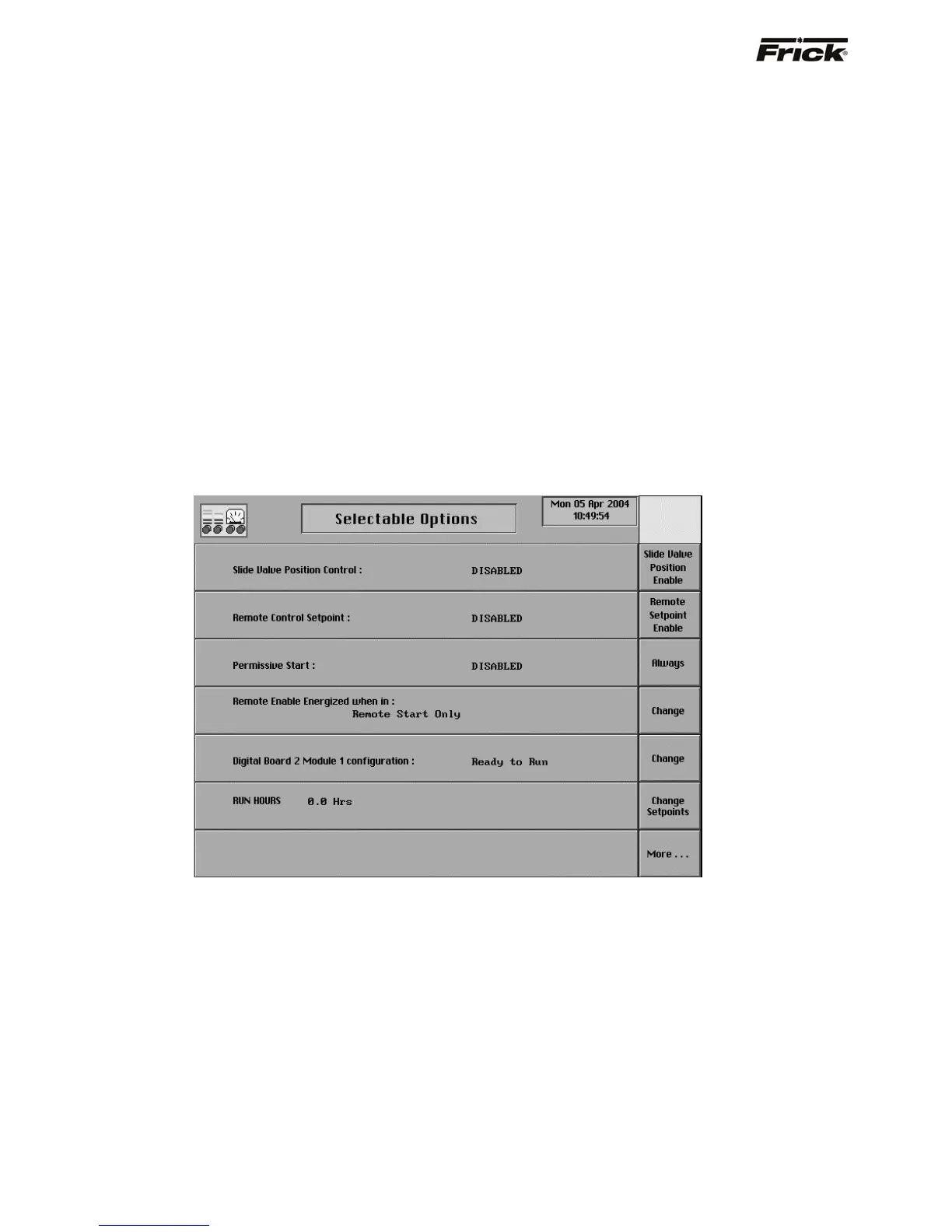
Selectable Options (Page 3)
Slide Valve Position Control - This option is
available if it applies to the compressor model
(Reference Compressor Model Differences). This
provides for using the Remote Slide Valve Position
analog channel 13. The remote (4-20 ma) input signal
to this channel can be used to control the Slide Valve.
For further setup see the Calibrate Slide Valve
Position screen and the [Remote Slide Valve]
command key from the Slide Valve mode screen
command keys on the Operating Status screen. A
toggle key is provided that changes between the
following selections:
[Slide Valve Position Enable] - This key is
provided if this feature is disabled.
[Slide Valve Position Disable] - This key is
provided if this feature is enabled.
Remote Control Setpoint - This provides for using
the Remote Control Setpoint analog input (channel
12) and the Remote Control Setpoint analog output
(channel 4) for Capacity Control of compressors. For
further setup see the Calibrate Remote Control
Setpoint screen and the [Remote Setpoint]
command key from the Slide Valve mode screen
command keys on the Operating Status screen. A
toggle key is provided that changes between the
following selections:
[Remote Setpoint Enable] - This key is provided
if this feature is disabled.



 To Next Page