FRICK
QUANTUM™ COMPRESSOR CONTROL PANEL S90-010 O
OPERATION Page 79
19200, 38400, 76800, and 115200 is provided for the
Comm. 2 setup.
[YORK ISN.] - This is a toggle key that provides a
method of selecting one protocol to communicate to
the panel. This key changes between enabling A-B
(Allen-Bradley), ModBus, York ISN, or Frick
communication protocol. For further setup see the
S90-010 CS (Communications Setup) manual.
[Comm. 2 Advanced] - This key selection will appear
only if Modbus has been selected as the
communications Protocol.
[Detect I/O Boards] - Select this key to detect all
connected Analog and Digital boards. If a board has
been removed, a communication error shutdown will
be issued until this key is selected. Reference the
About screen to view what was detected.
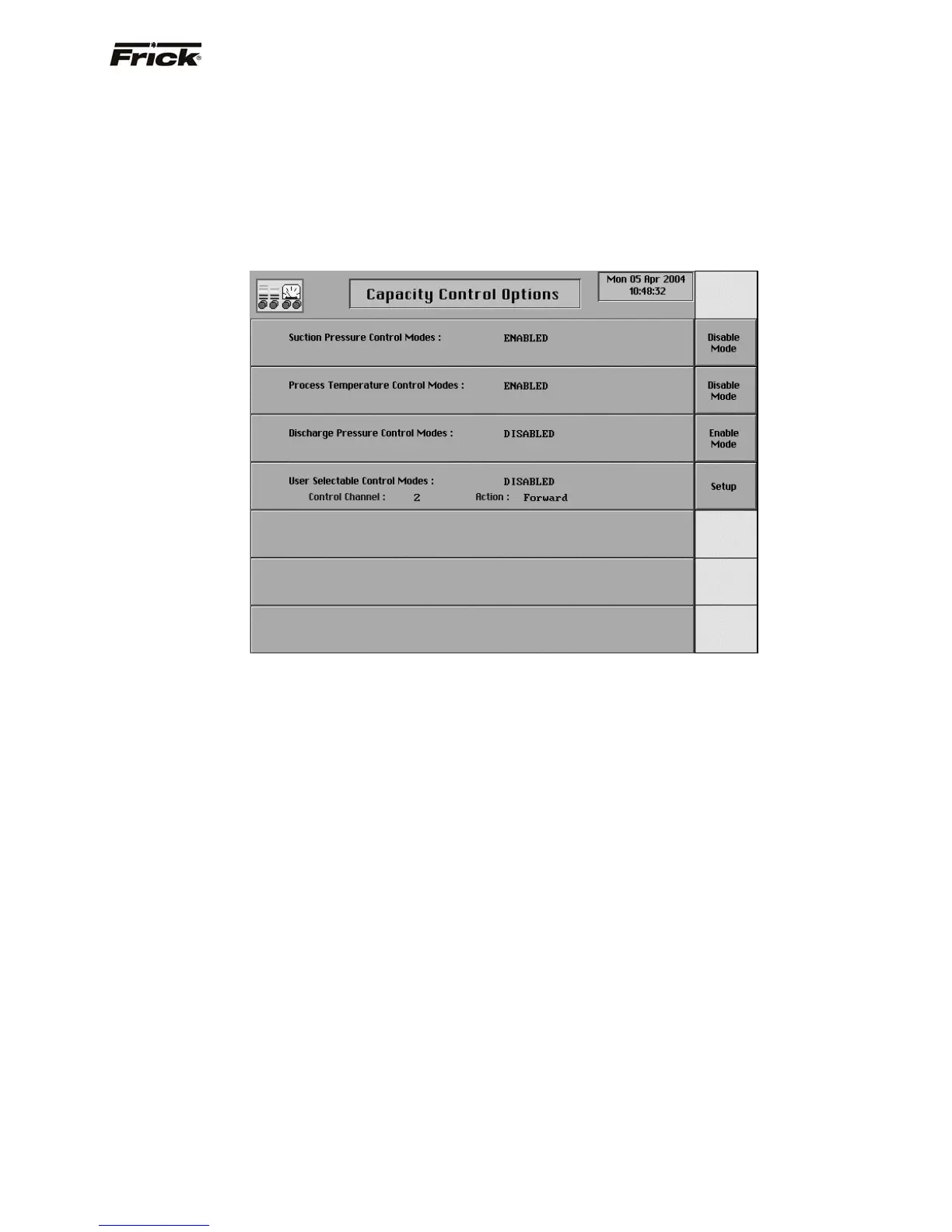
Capacity Control Options
This screen shows the Capacity Control selections that
are possible. Only two types of Capacity Controls can be
enabled at the same time. A control mode that is currently
the active Capacity Control mode can not be disabled
unless another Capacity Control mode has been enabled.
The other enabled Capacity Control is made active, when
disabling the current one, so active Capacity Control
setpoints can always be viewed and modified. On the
screen shown here, in order to enable either Suction
Pressure Control Mode or Discharge Pressure Control
Mode, then one of the currently enabled Control Modes
(Process Temperature, or User Selectable Control Mode)
would need to be disabled.
The following Capacity Control modes are provided as
selections:
• Suction Pressure Control Modes
• Process Temperature Control Modes
• Discharge Pressure Control Modes
• User Selectable Control Modes
The following selection key is provided:
[Enable Mode] - This key is provided if the control is
disabled.
[Disable Mode] - This key is provided if the control is
enabled.
[Setup] - This key will cause the User Selectable
Control Setup screen to appear.



 To Next Page