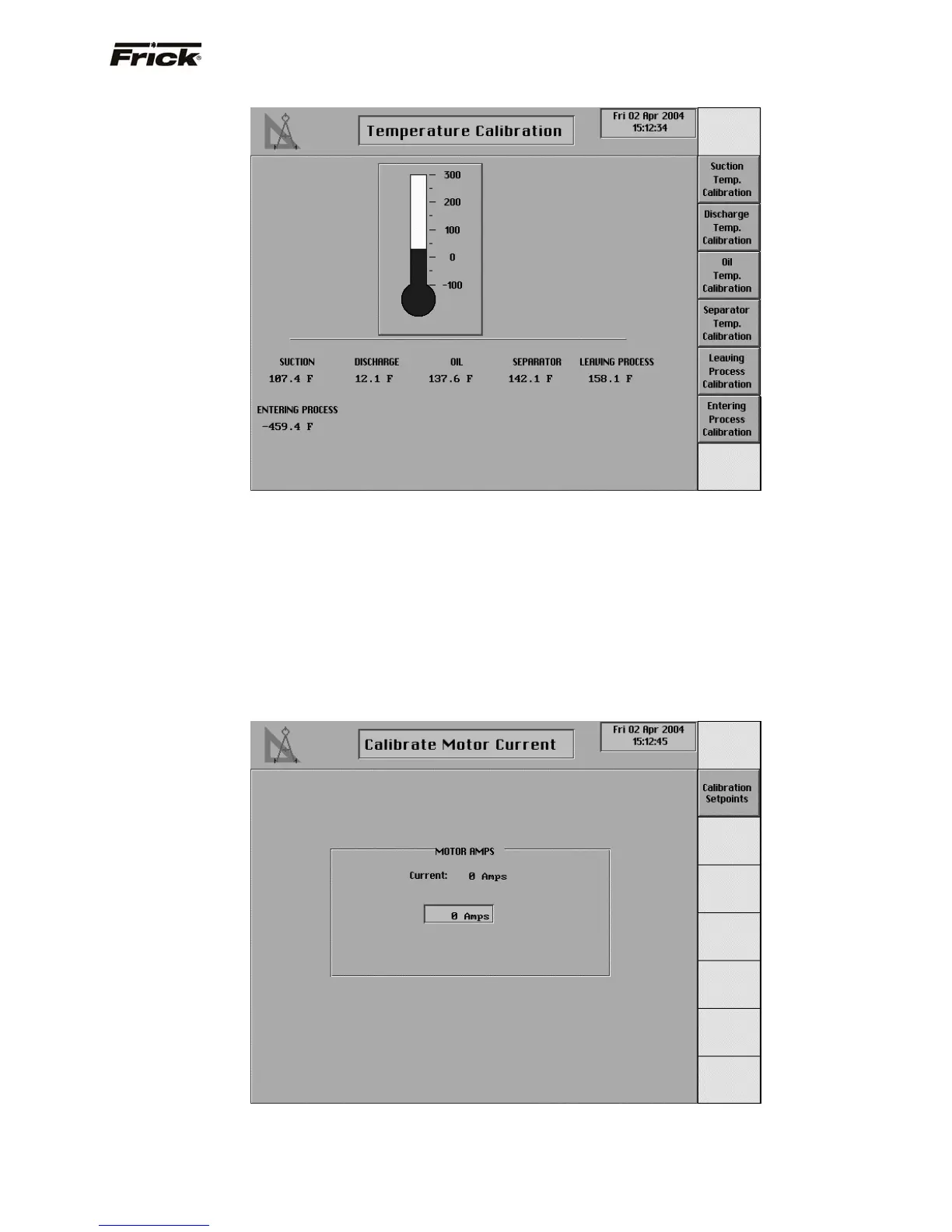
Temperature Calibration
This screen shows a thermometer and the current
temperature readings for:
• Suction
• Discharge
• Oil
• Separator
• Leaving Process (If Process Temperature
Capacity Control was enabled)
• Entering Process (If applicable, see Panel
Setup)
The Setting for the Current Value is blank until a
temperature for calibration is selected from the screen
keys. A screen key exists for each of the displayed
temperature readings. When a temperature calibration is
selected, the identification of the temperature
measurement sensor and its settings are shown. It is at
this time that the thermometer will also show the current
reading. Select the [Calibration Setpoints] screen key to
modify the present calibration.
Calibrate Motor Current
This screen shows the current reading of the motor amps.
Select the [Calibration Setpoints] screen key to modify
what should be shown as the current reading.
Note: The motor current must be calibrated while the
compressor is running and preferably with the compressor
loaded.
FRICK
QUANTUM™ COMPRESSOR CONTROL PANEL S90-010 O
OPERATION Page 67



 To Next Page