Revision 1 39 9/10/2019
To install the tape:
a) Remove the tape cover from the left side of the chassis.
b) Remove the screw-on retaining disks (not shown) from the supply reel (1) and take-up
reel (2).
c) Take a new reel of tape and remove the adhesive tape securing the end. Place the tape
reel on the supply reel. Make sure the tape is installed so that the loose end hangs down
on the left side of the reel, not the right or observe the “This Side Out: stamp on the side
of the tape.
d) Thread the tape over the lower sample chamber guide pin (3). Push the compression
head (4) back and slide the tape behind the compression head. Ensure that the tape is
flat against the groove in the sample chamber (8) and has no creases.
e) Pull the tape up over the upper sample chamber guide pin (5).
f) Thread the tape over the black aluminium / grey plastic capstan of the pulse counter (6).
(Note that this capstan may be either aluminium or plastic).
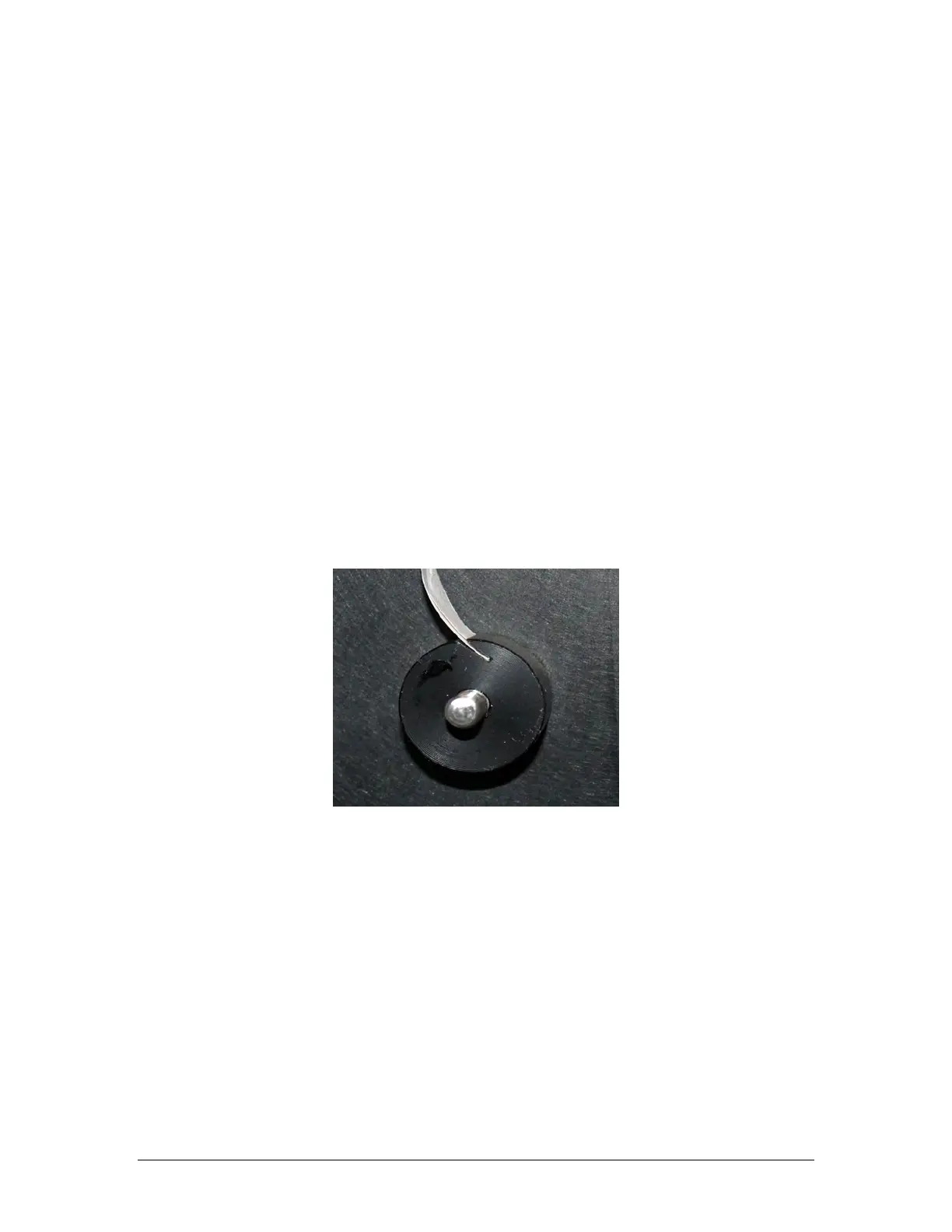
g) Fold over the first inch of the tape, and then slide this folded end of the tape into the slot
on the take-up reel (2), as shown in Figure 3-14.
Figure 3-14: Insertion of Tape End into Take-up Reel
h) Replace the screw-on disks onto the supply and take-up reel. The larger disk goes on the
take-up reel.
i) Take up any slack in the tape by rotating the tape reel on the supply reel clockwise until
the tape is tight.



 To Next Page