190-01115-01 G3X™/G3X Touch™ Avionics Installation Manual
Rev. AV Page I-4
1. Add a new gauge marking to the Oil Temperature Gauge
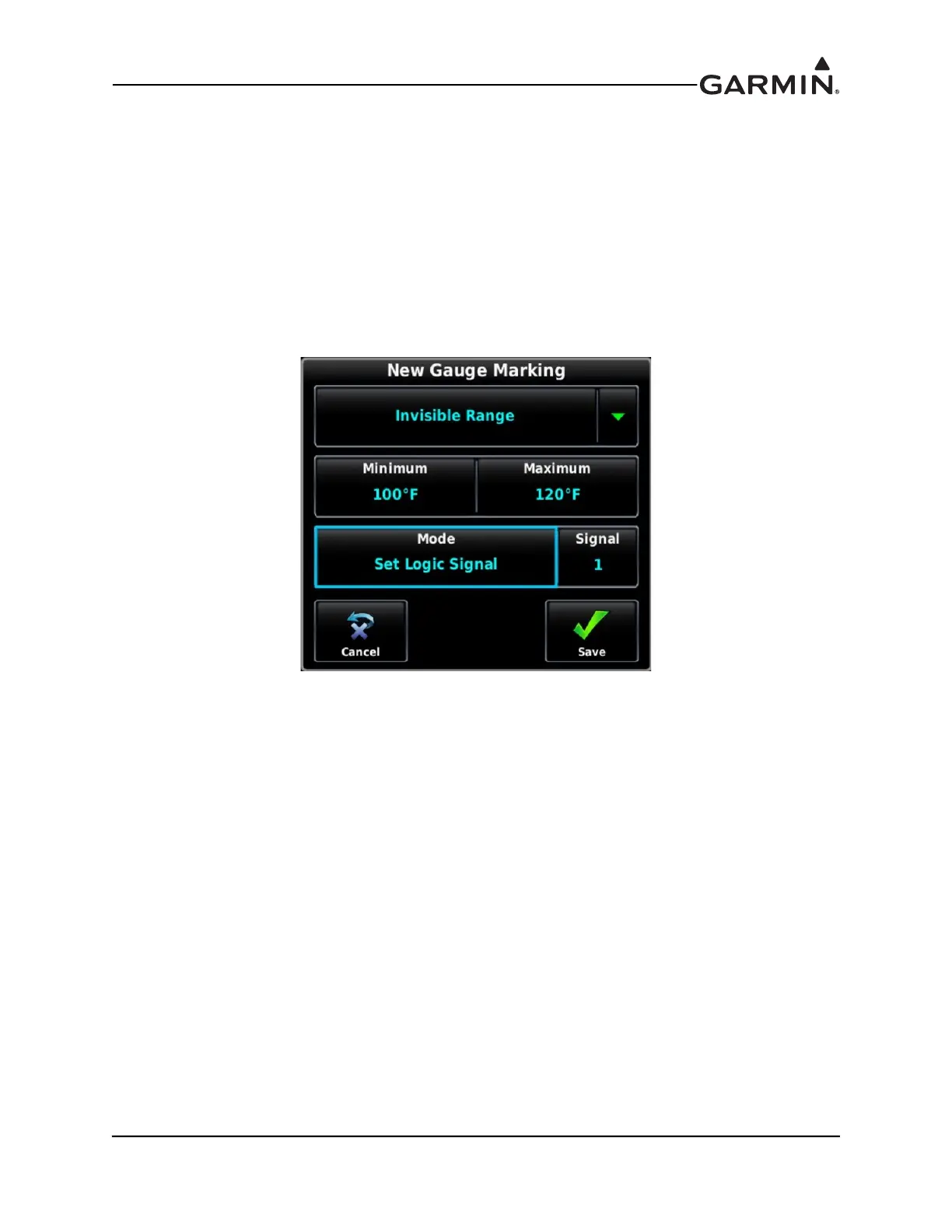
a) From the Oil Temperature configuration page, add a new gauge marking, and set the gauge
marking type to Invisible Range (Figure I-6).
b) Change the Mode from Normal to Set Logic Signal
c) Choose an unused Signal identifier, (Signal 1 is used in this example).
d) The invisible range will extend from 100 degrees to 120 degrees. Any time Oil temperature
falls within that range, Signal 1 will be "Set". If oil temperature is outside of that range,
Signal 1 is "Cleared". The Set/Clear state of that signal will be referenced for the gauge
markings of the RPM gauge.
Figure I-6 Invisible Range



 To Next Page