190-01115-01 G3X™/G3X Touch™ Avionics Installation Manual
Rev. AV Page I-5
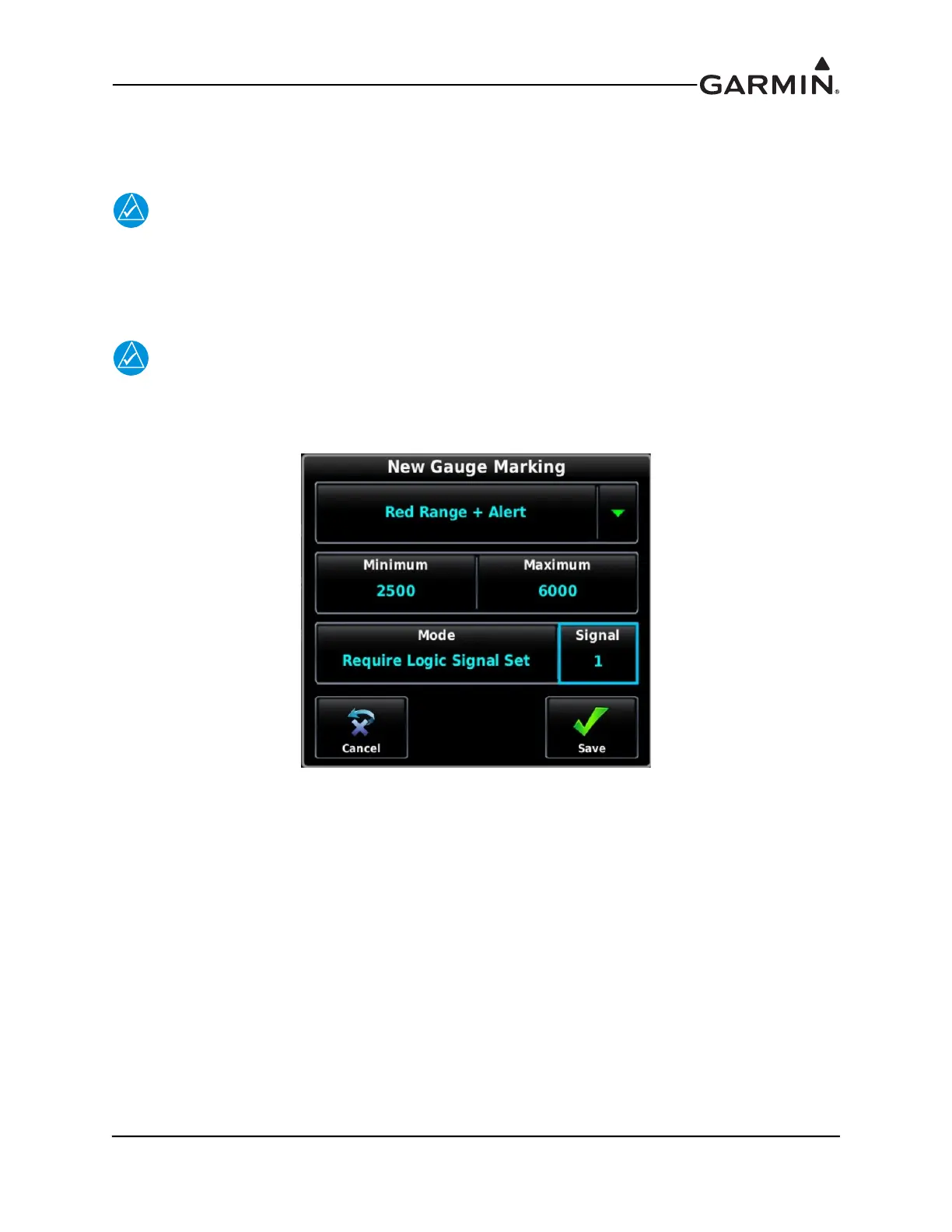
2. Edit RPM Gauge Markings (Figure I-7)
a) In the RPM configuration menu, create the 2nd Red Gauge Arc. The existing red gauge
marking (5800-6000 RPM) will remain unchanged.
NOTE
As determined in Step 1, Signal 1 is Set when Oil Temperature is below 120F, and Clear
when Oil temperature is above 120F.
b) Create a new Red Range Gauge marking for RPM, with a Max/Min RPM value of 2500-
6000 RPM and set the Mode to "Require Logic Signal Set", “Signal 1”.
NOTE
When Signal 1 is Set (Oil Temp < 120F), this new range will be displayed on the RPM
gauge. When Signal 1 is Clear, the new range will not be applied to the RPM gauge.
Figure I-7 Red Range + Alert



 To Next Page