190-01115-01 G3X™/G3X Touch™ Avionics Installation Manual
Rev. AV Page 30-144
MFD1 Split Screen Side–Controls where the side multi-function pane is displayed on MFD1 when split
screen is selected. (Not applicable to GDU 470; the multi-function pane will default to the lower half of the
screen.)
User Selected (default setting)–Allows the pilot/user to select the desired location in normal mode
from the Display Setup page on the main menu.
Left–The multi-function pane will be displayed on the left side of the screen when split screen is
selected.
Right–The multi-function pane will be displayed on the right side of the screen when split screen is
selected.
MFD1 Mode Button Screen Side–Controls where the split/full screen mode button is displayed on
MFD1. (Applicable to GDU 460 when configured as an MFD.)
User Selected (default setting)–Allows the pilot/user to select the desired location in normal mode
from the Display Setup page on the main menu.
Auto–When set to Auto, the system automatically places the split/full screen mode button on either
the left or right corner of the data bar, and the selection cannot be change by the user/pilot.
Left–The split/full screen mode button will be displayed on the upper loft corner of the data bar.
Right–The split/full screen mode button will be displayed on the upper loft corner of the data bar.
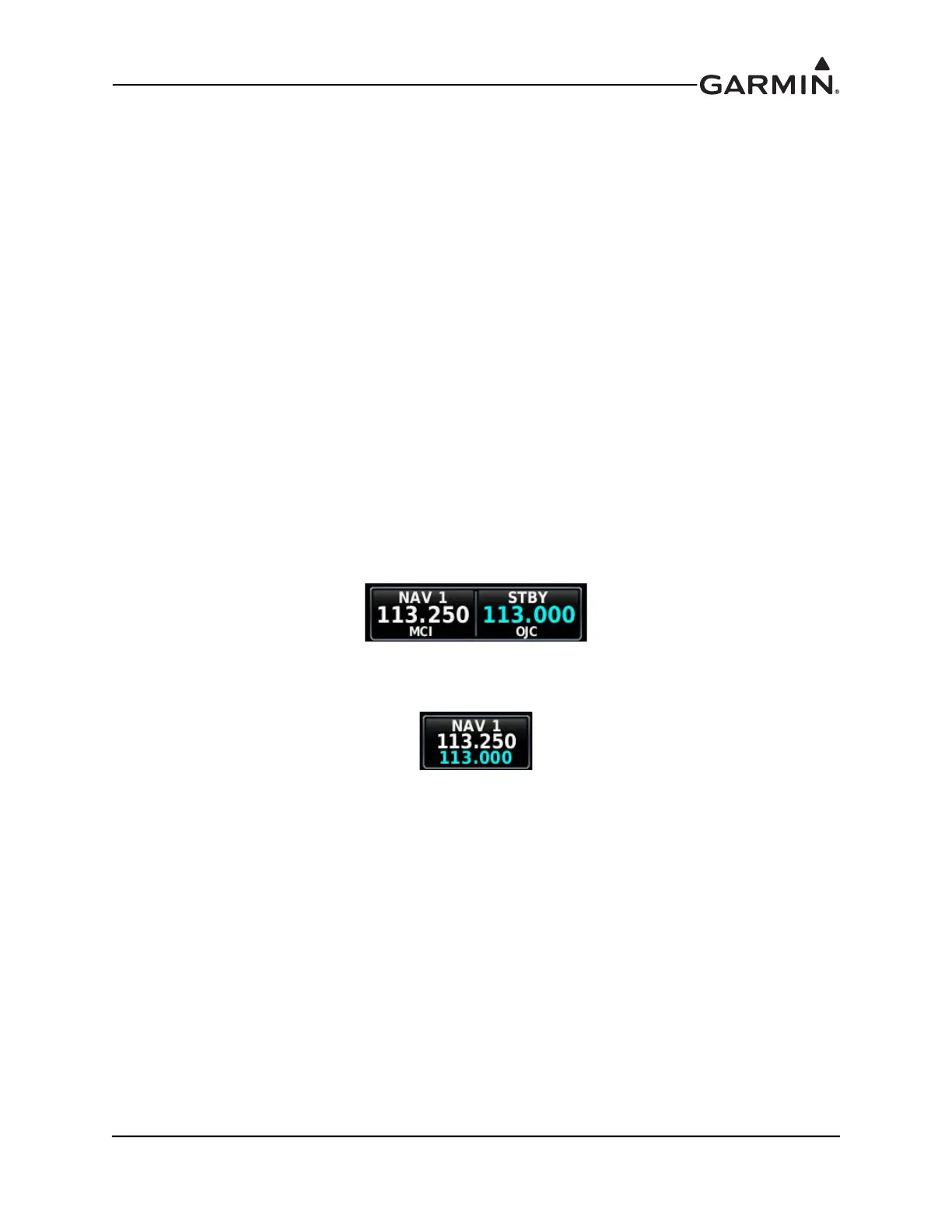
NAV Radio Controls–Allows selection of two versions of the displayed NAV buttons.
Normal (default setting)–The NAV radio's active and standby frequencies are displayed in two
adjacent windows. This setting applies to all NAV radios displayed on the screen.
Minimized–The NAV radio's active and standby frequencies are displayed as stacked in one window.
This setting applies to all NAV radios displayed on the screen.
Toggle Split Screen Layout With BACK Key–Controls if the Back key/button can be used to switch
between split or full screen modes.
User Selected (default setting)–Allows the pilot/user to select/change if the Back key can be used to
switch back and forth from full to split screen modes.
Enabled–Enables the Back key to be used to toggle between full and split screen modes. In this
setting the split/full mode button may also be used.
Disabled–Disables the Back key from being used to toggle between full and split screen modes. With
this setting the split/full mode button must be used to toggle between the full and split screen
modes.
COM Radio Control - Allows selection of two versions of the displayed COM buttons.
Normal (default setting)–The COM radio's active and standby frequencies are displayed in two
adjacent windows.
Minimized–The NAV radio's active and standby frequencies are displayed as stacked in one window.



 To Next Page