190-01115-01 G3X™/G3X Touch™ Avionics Installation Manual
Rev. AV Page 30-145
EIS/Engine Page Layout–There are 3 options, User Select, Combined, and Separate. User Select allows
the pilot to toggle between Combined and Separate from normal mode, in the Display options.
When EIS/Engine Page Layout is set to:
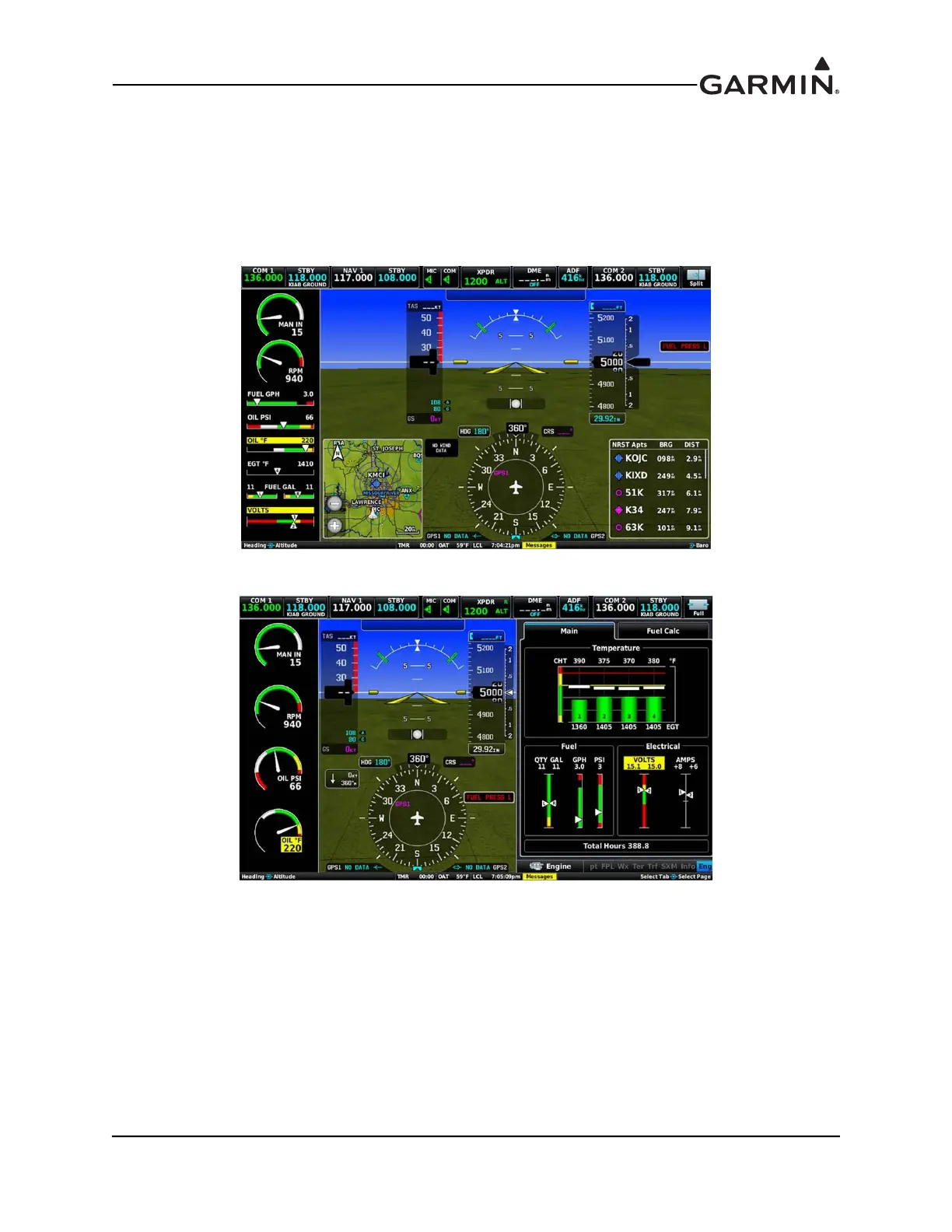
• Combined - the EIS display is dynamic, when the supplemental ENG tab is opened on the MFD
side of the display, the EIS display changes layout.
• Separate - the EIS display will not change, regardless of the presence of the ENG tab on the MFD
side of the screen.
Figure 30-51 EIS Display (shown in normal full PFD mode)
Figure 30-52 EIS Display w/ENG Tab in Combined setting
The EIS Display is dynamic, it changes layout when the ENG tab is opened (Figure 30-52). The EIS
Display changes layout automatically based on the ENG menu.



 To Next Page