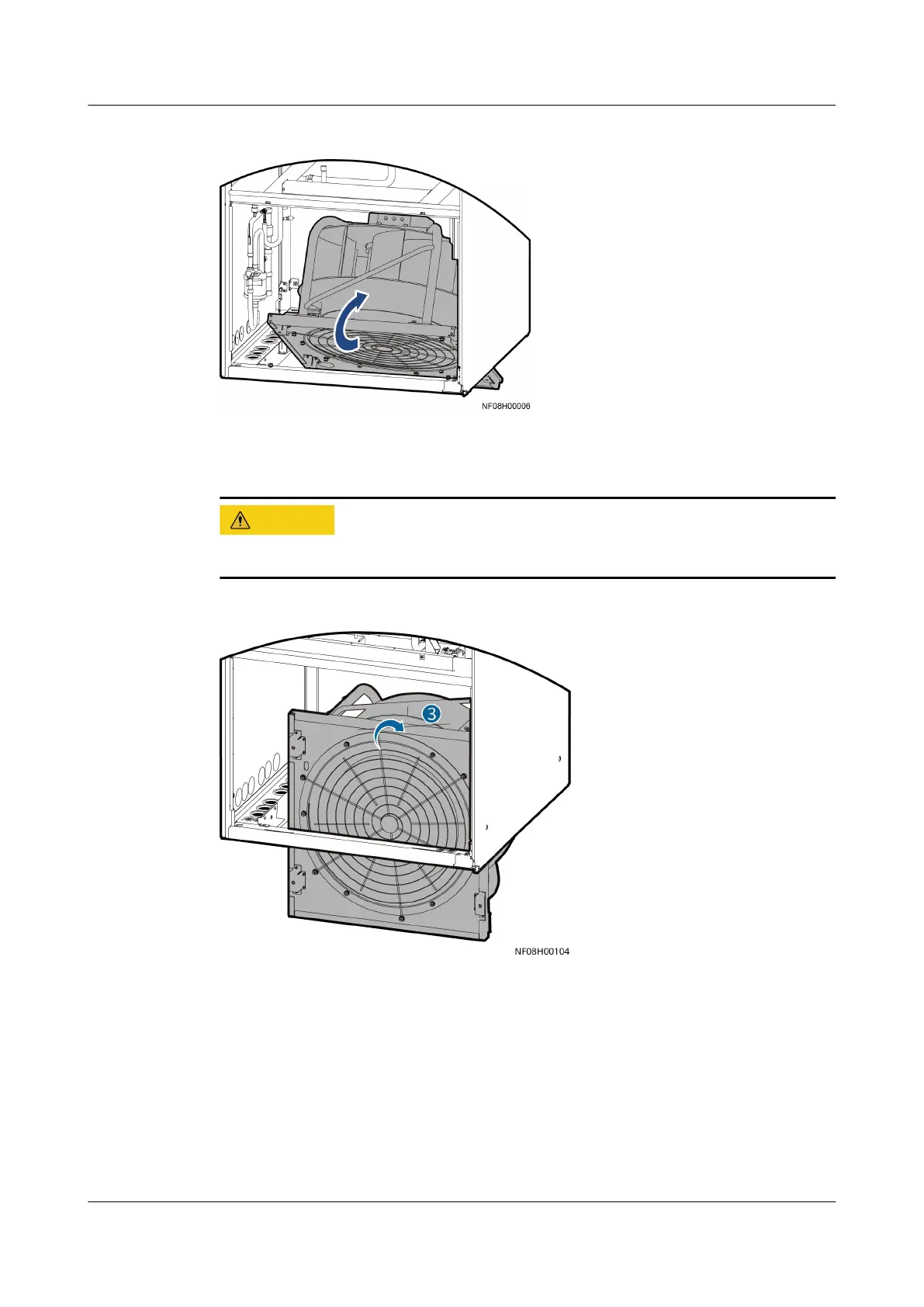
Figure 4-118 Turning a fan to 30 degrees
Step 3 Slowly rotate the fan by 90 degrees and ensure that the rotating shaft of the fan
is on the outermost side.
Exercise caution when handling the fan to avoid body injury.
Figure 4-119 Turning a fan to 90 degrees
Step 4 After the fan rotates to 150 degrees, push the fan back to the horizontal position.
NetCol8000-A(045, 055, 060, 090, 120) In-room Air
Cooled Smart Cooling Product
User Manual 4 System Installation
Issue 05 (2020-10-10) Copyright © Huawei Technologies Co., Ltd. 148







 To Next Page