Parameter Description
Hot aisle temperature
and humidity sharing
This function can be enabled only when at least one
smart cooling product in the group is equipped with
hot aisle T/H sensors. If this function is enabled, the
master unit in the teamwork group collects the hot
aisle temperature and humidity values from all units
equipped with hot aisle sensors, and synchronizes the
temperature and humidity values to all units after
logical calculation.
After this function is enabled, the master unit
synchronizes the temperature and humidity control
type and setpoints to all slave units.
Outdoor unit auto-
cleaning function
Outdoor unit auto-cleaning function: Disable the
cooling and dehumidication functions, shut down
the compressor system and uorine pump system,
and control the outdoor fans to reversely rotate for 3
minutes.
● Disable: Outdoor unit auto-cleaning is not
performed.
● Enable: If the teamwork networking is normal, the
cooling function of teamwork units is normal, and
no high temperature alarm is generated, the
teamwork units control the outdoor fans to rotate
reversely in sequence during the period from
22:00 to 06:00 to implement auto-cleaning.
Step 3 Perform Step 1 and Step 2 to congure teamwork control for all units in the
group.
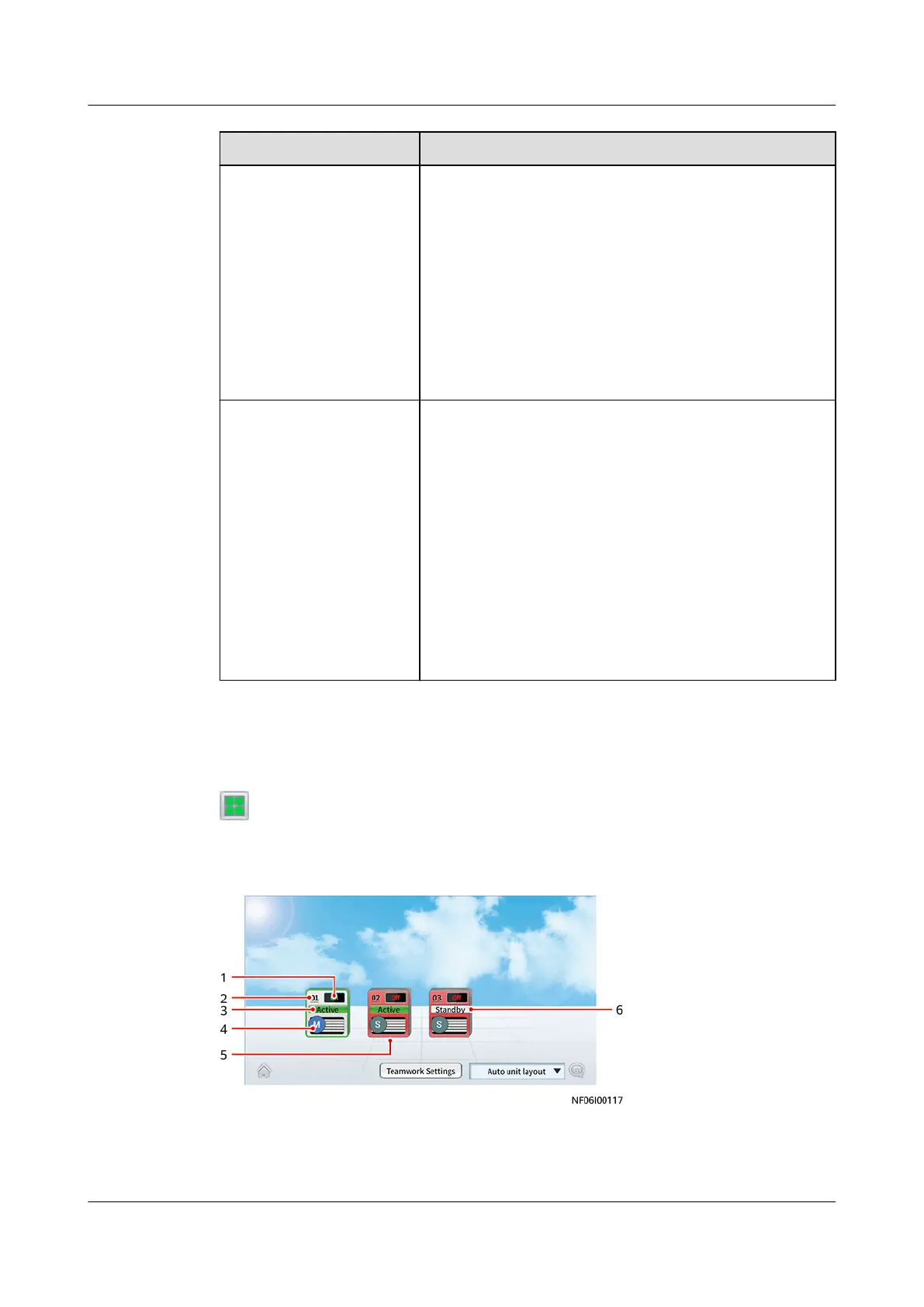
Step 4 On the home screen of the display module of any unit in the teamwork group, tap
. If the teamwork networking succeeds, the teamwork topology of the unit in
the group is displayed.
Figure 6-21 Teamwork topology
NetCol8000-A(045, 055, 060, 090, 120) In-room Air
Cooled Smart Cooling Product
User Manual 6 Power-On Commissioning
Issue 05 (2020-10-10) Copyright © Huawei Technologies Co., Ltd. 186







 To Next Page