● If the device is powered on again after a power failure, the device
automatically restores to the original start/shutdown state before the power
failure.
● Hardware ports are reserved on the main control module to control the status
of remote dry contacts or remote startup and shutdown signals. The status of
remote dry contacts and remote startup and shutdown signals is started by
default.
● A unit can be started over the screen or NMS only when the status of remote
dry contacts or remote start/shutdown signal is Start.
Prerequisites
Download the Service Expert app from HUAWEI AppGallery. The app can only run
on Android currently. You must apply for the permission to use the app after
downloading it.
Procedure
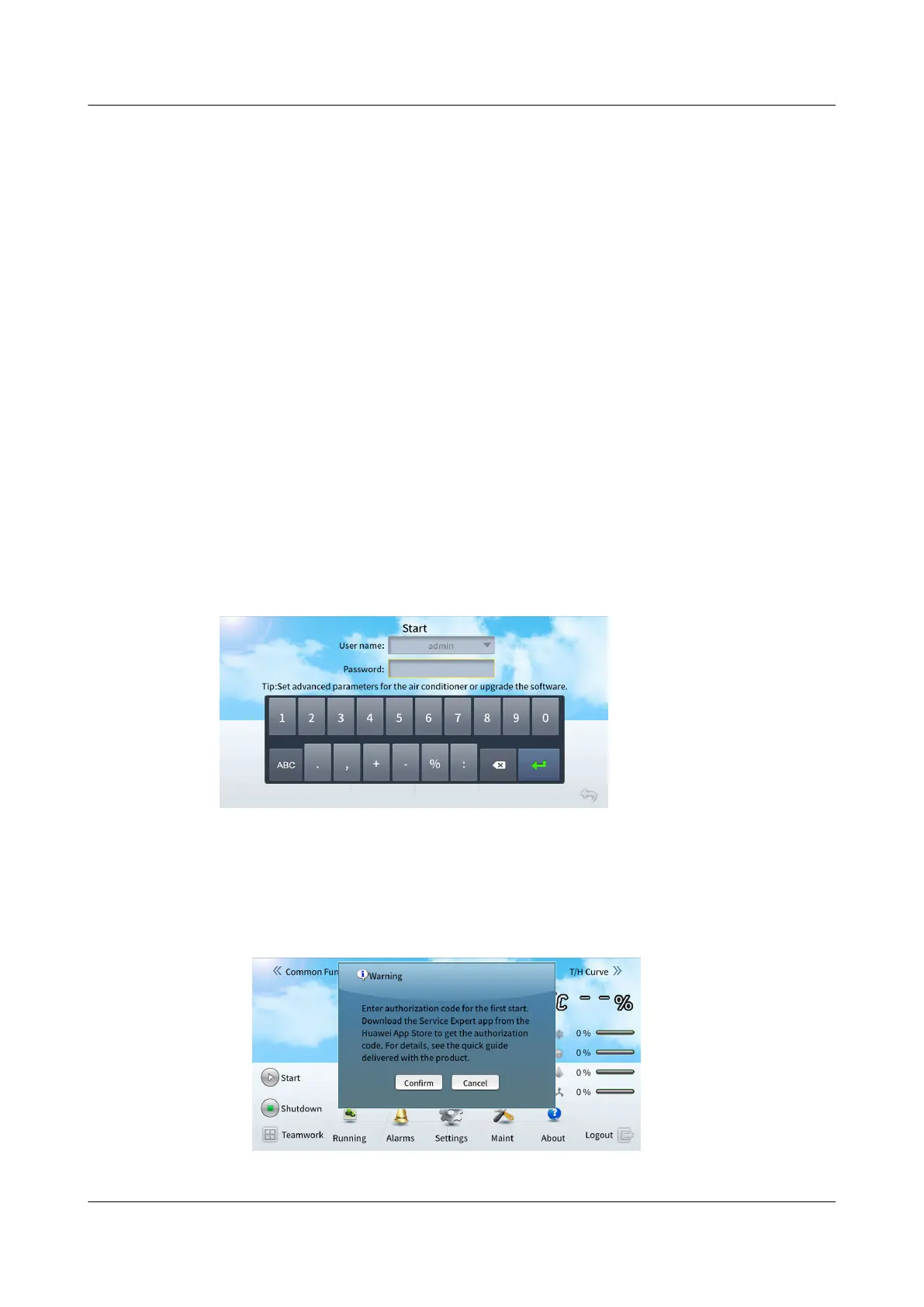
Step 1 Tap Startup on the home screen to enter the startup screen. Log in to the
controller as the admin user, as shown in Figure 6-29.
Figure 6-29 Startup
● If the screen shown in Figure 6-30 is displayed, click OK. The following screen
is displayed. This indicates the initial startup after power-on. Go to Step 2 to
perform the initial startup
verication.
Figure 6-30 Initial startup
NetCol8000-A(045, 055, 060, 090, 120) In-room Air
Cooled Smart Cooling Product
User Manual 6 Power-On Commissioning
Issue 05 (2020-10-10) Copyright © Huawei Technologies Co., Ltd. 196







 To Next Page