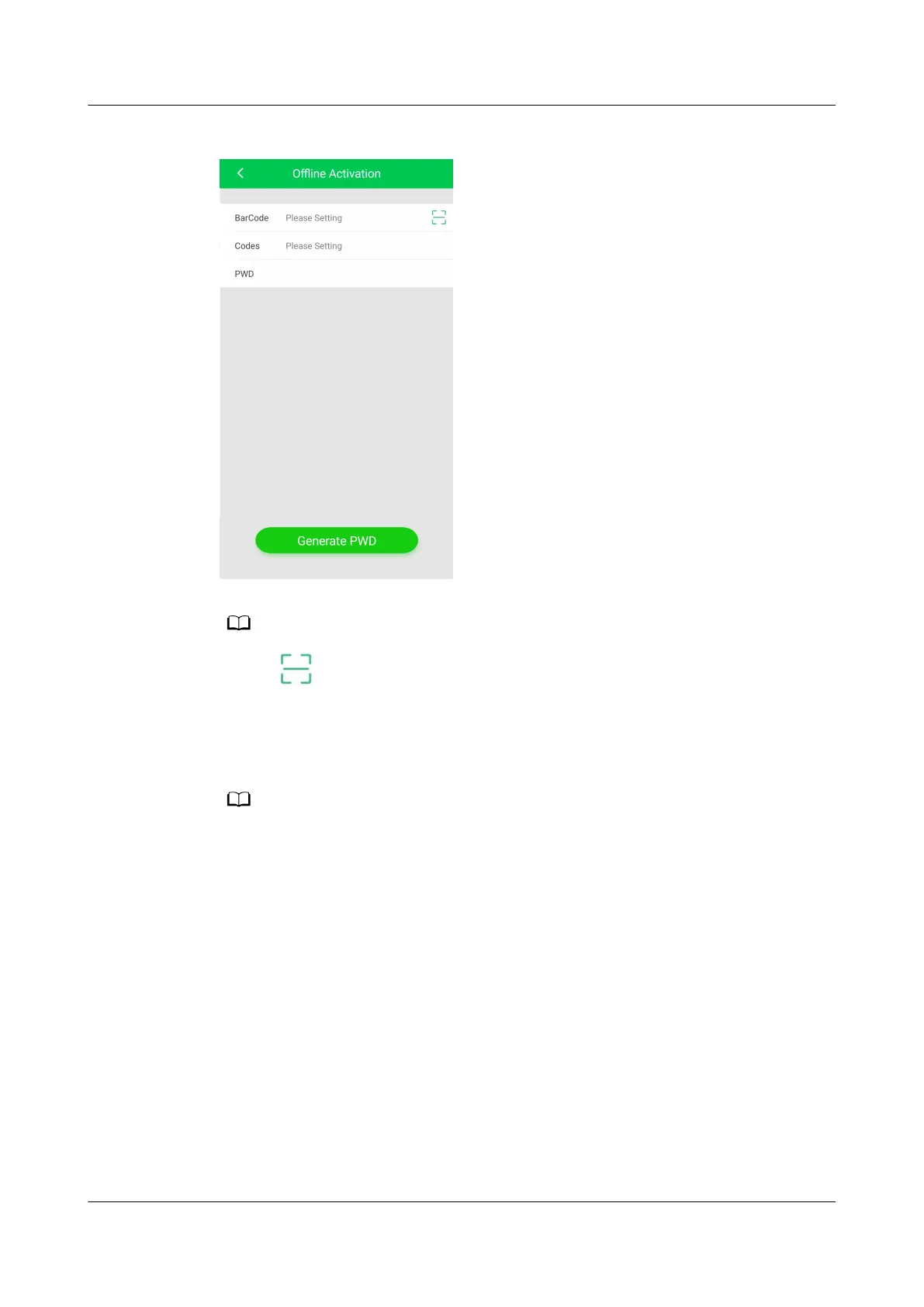
Figure 6-33 Generating a startup password
Tap and scan the QR code on the Start Password screen of the display module. The
barcode and verication code are automatically entered on the app.
Step 5 On the Oine Activation screen, enter Bar code and Verication code, which
are available on the home screen (Figure 6-30). Tap Generate PWD to generate a
startup password.
If startup verication fails (the password is not entered within 5 minutes or the password is
incorrect), the generated password will be invalid for the sake of security. The initial startup
verication fails.
Step 6 Tap Password on the screen of the smart cooling product and enter the generated
startup authorization password in the displayed dialog box.
Step 7 After startup, the Wizard Startup screen is displayed.
● If the refrigerant has been fully charged, perform wizard-based
commissioning.
● If the remaining refrigerant has not been fully charged, tap No on the Wizard
Startup screen to exit the startup commissioning. Complete refrigerant
charging, and then perform the wizard startup by choosing Maint > Wizard
Startup to enter the wizard startup screen.
----End
NetCol8000-A(045, 055, 060, 090, 120) In-room Air
Cooled Smart Cooling Product
User Manual 6 Power-On Commissioning
Issue 05 (2020-10-10) Copyright © Huawei Technologies Co., Ltd. 198







 To Next Page