Exercise caution during replacement as the fan is heavy.
Two persons are required to move a fan.
Procedure
Step 1 Tap Shutdown on the home screen of the display module.
Exercise caution because the device is still energized after it is shut down on the
screen of the display module.
Step 2 Open the front door and turn o the general switch. Then, remove the fan
maintenance cover using a Phillips screwdriver.
Step 3 Disconnect the fan cable from the plug-in terminals reserved in the cabinet.
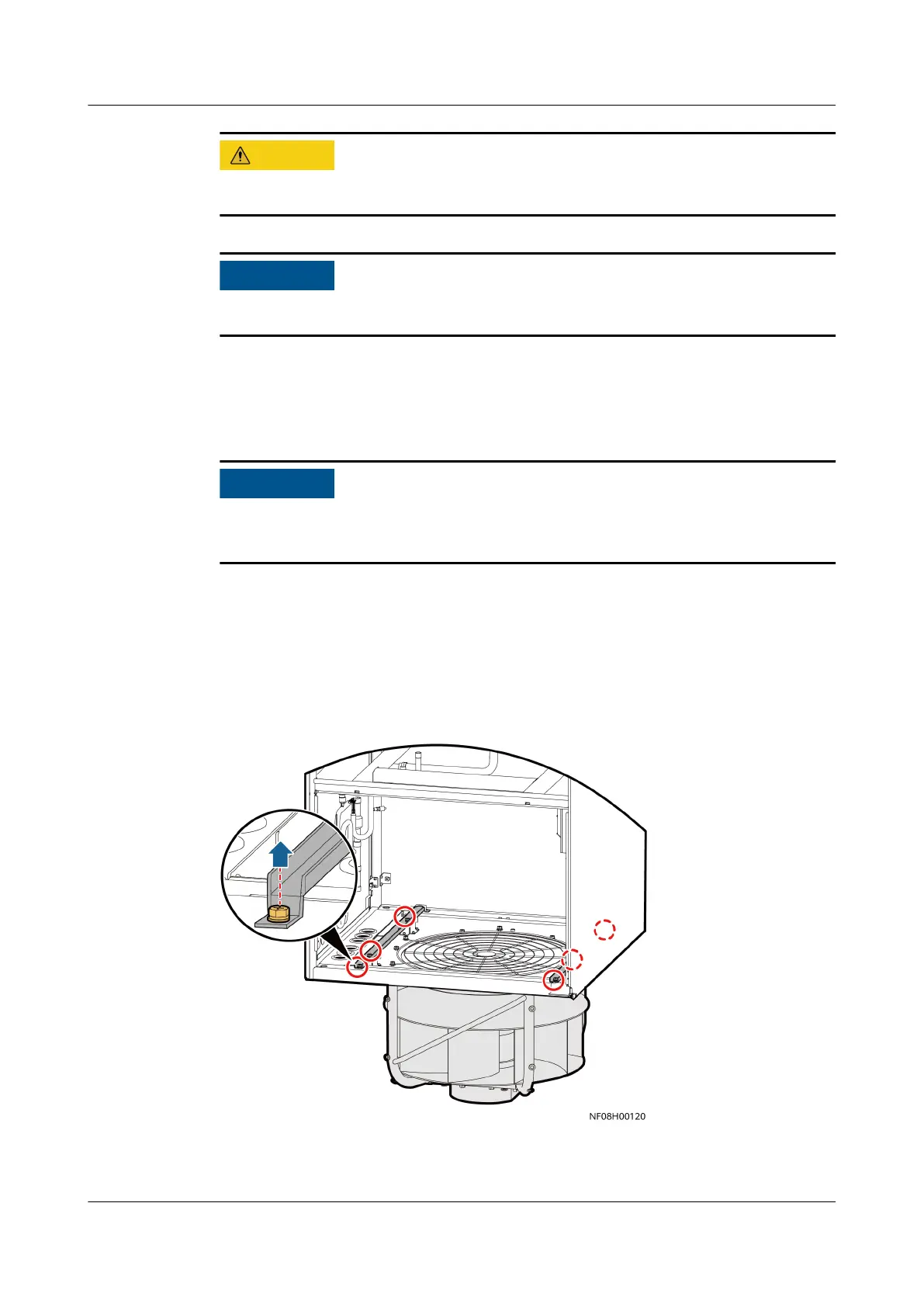
Step 4 Remove the screws from the beam above the fan using a 13# socket wrench.
Figure 11-20 Removing screws
Step 5 Lift the fan up, then ip the fan for 180°, and pull the fan out of the cabinet.
NetCol8000-A(045, 055, 060, 090, 120) In-room Air
Cooled Smart Cooling Product
User Manual 11 Parts Replacement
Issue 05 (2020-10-10) Copyright © Huawei Technologies Co., Ltd. 278







 To Next Page