WSB-9152 PICMG 1.0 SBC
Page 90
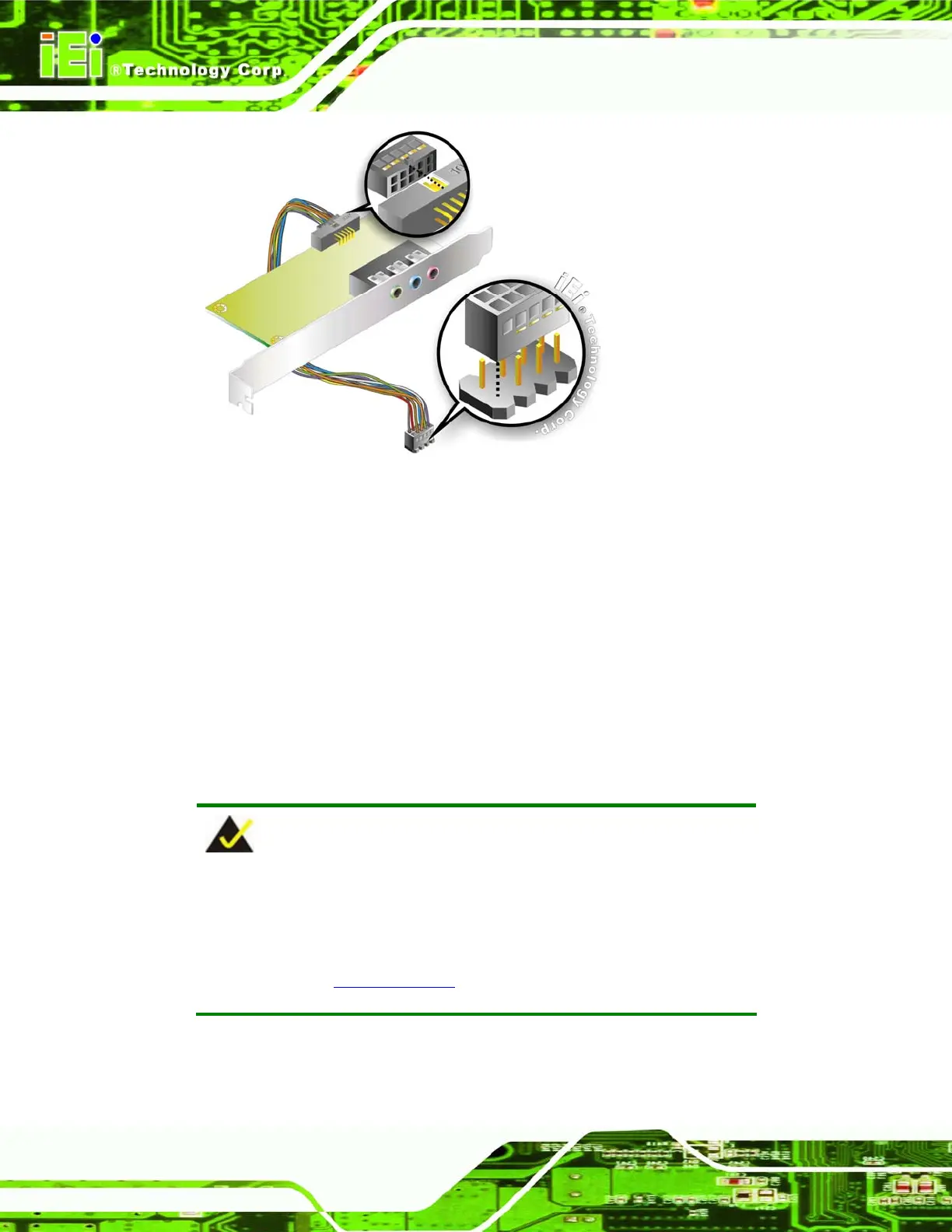
Figure 5-13: 5.1 Channel Audio Kit
Step 4: Mount the audio kit onto the chassis. Once the audio kit is connected to the
WSB-9152, secure the audio kit bracket to the system chassis.
Step 5: Connect the audio devices. Connect one speaker to the line-in audio jack, one
speaker to the line-out audio jack and a microphone to the mic-in audio jack.
Step 6: Install the driver. If the 5.1 channel audio kit is used, the ALC665 driver must
be installed. Refer to Chapter 7 for driver installation instructions.Step 0:
5.6.4 7.1 Channel Audio Kit Installation
NOTE:
This is an optional item that must be ordered separately. For further
information please contact the nearest WSB-9152 distributor, reseller
or vendor or contact an iEi sales representative directly. Send any
queries to
sales@iei.com.tw.
The optional 7.1 channel audio kit connects to the 10-pin audio connector on the
WSB-9152. The audio kit consists of five audio jacks. One audio jack, Mic In, connects to












 To Next Page