WSB-9152 PICMG 1.0 SBC
Page 154
7.4 Creating a RAID Array
To create a new RAID array, please follow the steps below:
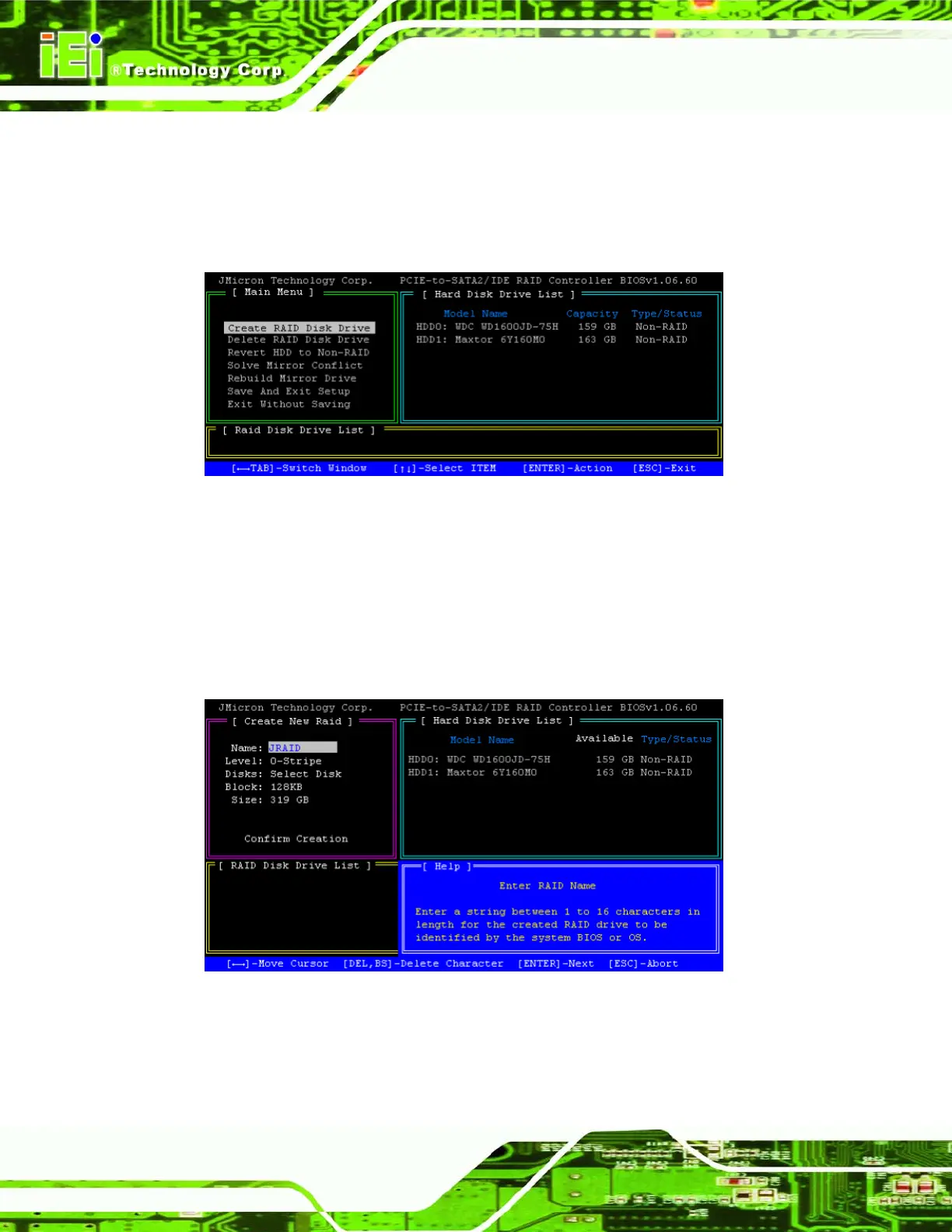
Step 1: Highlight the “Create RAID Disk Drive” menu option and press ENTER.
Figure A-1: Select “Create RAID Disk Array”
Step 2: The RAID creation menu appears.
Step 3: Choose a label for the new RAID array. The label must be from 1 to 16
characters long and is used to identify your RAID array in the BIOS and OS.
This label can be changed later if necessary. Press ENTER to continue.
Figure A-2: Choose RAID Name












 To Next Page