WSB-9152 PICMG 1.0 SBC
Page 153
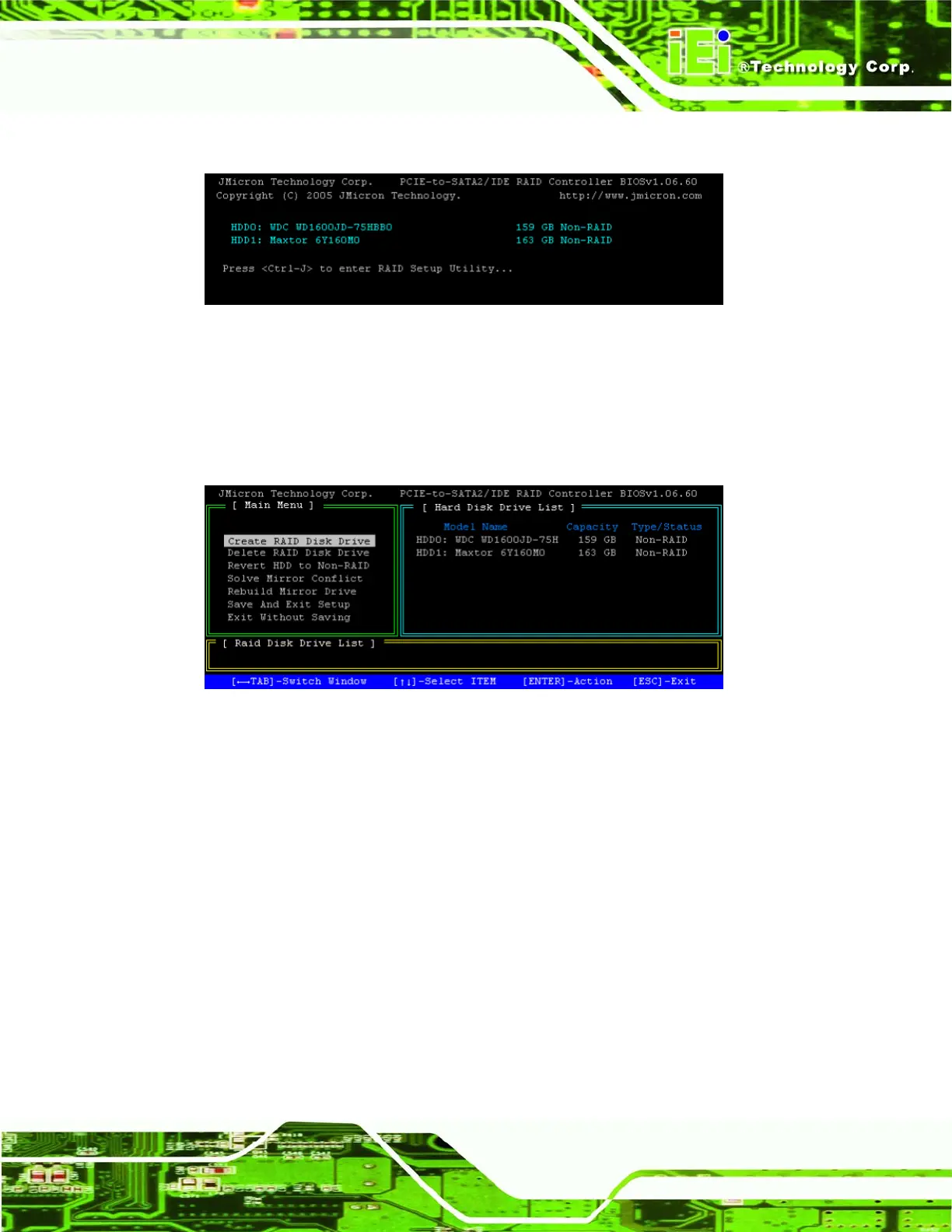
Step 4: The following screen appears. Press Ctrl-J to enter the JMicron RAID BIOS.
Figure A-1: Accessing JMicron RAID BIOS Utility
Step 5: The main menu appears. The top left block gives menu options, the top right
block lists your hard drives and the bottom block shows your RAID drives.
Step 0:
Figure A-2: Accessing JMicron RAID BIOS Utility












 To Next Page