WSB-9152 PICMG 1.0 SBC
Page 160
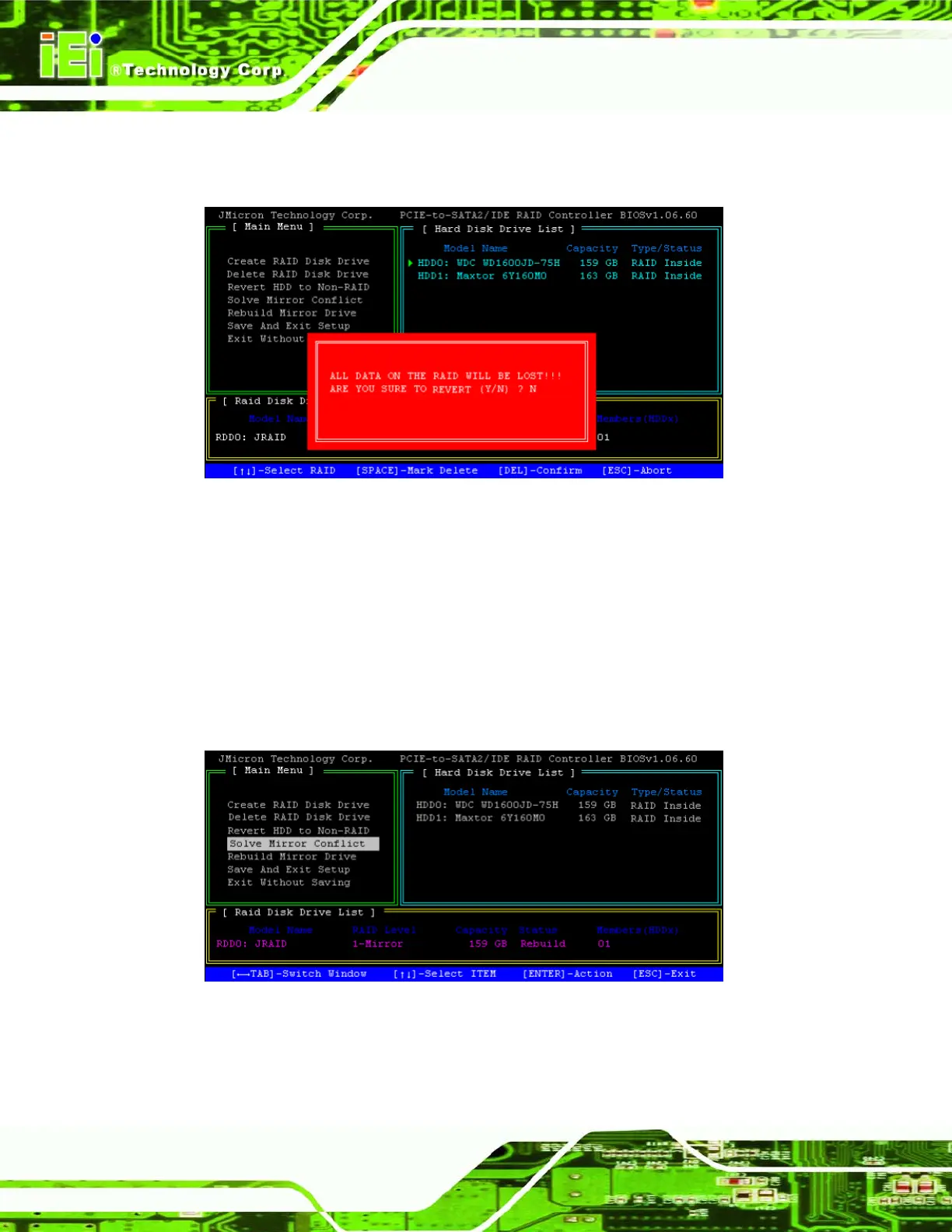
Step 3: Confirm reversion to non-RAID. Remember that all data will be lost. Press Y to
revert them, or N to go back to the main menu. Step 0:
Figure A-3: Confirm Revert
7.7 Solve Mirror Conflict
If both drives are the source for a RAID array the BIOS recognizes them as two separate
drives. Choosing one drive as the source and rebuilding the RAID array from that source
drive solves this situation. This only applies to RAID 1.
Step 1: Highlight the “Solve Mirror Conflict” menu option and press ENTER.
Figure A-1: Select “Solve Mirror Conflict”












 To Next Page