WSB-9152 PICMG 1.0 SBC
Page 130
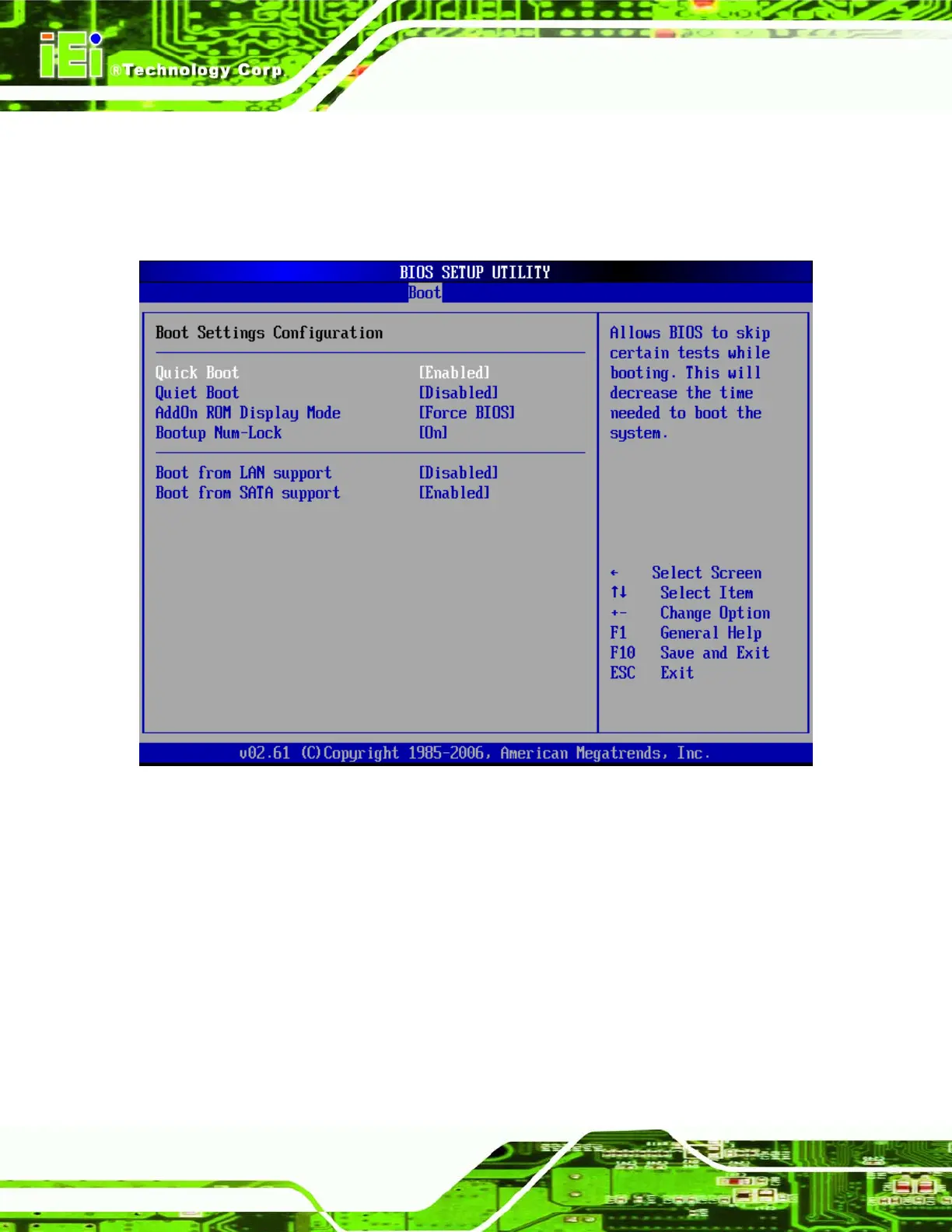
6.5.1 Boot Settings Configuration
Use the Boot Settings Configuration menu (BIOS Menu 13) to configure advanced system
boot options.
BIOS Menu 13: Boot Settings Configuration
Î Quick Boot [Enabled]
Use the Quick Boot BIOS option to make the computer speed up the boot process.
Î
Disabled
No POST procedures are skipped
Î
Enabled DEFAULT
Some POST procedures are skipped to decrease
the system boot time












 To Next Page