WSB-9152 PICMG 1.0 SBC
Page 75
5.3.1 Socket 479 CPU Installation
To install a socket 479 CPU onto the WSB-9152, follow the steps below:
WARNING:
CPUs are expensive and sensitive components. When installing the
CPU please be careful not to damage it in anyway. Make sure the CPU
is installed properly and ensure the correct cooling kit is properly
installed.
WARNING:
When handling the CPU, only hold it on the sides. DO NOT touch the
pins at the bottom of the CPU.
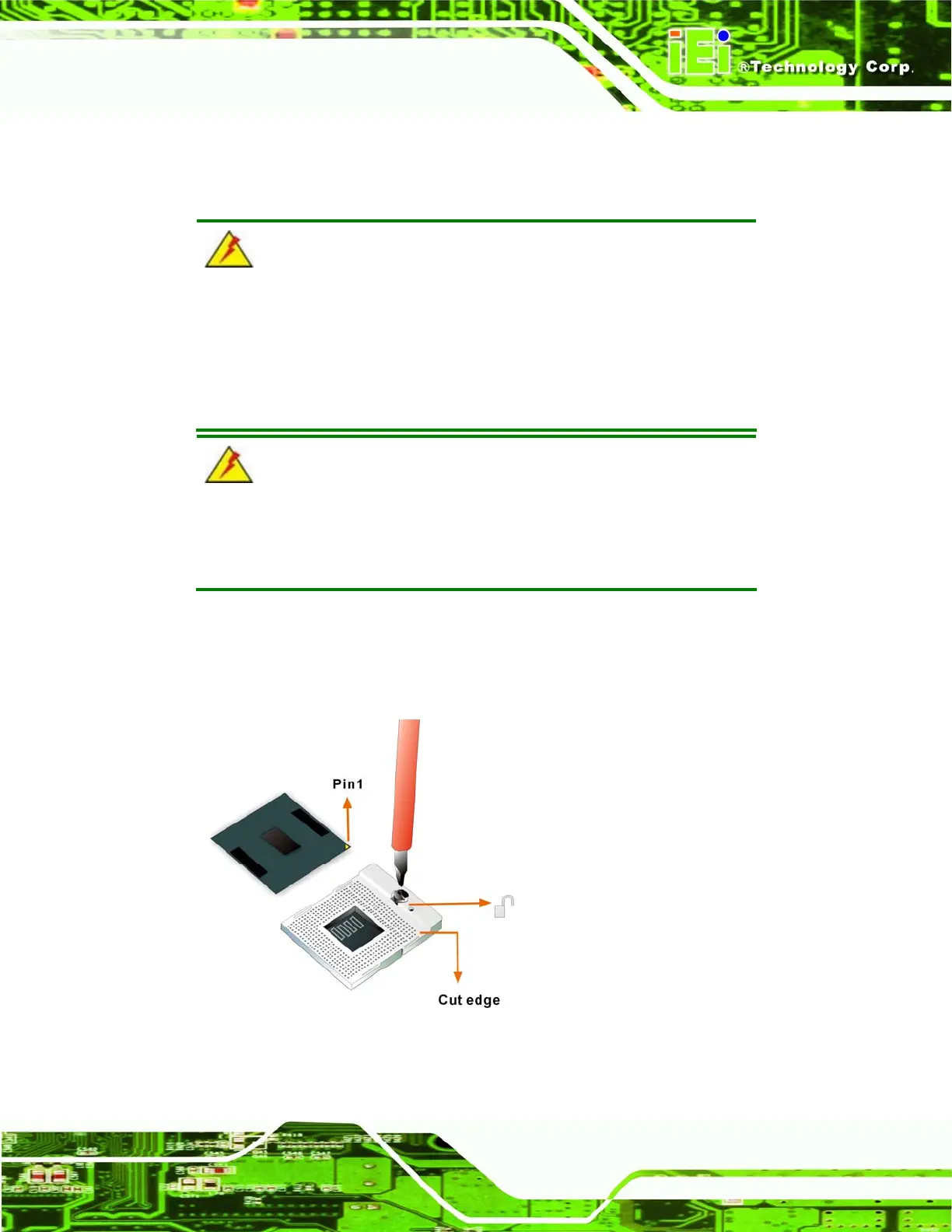
Step 1: Unlock the CPU retention screw. When shipped, the retention screw of the
CPU socket should be in the unlocked position. If it is not in the unlocked
position, use a screwdriver to unlock the screw. See
Figure 5-1.
Figure 5-1: Make sure the CPU socket retention screw is unlocked












 To Next Page