WSB-9152 PICMG 1.0 SBC
Page 79
5.3.3 DIMM Installation
WARNING:
Using incorrectly specified DIMM may cause permanently damage the
WSB-9152. Please make sure the purchased DIMM complies with the
memory specifications of the WSB-9152. DIMM specifications
compliant with the WSB-9152 are listed in Chapter 2.
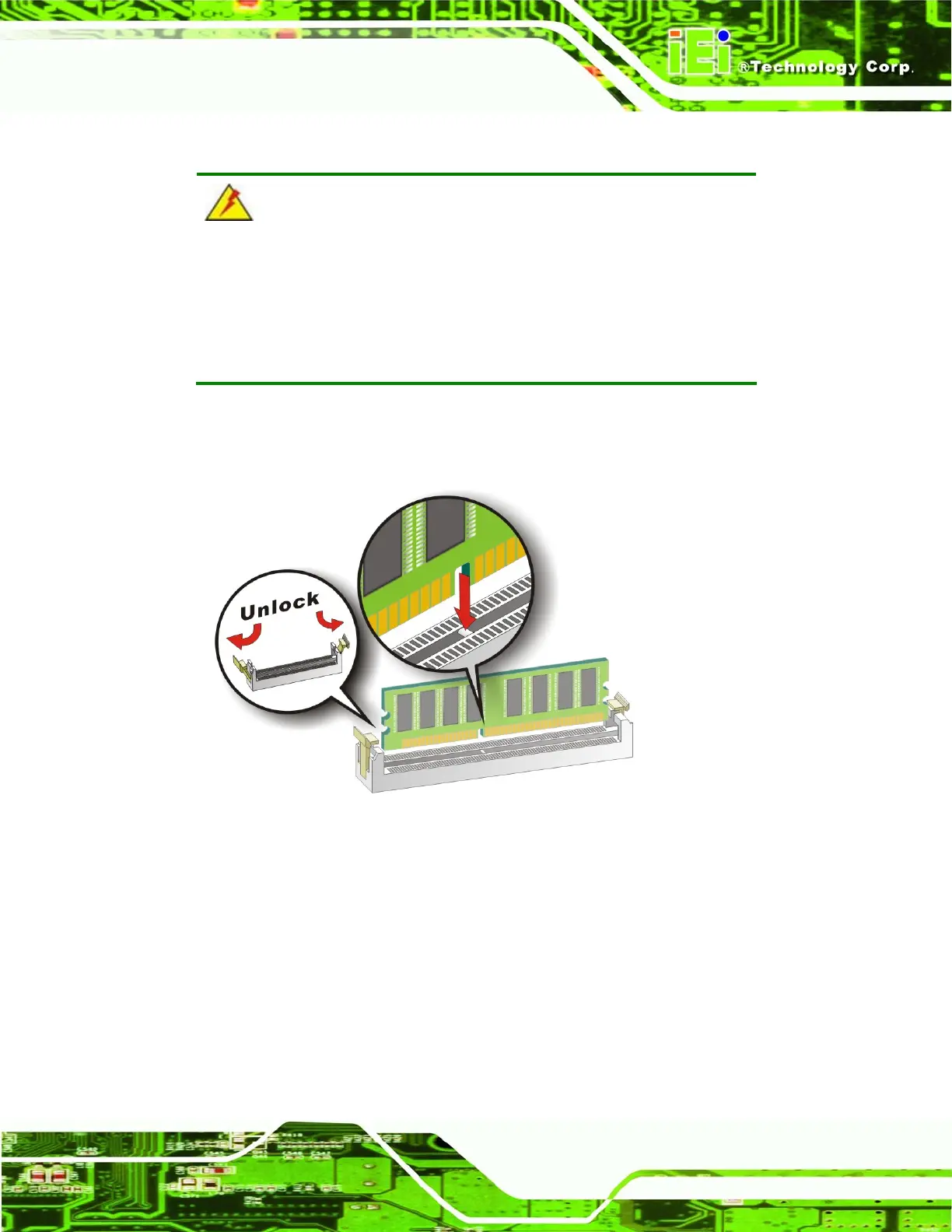
To install a DIMM into a DIMM socket, please follow the steps below and refer to
Figure 5-6.
Figure 5-6: Installing a DIMM
Step 1: Open the DIMM socket handles. The DIMM socket has two handles that
secure the DIMM into the socket. Before the DIMM can be inserted into the
socket, the handles must be opened. See
Figure 5-6.
Step 2: Align the DIMM with the socket. The DIMM must be oriented in such a way
that the notch in the middle of the DIMM must be aligned with the plastic bridge
in the socket. See
Figure 5-6.












 To Next Page