WSB-9152 PICMG 1.0 SBC
Page 155
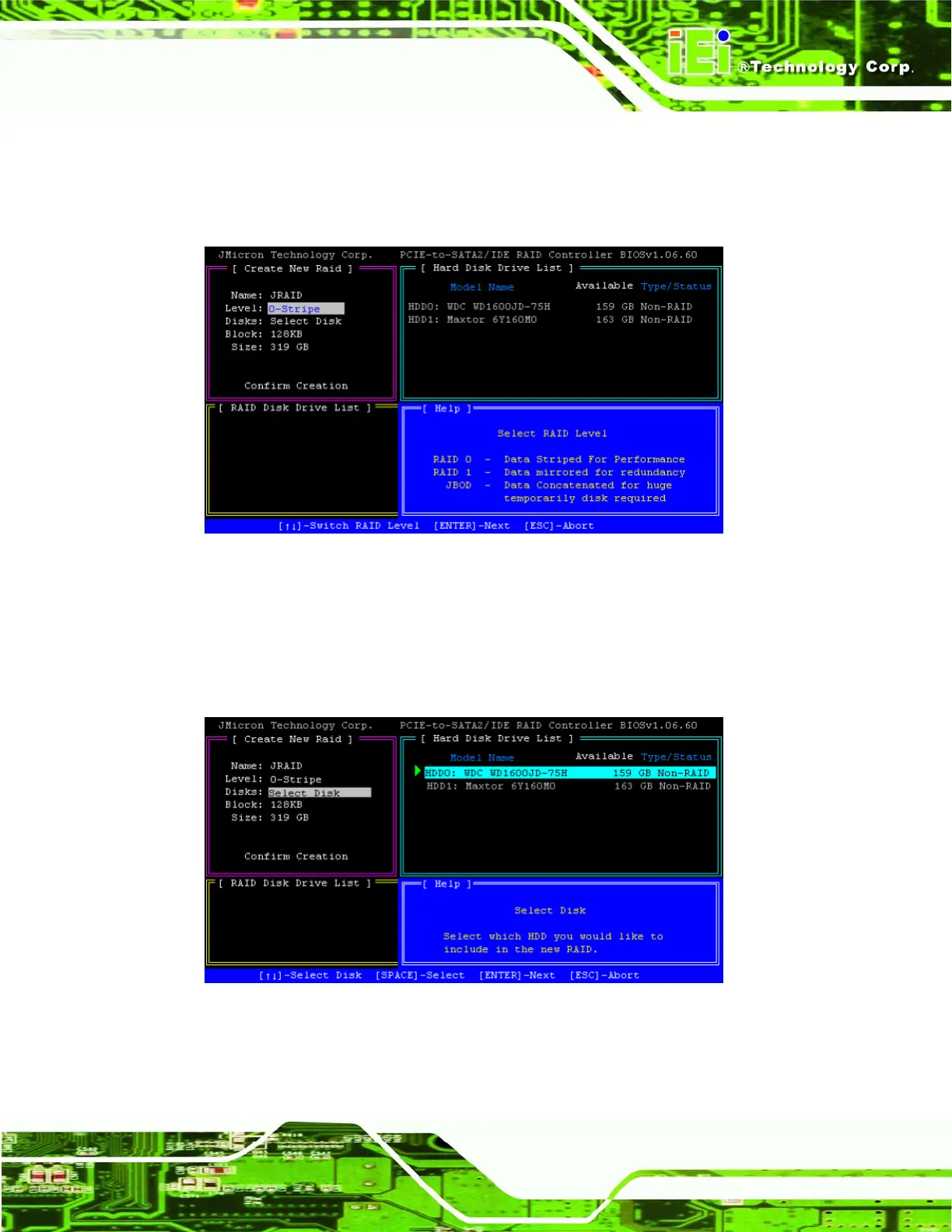
Step 4: Select the type of RAID array. RAID 0, RAID 1 and JBOD are supported. Refer
to
7.11 for information on RAID levels. Use the up and down arrows to change,
and press ENTER to continue.
Figure A-3: Select RAID Type
Step 5: Select the hard disks to use for the new RAID array. Use the arrow keys to
highlight the drives, and use SPACE to select it. A selected drive will have a
green triangle next to it. Select both hard disks. Press ENTER to continue.
Figure A-4: Select Drives for RAID Array












 To Next Page