Programmable and Autonav Nav Pages (continued)
2.
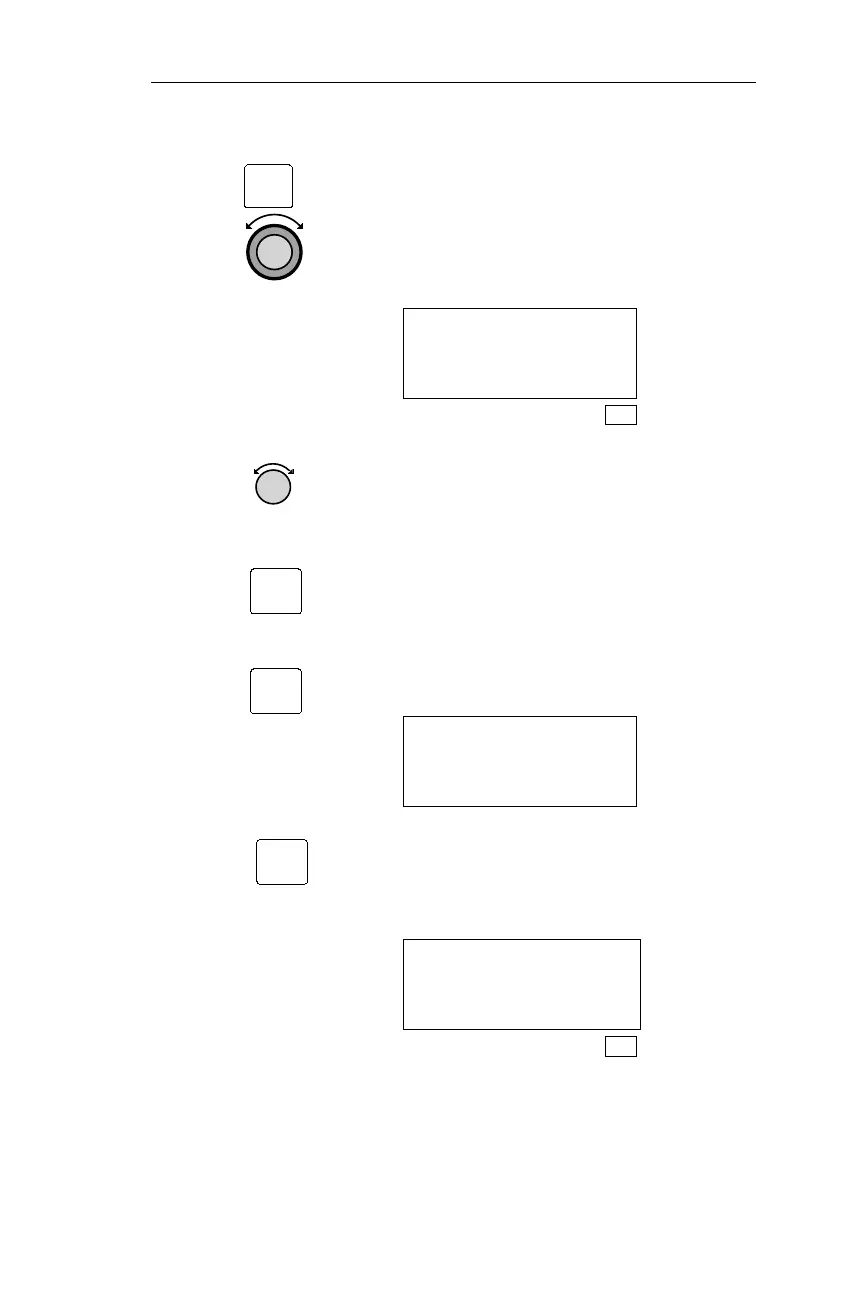
Pressing ENT activates the Navigation
Info sub-state functions. Turn the
Large knob to display the Nav Mode
Display Programming page.
NAV MODE DISPLAY
PROGRAMMABLE AND
AUTONAV PAGES
SYS
3. Turning the Small knob displays the
Navigation Info pages, and pressing
SEL activates editing.
The first Navigation Info page is not
programmable. Pressing SEL when the
first Navigation Info page is displayed
causes the next screen to be displayed.
If this page is displayed, skip to step 5,
or press SEL again to cancel.
SELECTED PAGE IS
NOT PROGRAMMABLE
EDIT AUTONAV?
Pressing SEL when any of the other
Navigation Info pages are displayed
starts the editor for updating the Nav
Items.
ETE SLE 00:32
2.00 Ã
DTK 084 87NM
SYS
187
Operations Navigation Information Sub-State
ENT
SEL
SEL
SEL



 To Next Page