Programmable and Autonav Nav Pages (continued)
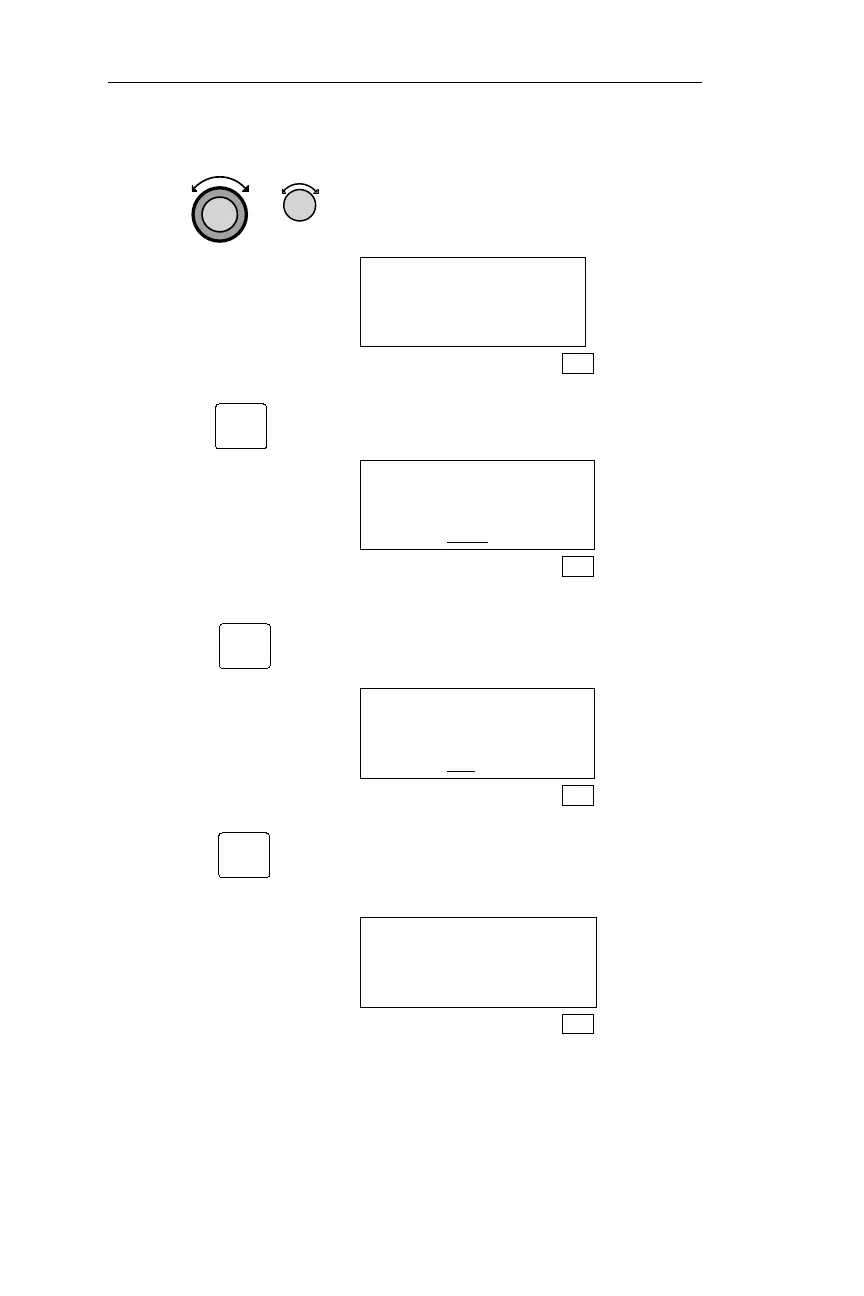
4. Rotating the Large and Small knobs
moves the cursor and updates the
displayed fields.
ETE SLE 00:32
ETA SLE 20:59
DTK 084 87NM
SYS
5. Pressing ENT saves any updates, and
displays the Autonav Pages prompt.
NAV PAGE 2 IN
AUTONAV PAGES?
YES
SYS
6. Turning the Small knob displays the
available choices you have for keeping
this page in the Autonav sequence.
NAV PAGE 2 IN
AUTONAV PAGES?
NO
SYS
7. Pressing ENT saves the Autonav
choice and displays the Navigation Info
page with the updated fields.
ETE SLE 00:32
ETA SLE 20:59
DTK 084 87NM
SYS
188
Navigation Information Sub-State Operations
ENT
ENT
ENT



 To Next Page