4 - 36
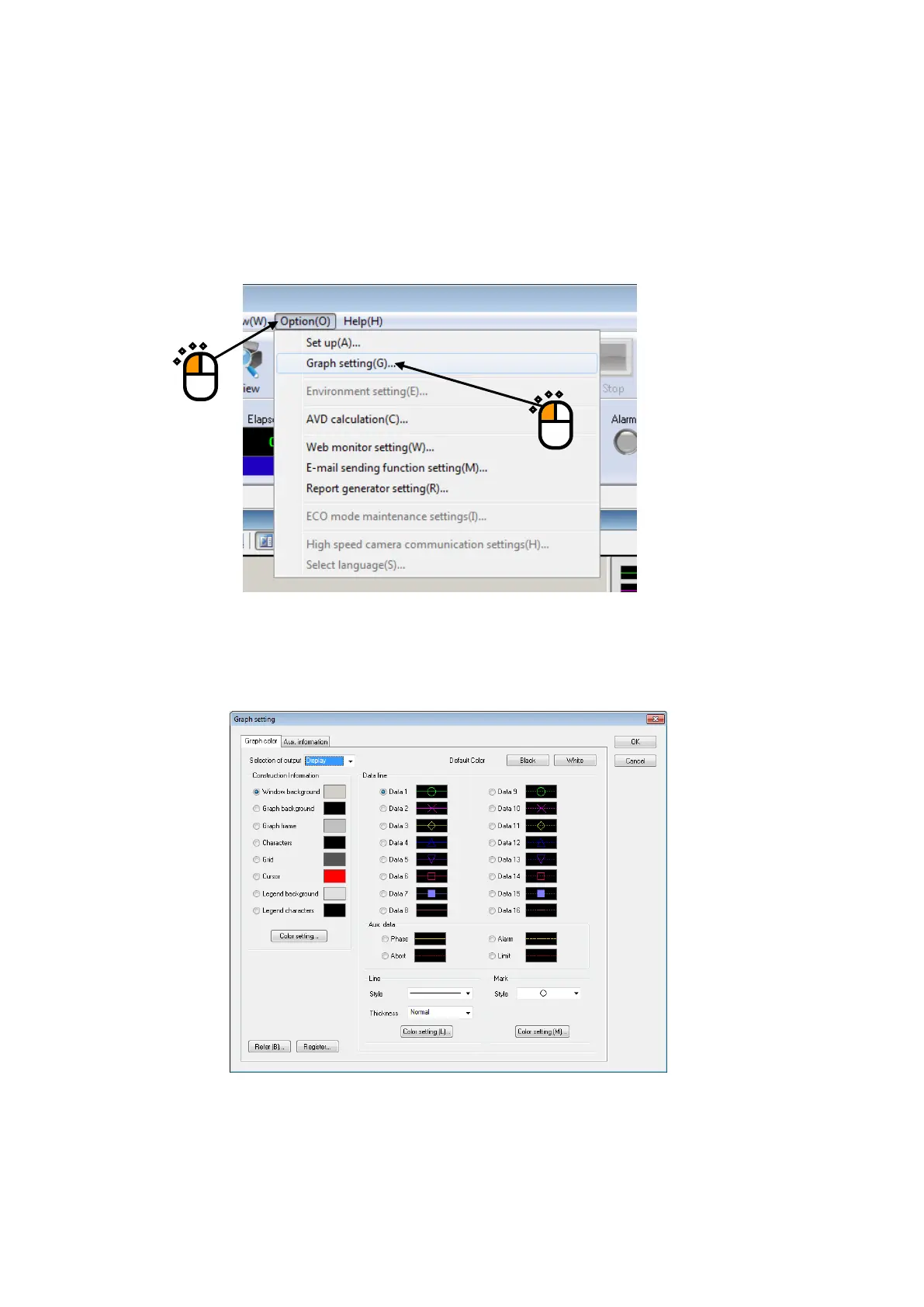
4.3.7 Graph Color Setting
This function is for changing the setting of graph freely to be displayed.
< Procedures >
< Step 1 >
Select “Option” in the menu bar and click the “Graph color setting”.
4.3.7.1 Change Graph Color
Select items to be changed on the tab of “Graph color”, and change the settings of line types,
marks, and colors.
Note) The setting of ‘Graph color setting’ is not influenced to the setting of ‘Print color
setting’. Refer to ‘Print color setting’ in “4.4 Output to the Printer” about changing
the color of a graph to be printed.
①
②



 To Next Page