7 - 19
7.3.1.2 Deletion of Registered Standards
Registered standard items can be deleted through the Launcher.
Note) Standard items to be installed in advance cannot be deleted.
<Procedures>
<Step 1>
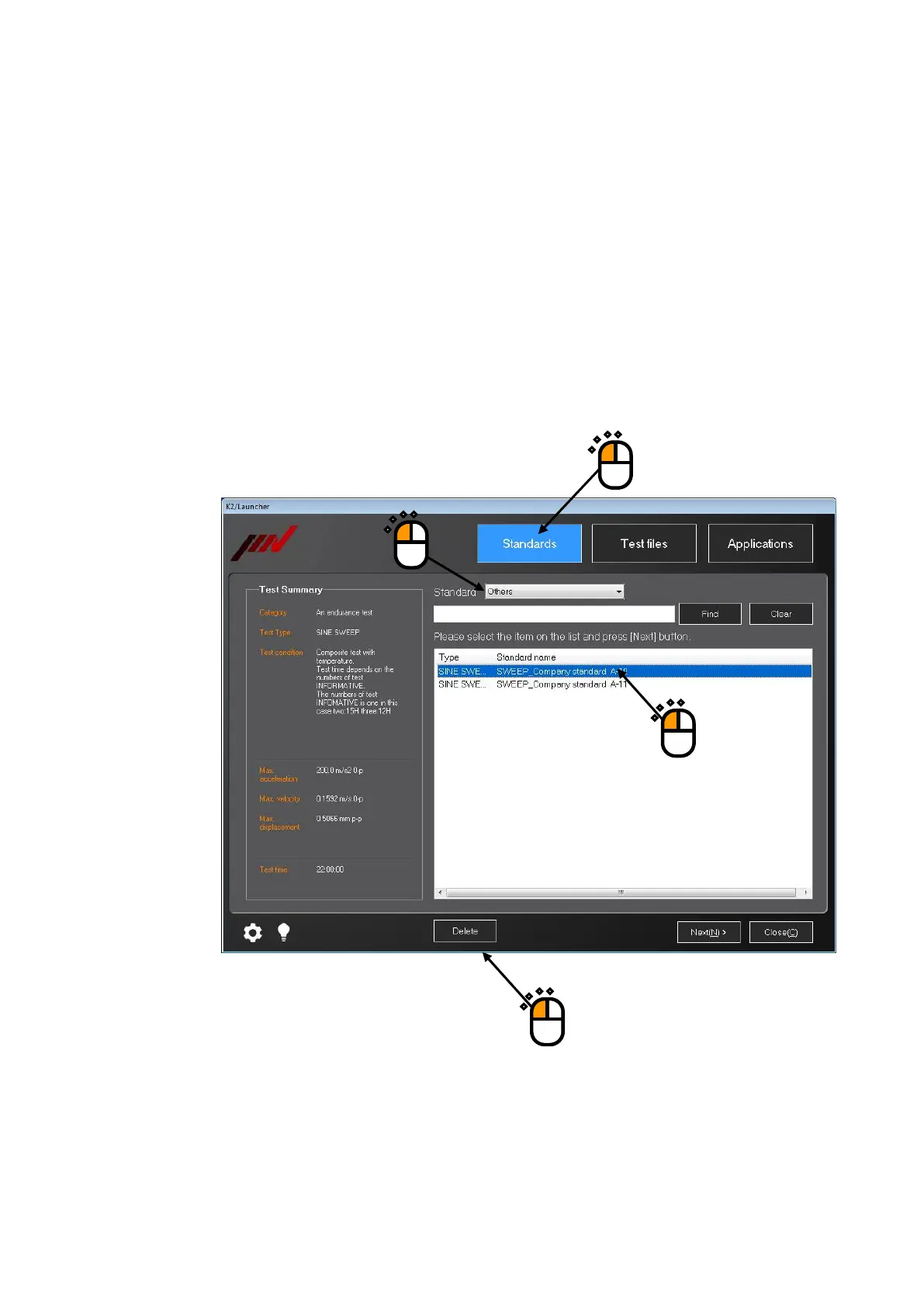
Set ‘Standard’ to ‘Others’ in the ‘Standards’ mode of the Launcher.
Select the standard name to be deleted, and press the button of [Delete].
Even after any standard item is deleted, original test file registered as a standard will not be
deleted.
②
④
③
①



 To Next Page