8 - 2
8.2 Operation Example
8.2.1 Voltage input sensitivity test
<Procedures>
<Step 1>
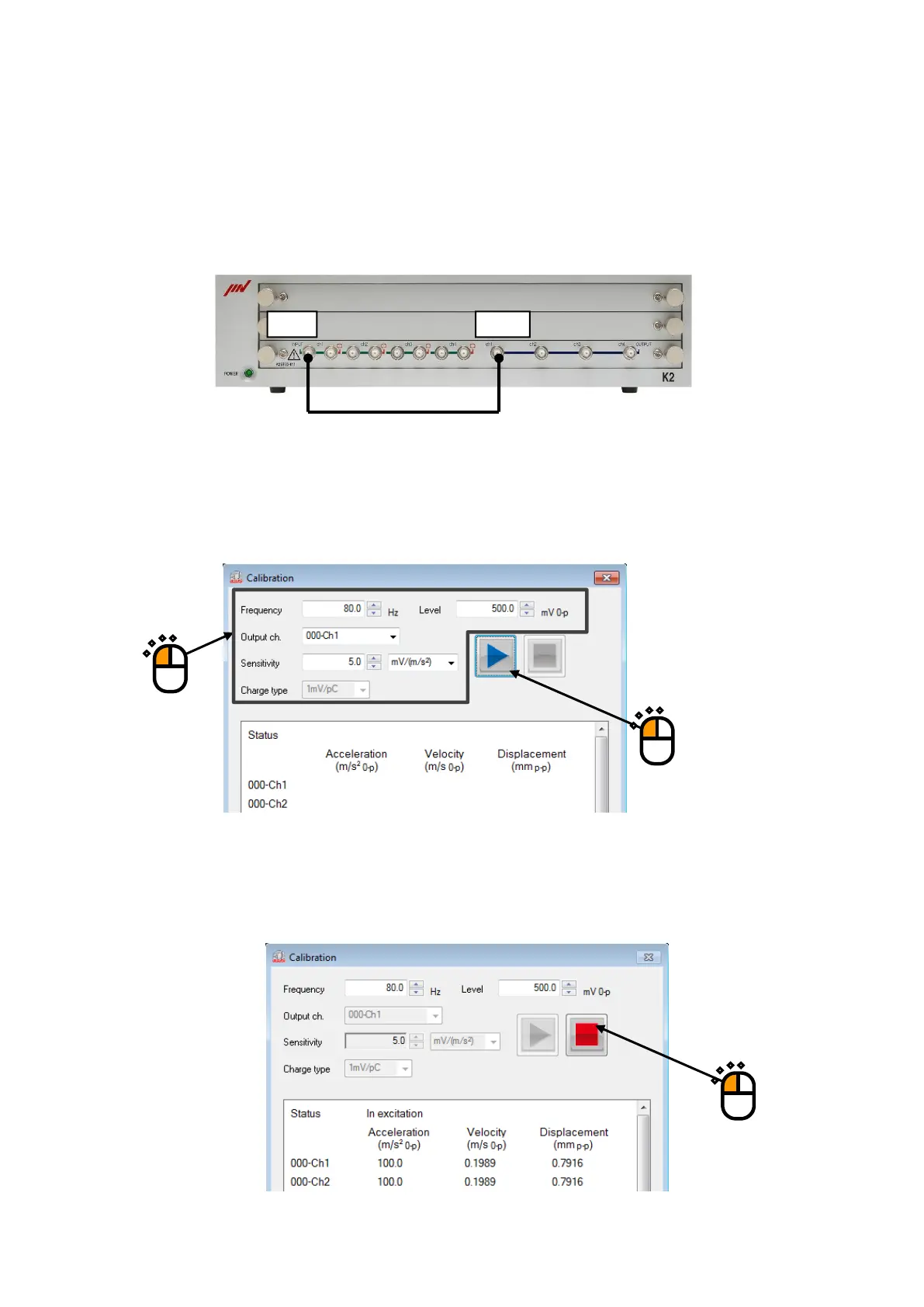
Connect OUTPUT channel to INPUT channel of the I/O UNIT by a BNC cable as below
<Step 2>
Input the frequency and the level of output sine signal, the output channel and the sensitivity of
sensor. Select "mV/Unit" as input type.
Complete the set up and then press the [Start] button.
<Step 3>
The measured data is displayed on status panel. In this example, the ideal acceleration value is
100[m/s2].
To stop operation, press [Stop] button.
Input Output
①
②



 To Next Page