4 - 58
4.8.2 Contact I/O setting
Contact I/O information is to be set in Excitation system information of Environment setting
beforehand when an external equipment and K2 system are always connected in a combined test.
You don’t have to define the contact I/O information every time at generating a test when you use
the function described in this clause.
< Procedures >
< Step 1 >
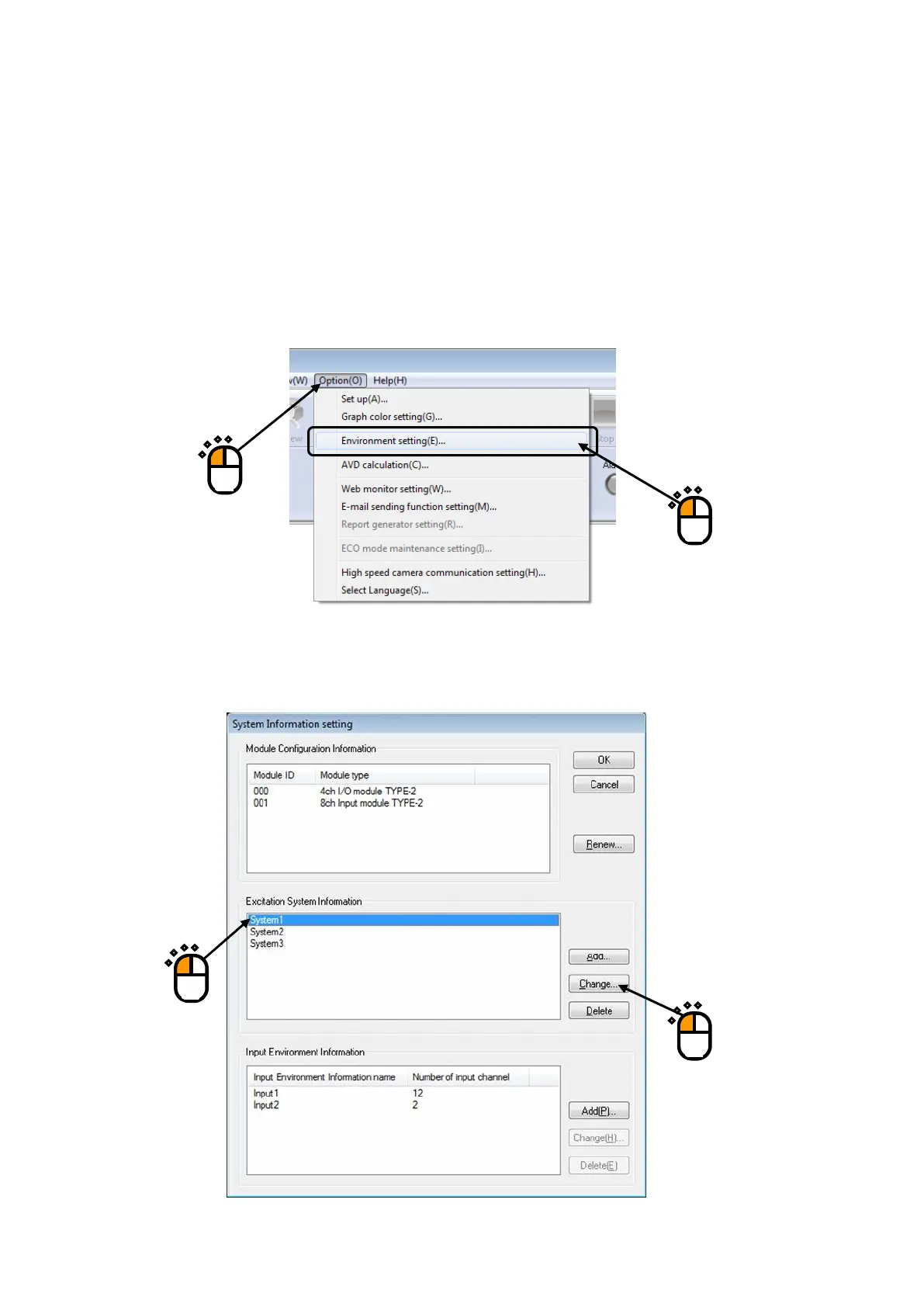
Select “Option” in the menu bar and click “Environment setting” among the items.
< Step 2 >
Select an Excitation system information for setting of Contact I/O information and click the
[Change] button.
①
①
②



 To Next Page