10 - 3
10.2.2 Operation on Screen
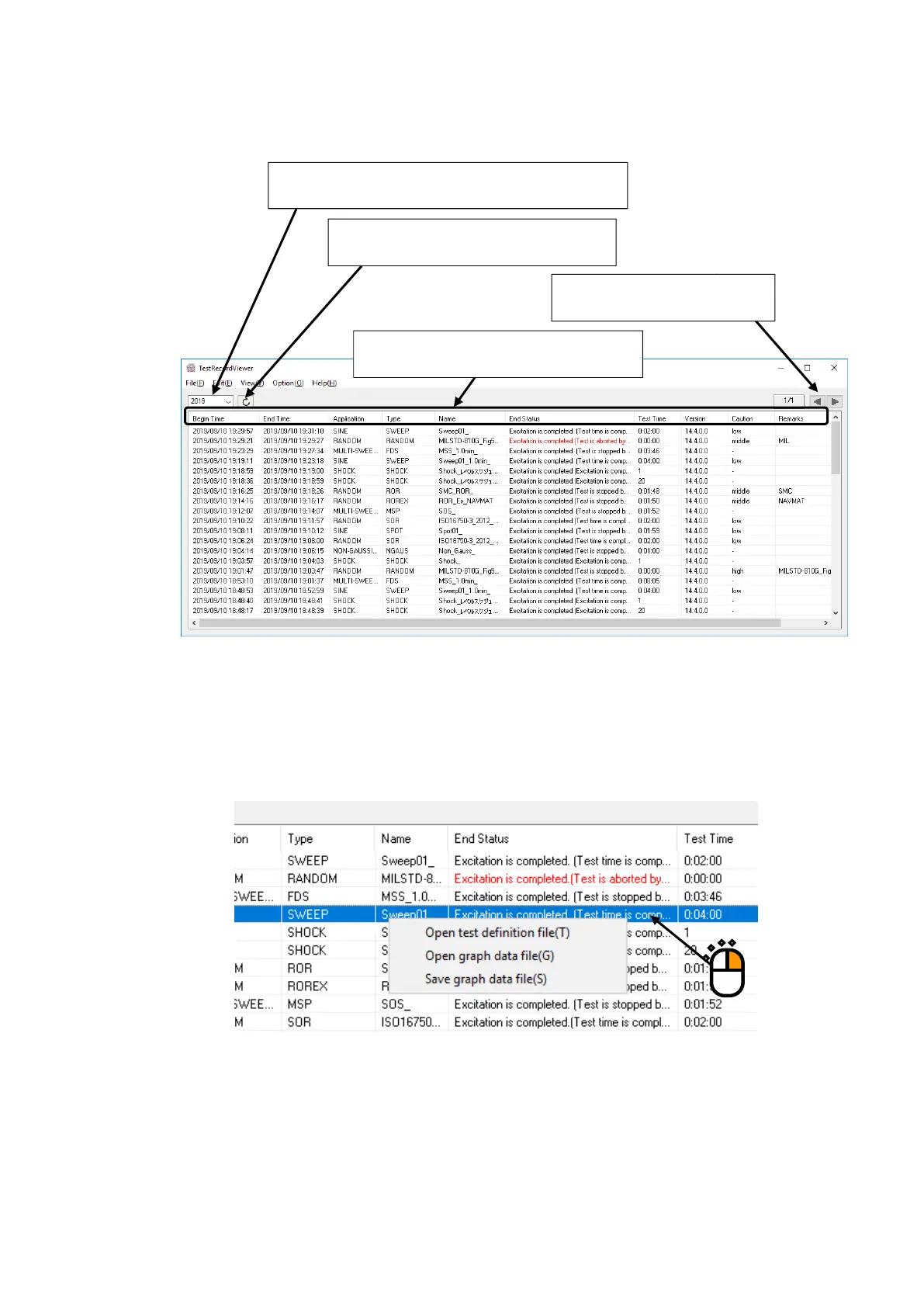
<General operation on screen>
<Menu for selection in list>
Select and right-click on one of the test results with a mouse. Then, the operation menu
appears.
As for each operation menu, refer to “Other Operations”.
Year of history data to be displayed can be changed.
Information can be updated to the latest.
Sorting with the title clicked is allowed.
Displayed page can be changed.



 To Next Page