4 - 66
4.9 IT Function
4.9.1 Web Monitor
The function of Web Monitor is for monitoring the test execution status of the K2 through the PC
connected to a LAN.
Any special software are not necessary to be installed ; the display data of the K2*
)
is directly
saved in a file as HTML format, and the test status can be checked by using a popular browser,
such as Microsoft® Internet Explorer, from any PCs on the LAN.
Web Monitor is only for monitoring the test status. Additional client option is necessary to
operate the remote control that is used to execute other operations, such as Test Stop or Test Start,
from a distant place.
LAN environment is required to use this function.
*) To be exact, the display data of the PC on which the client program of the K2 is running is
saved in a file as HTML format periodically in the disk of a specified PC. Note that any of the
current display data is saved as HTML format when other applications than the K2 are executed on
the PC simultaneously with the client program of the K2
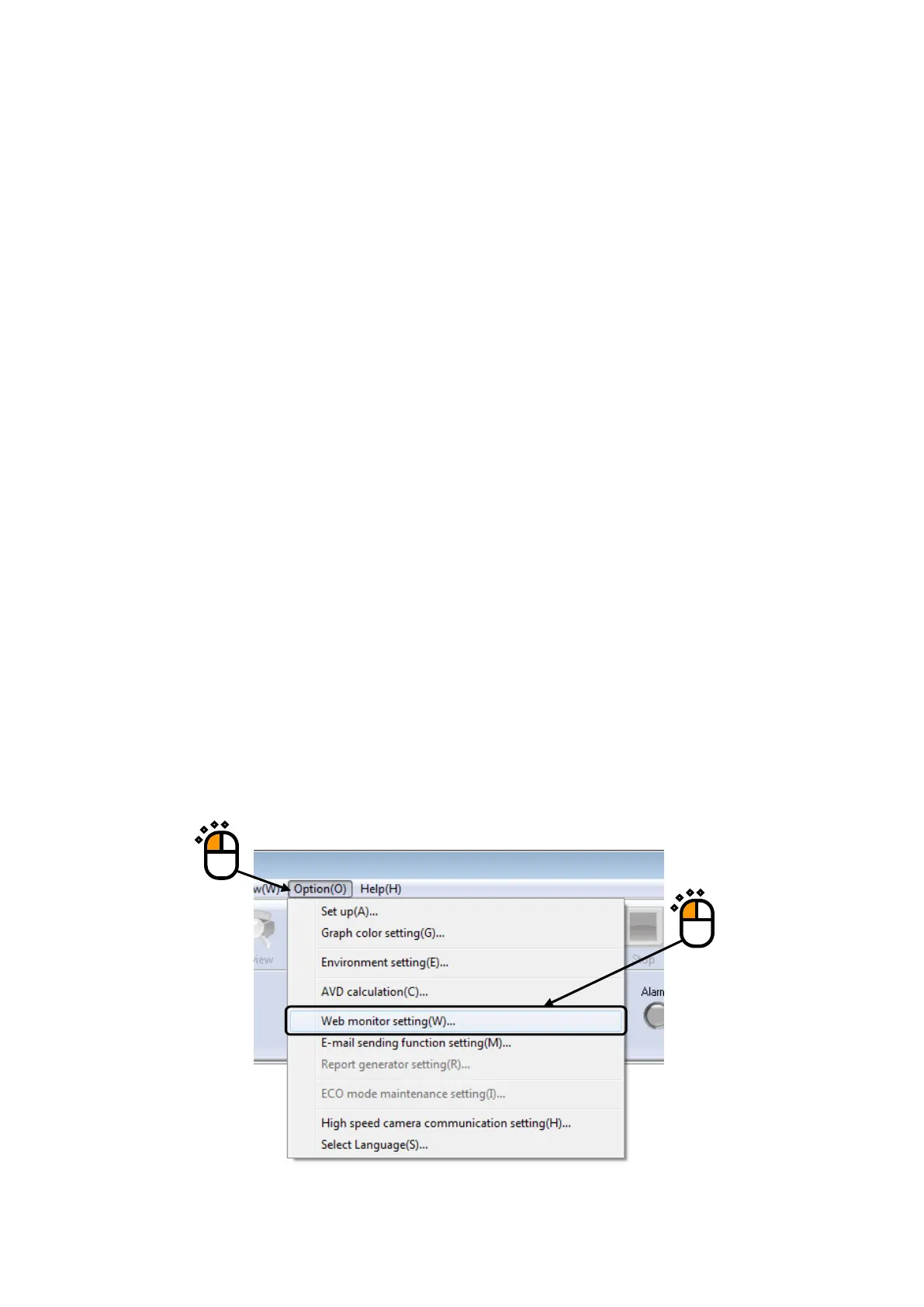
<Procedure (to set Web Monitor)>
<Step 1>
Select “Option” on the Menu Bar, and click the item of “Web Monitor setting”.
①



 To Next Page