6 - 7
6.2.3 Display of Overlaid Graph
The screen to choose object data file of overlaid graph are available in tree display and dialogue
display, selectable between them. Type of graph allowing overlaying differs depending on the
screens.
6.2.3.1 Select on Tree Display
<Procedure>
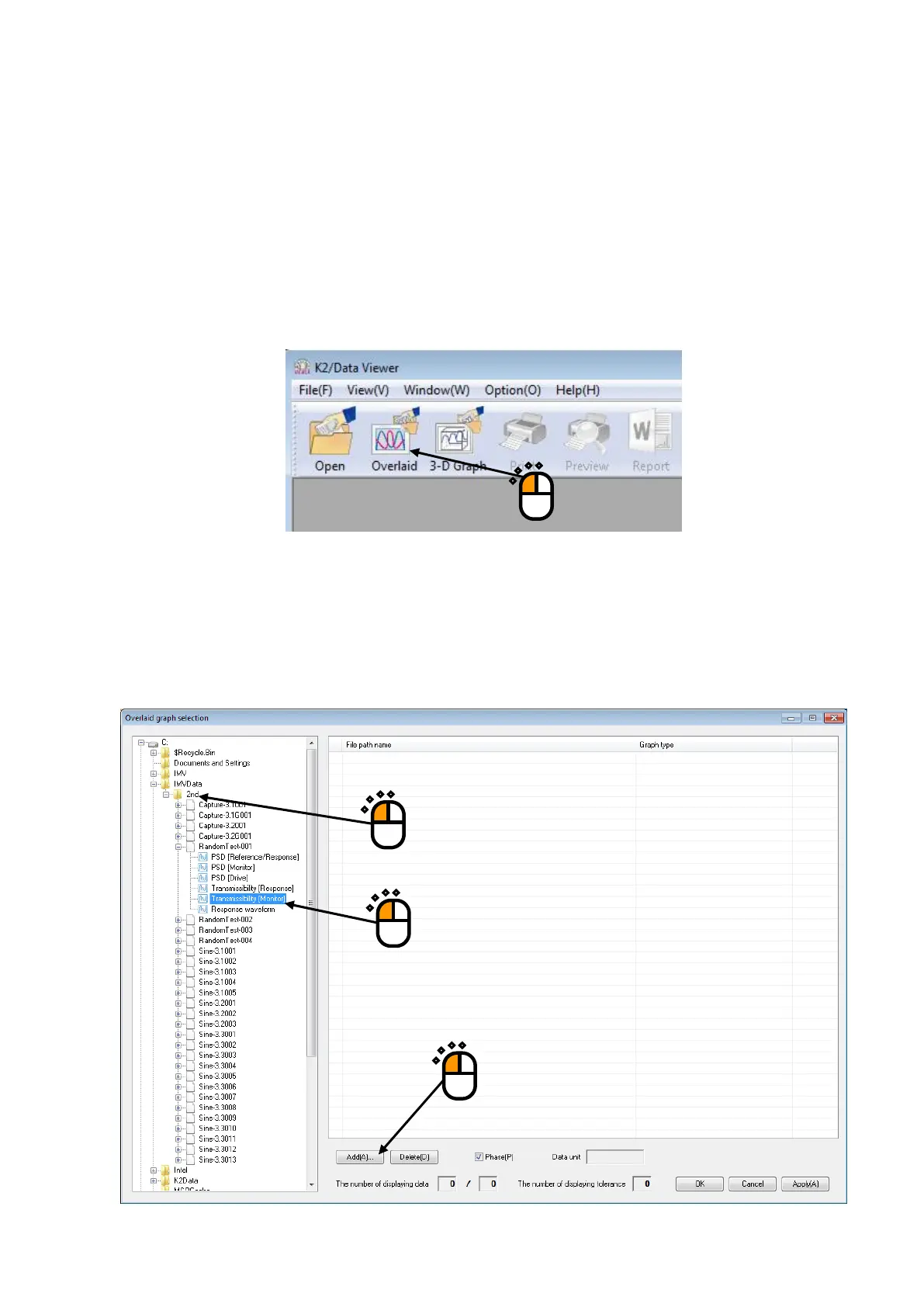
<Step 1>
Press the [Overlaid graph] button.
<Step 2>
Overlaid graph selection dialog is displayed.
All graph data files in the folders which were opened last time with DATA VIEWER are
displayed in a tree view.
Select the graph data files to be overlaid, select the graph type and then press [Add] button.
①
②
③



 To Next Page