4 - 49
4.6 Selecting languages(option)
This function is optional.
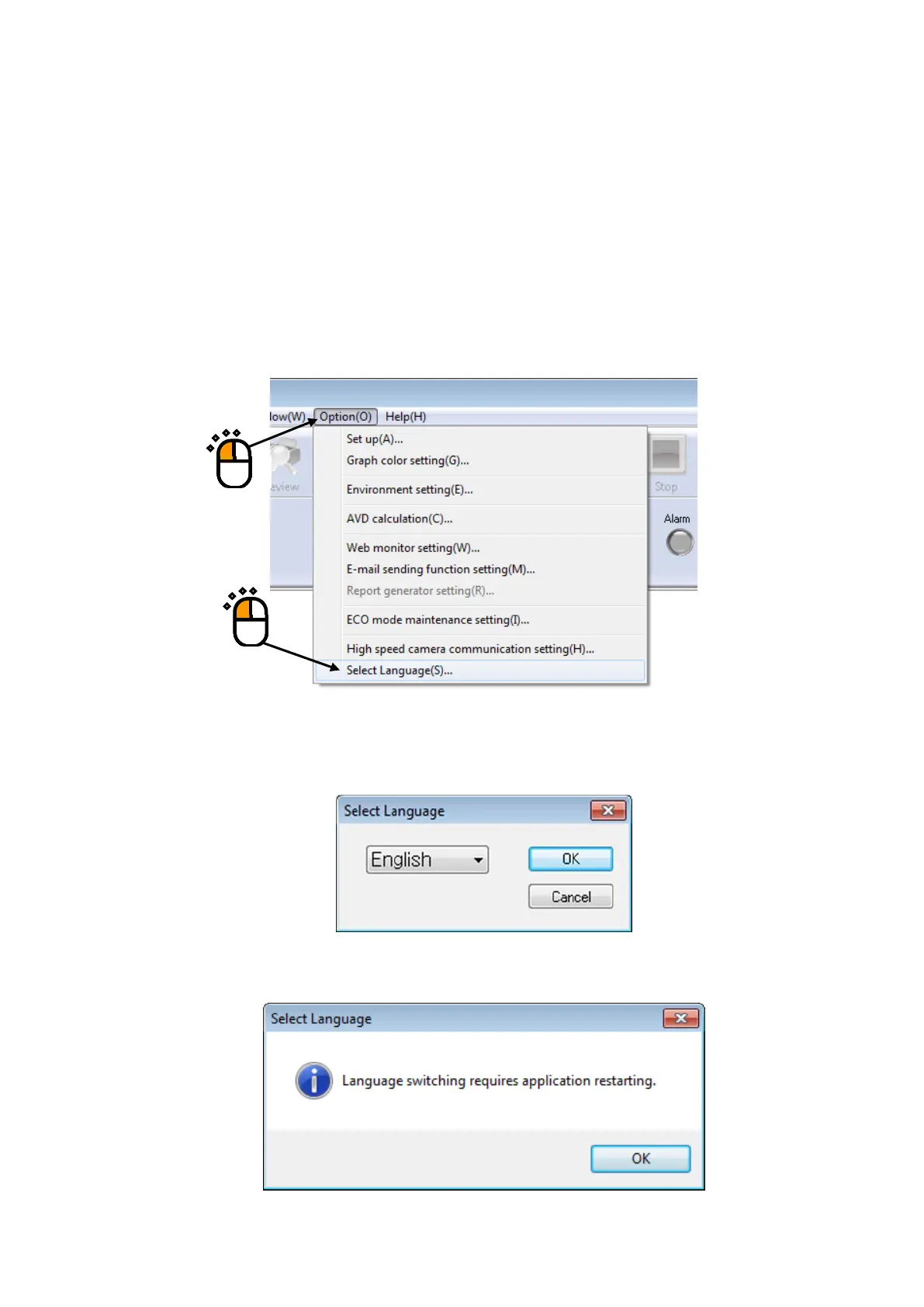
This function selects the language for K2 application display.
The language used for saved data files cannot be switched.
* ‘Japanese, English, Chinese, Russian or German’ can be selected (as of October 29, 2015).
Response statuses of respective K2 applications are varied.
< Operating procedure >
< Step 1 >
Select “Option” from the menu bar and click “Select Language”.
< Step 2 >
Select a language, and then press the [OK] button.
The following message appears. The current language will be switched on application restarting.
①
②



 To Next Page