3 - 5
3.4 Input Channel Information
This is not a must item to be defined.
This item is to be set in either methods that selecting an input channel information among the defined
information or creating it in each application.
However, it is necessary to be defined beforehand when the function of Simplified Definition is
used.
The setting information concerning with the specification of a sensor generally used is registered.
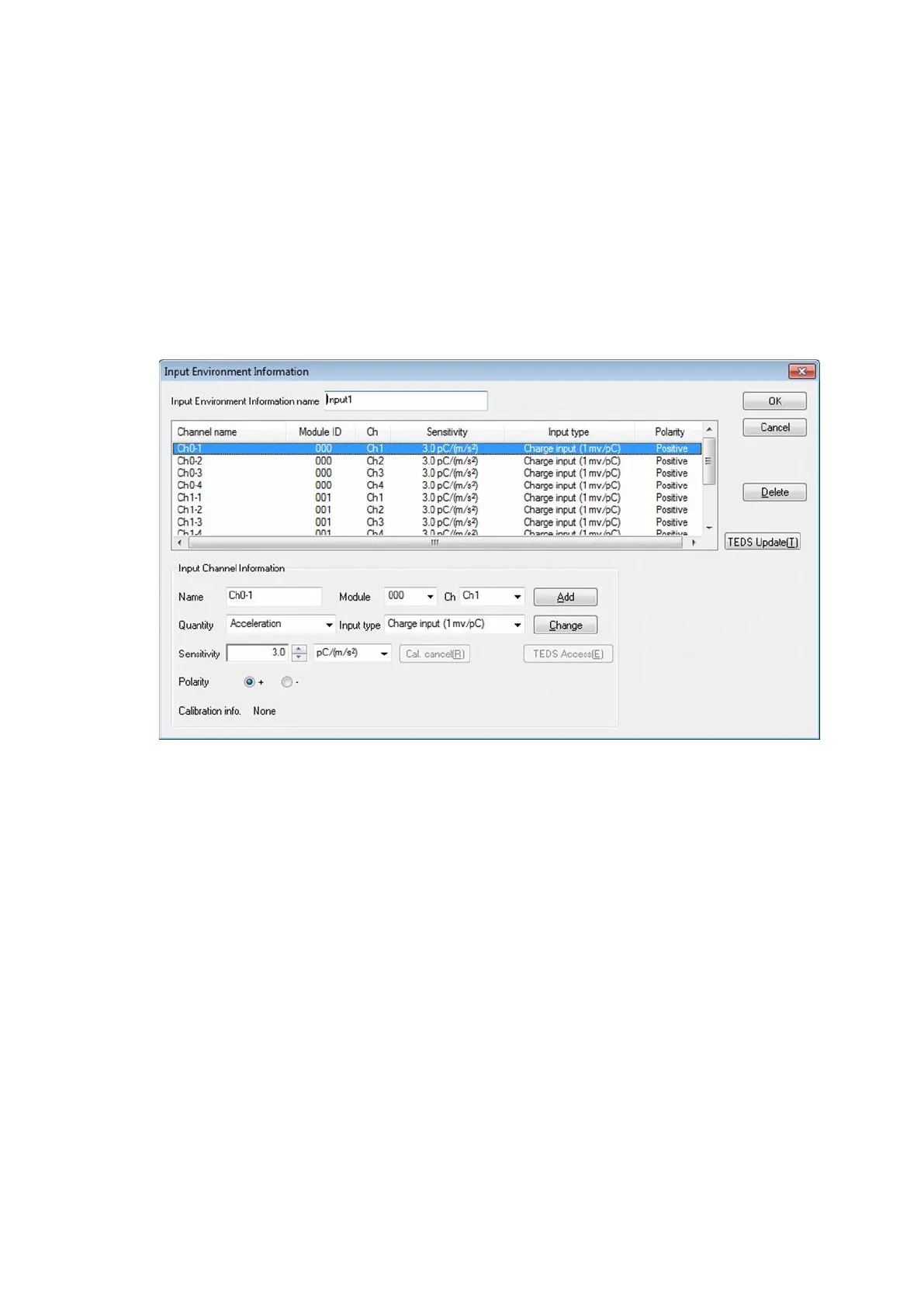
In K2 application, adding and changing of input channel information are available in test definition
file creation.
[Add] A new input channel is added.
[Change] Defined content of a selected input channel is changed.
[Delete] A selected input channel is deleted from the registration list.
The registered order just has the meaning of the order of a graph to be
displayed.
[TESD Update] This button captures and automatically sets the input sensitivity of the IEPE
input channel information registered in the input environment information from
the connected IEPE sensor corresponding TEDS.
3.4.1 Input Environment Information Name
(1) Meaning
This item is for inputting the registration name of Input Environment Information to be used.
3.4.2 Name (Channel Name)
(1) Meaning
This item is for inputting the registration name of input channel.



 To Next Page