7 - 27
7.3.3.2 History
7.3.3.2.1 Contents Displayed on Screen
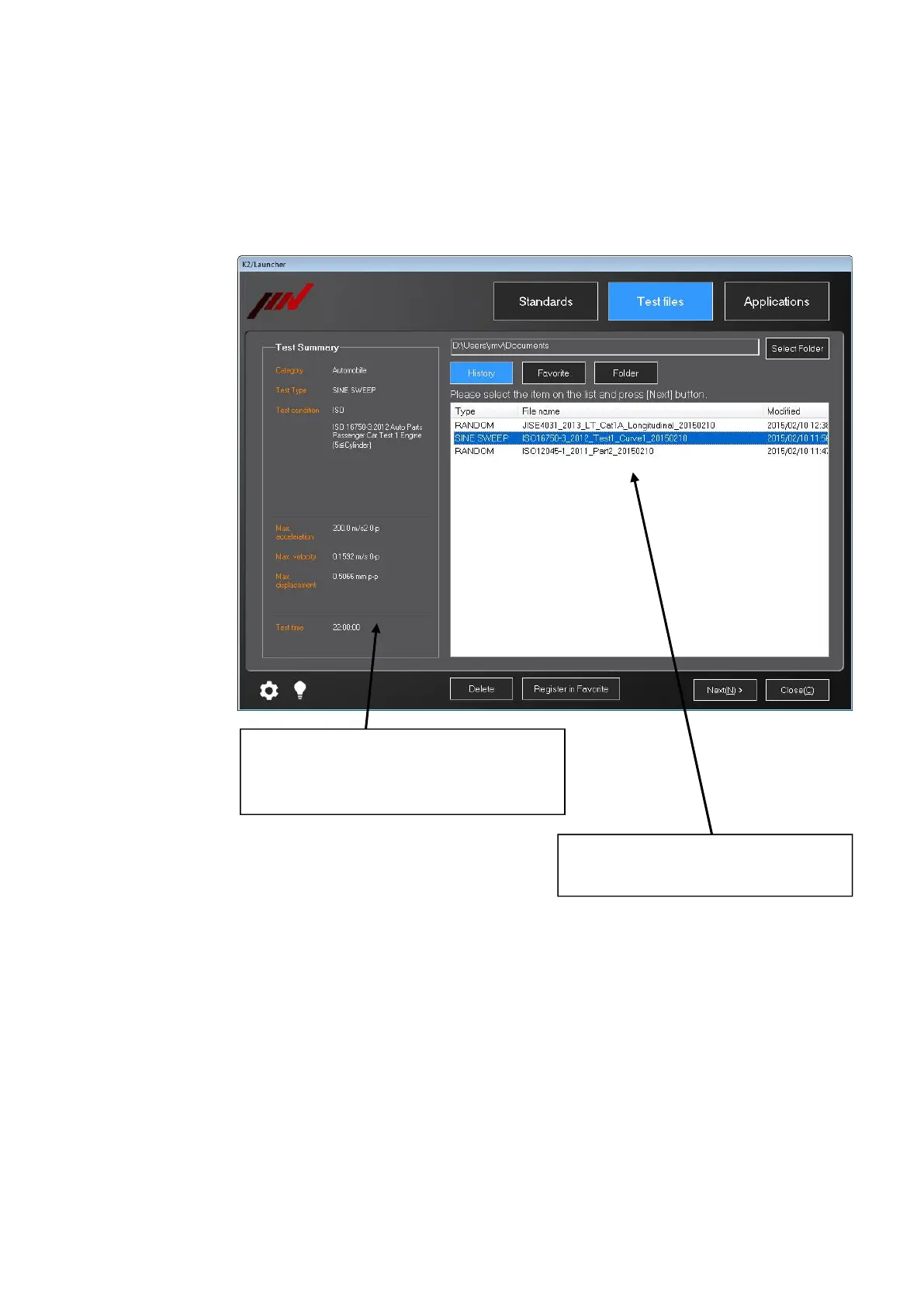
When ‘History’ is selected in ‘Test files’ mode, the list of test files executed in the past is
displayed.
[Delete] : Selected test file can be deleted. Test file itself cannot be deleted.
[Favorite] : Selected test file can be registered to ‘Favorite’.
7.3.3.2.2 Test summary Information Registered to Saved Test File
Similar to ‘Folder’. Refer to “Section 7.3.3.1.2”.
Test files executed in ‘Standards’ mode
and ‘Test files’ mode are to be objective.
Test summary information of the selected test
file is displayed. If the test file is not created
from ‘Standards’, only test type is displayed.



 To Next Page