9 - 2
9.2 Operation Example
9.2.1 Procedures
No special operation procedure is required.
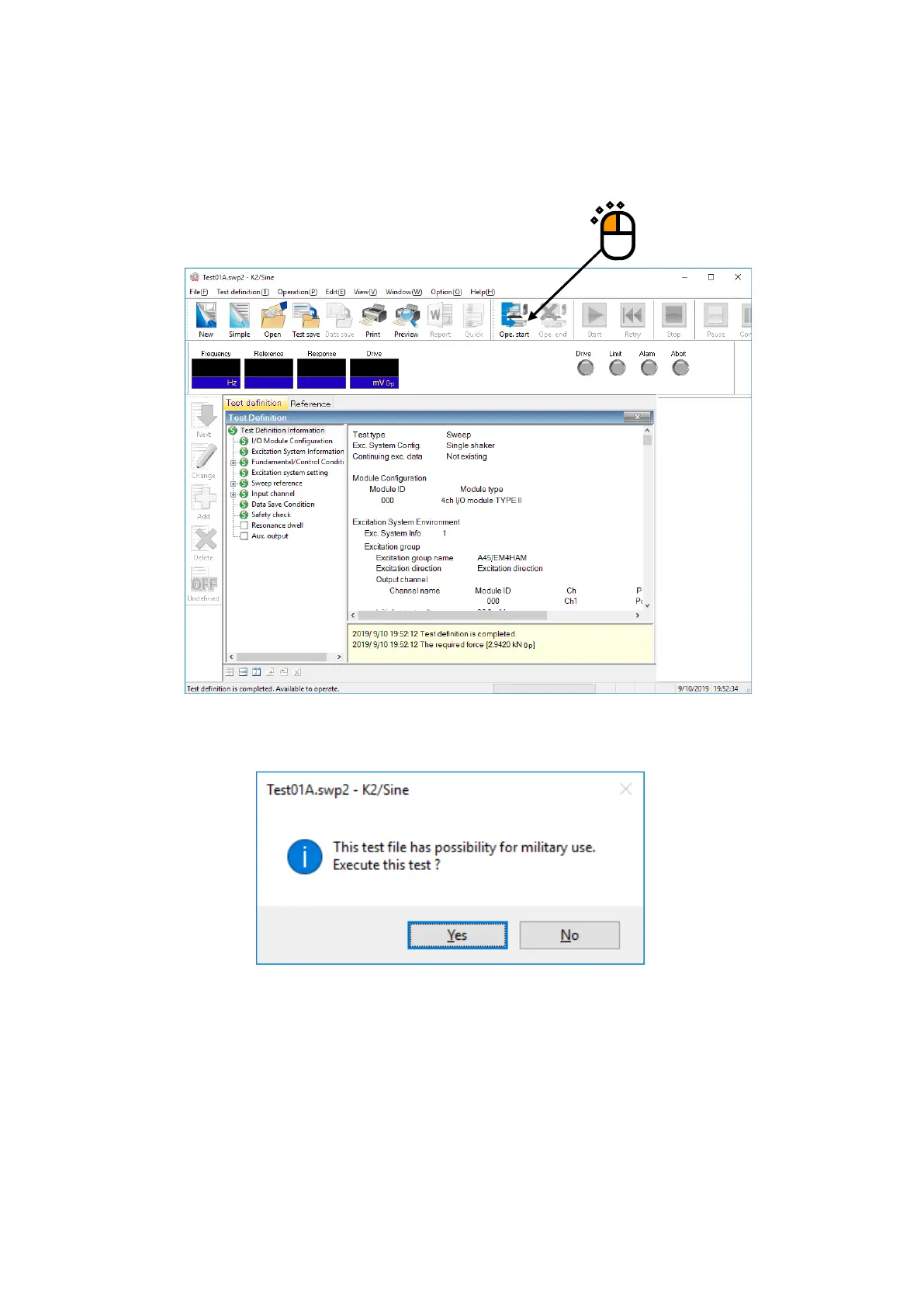
Open a test definition file, and click on Ope. start button.
When any test likely to be related to military use is about to be started, an alert message appears.
To start the test, select “Yes”.
The hardware is initialized and proceeded to the excitation start standby status.
If you do not implement any test, select “No”.
Then, the system returns to the status of the test definition completed.



 To Next Page