4 - 69
4.9.2 E-Mail Sending Function
E-Mail Sending Function is for informing stop/completion of the excitation. When the excitation
is stopped or completed, the system sends the event of test stop to the specified mail address by E-
Mail.
For example ; in the case that an operator started the excitation in the morning and left the
laboratory. In the evening, the operator went back to check the state of the excitation. However, the
excitation had stopped after 5 minutes from the excitation start because the pickup happened to be
dislocated. Such an accident in operation can be acknowledged by E-Mail Sending Function. The
operator can be saved from wasting of time and an efficient operation can be realized.
Also, E-Mails can be sent to the address of cellular phones.
LAN and the environment for sending E-Mails (Mail Server, Mail Address, Mailing Software)
are necessary to use this function.
<Procedure (to set E-Mail Sending Function)>
<Step 1>
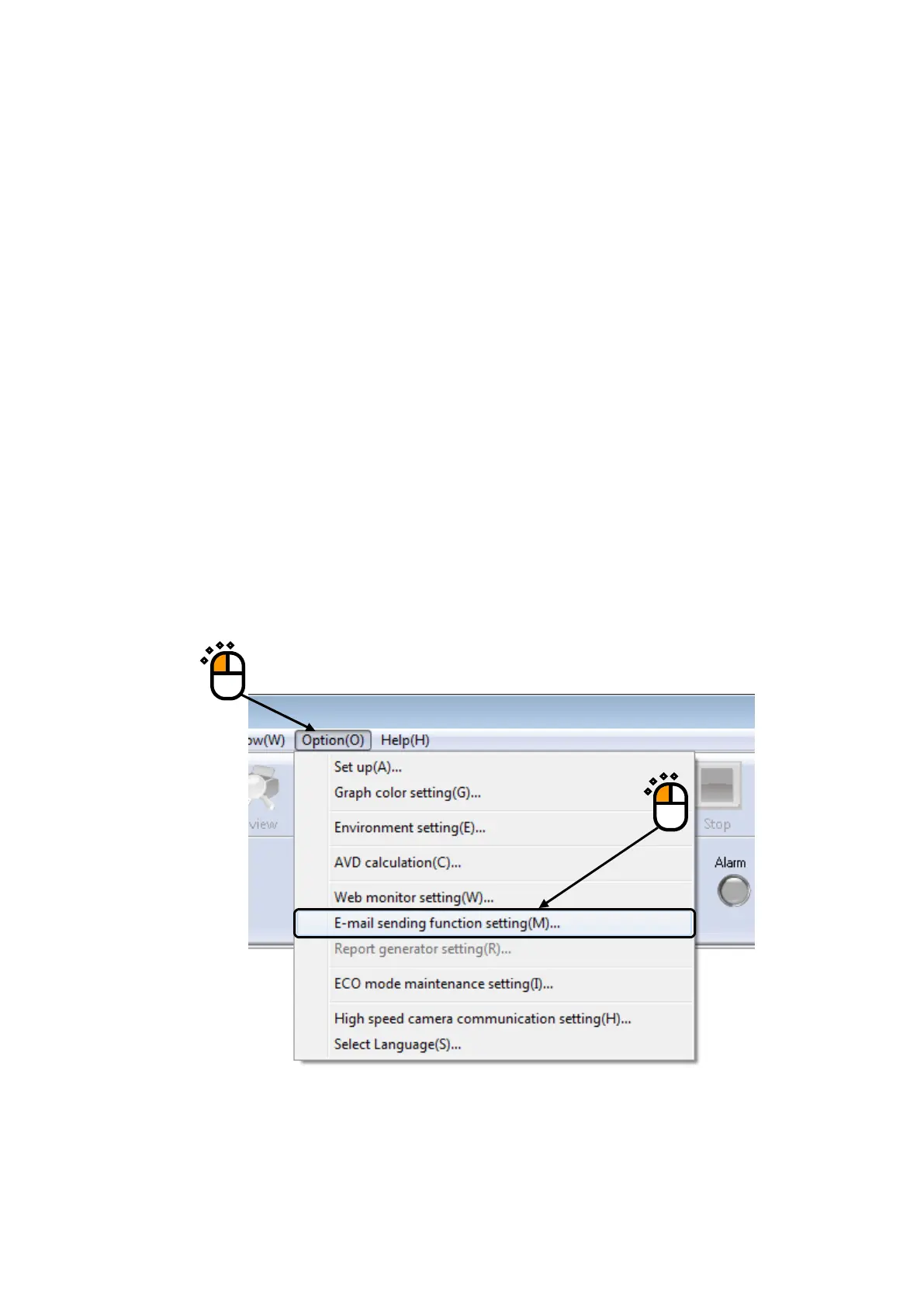
Select “Option” from the Menu Bar, and click the item of “E-mail Sending Function setting”.
①
②



 To Next Page