6 - 21
Supplementary Note)
[1] Unchecked graphs are excluded from 3D graph targets.
[2] Select desired graphs and press the [Delete] button. Then, they are deleted from the 3D graph
display area and 3D graph targets.
6.3 Supplemental Explanation
6.3.1 Set Up
<Procedure>
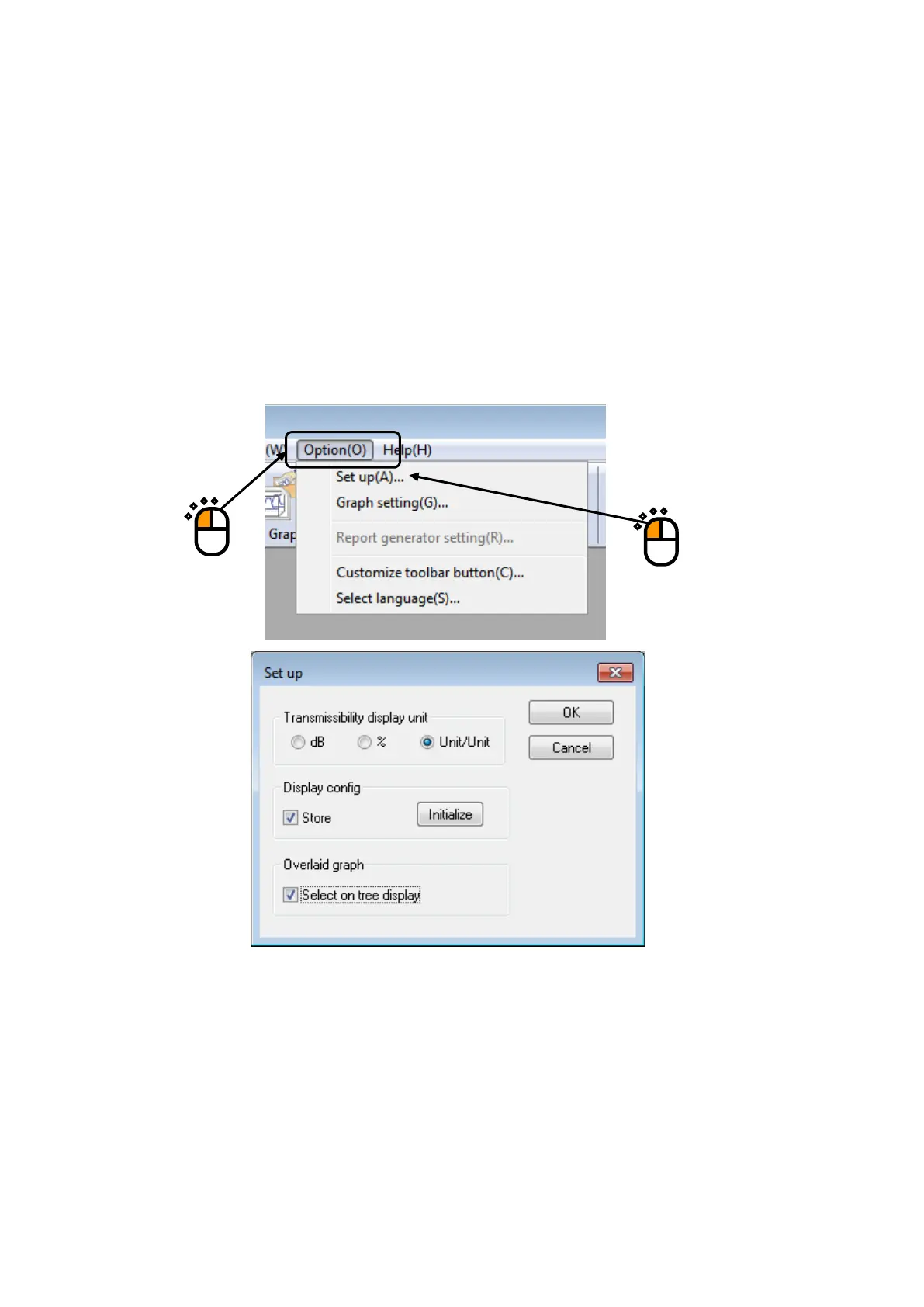
Select “Option” in the menu bar and click “Set up”. A dialog of ‘Set up’ appears.
[Transmissibility display unit]
This item is for selecting the display unit of amplitude value in Transmissibility Graph.
This unit selected in this item is valid only for the transmissibility graphs calculated from the two
data giving the same unit.
In case that the transmissibility graph is calculated from the two data having different units, the
display unit of amplitude always appears as ‘Unit/Unit’.
①
②



 To Next Page