4 - 42
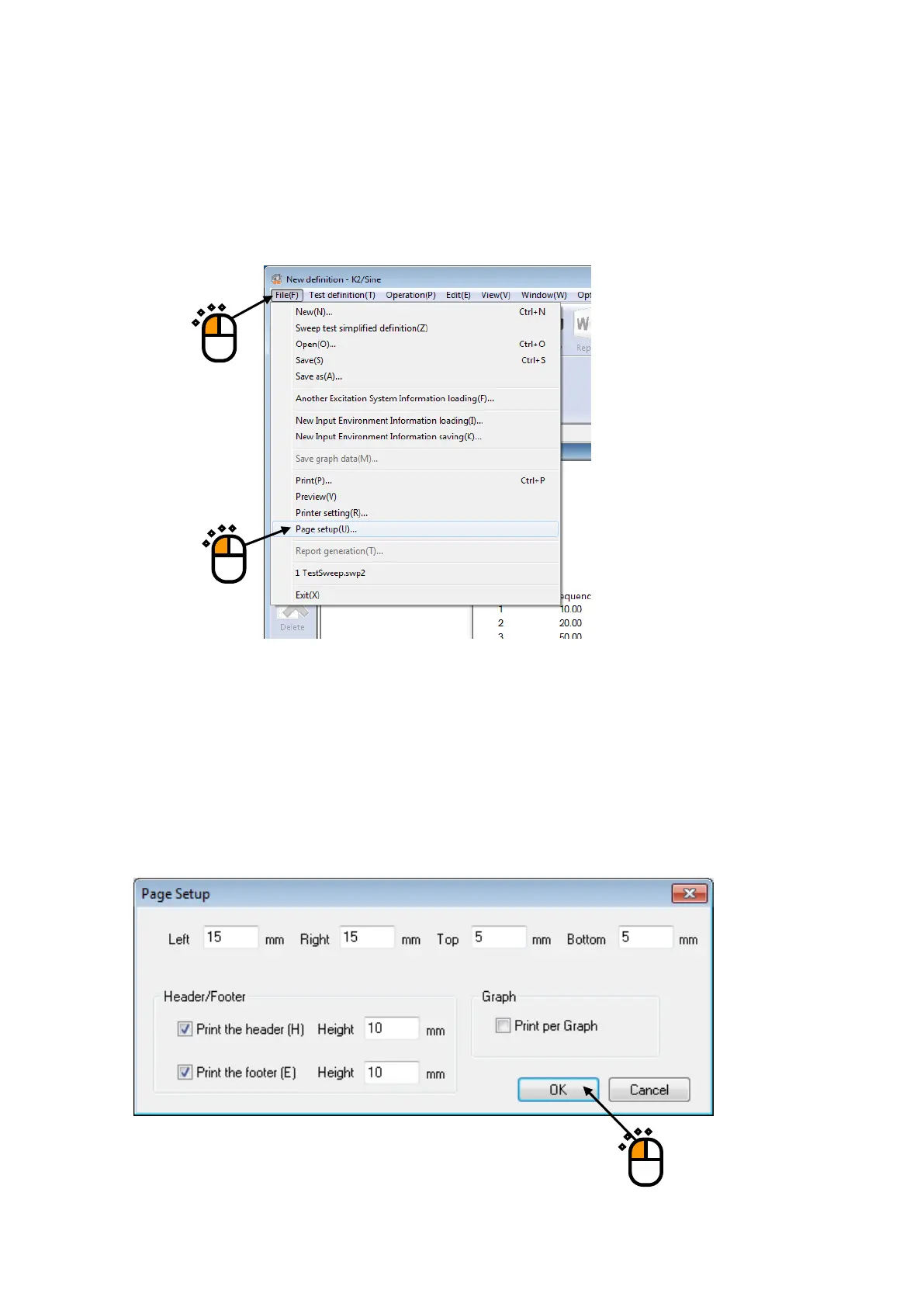
4.4.3 Page setup
Print margin can be set up.
< Procedures >
< Step 1 >
Select “File” in the menu bar and click “Page setup” among the items.
< Step 2 >
Input the setting of ‘Margin Setting’ and ‘Header/Footer’ and press [OK].
Header and footer are printed inside except the margin area. If the number of characters displayed
in header and footer are too large and they cannot be displayed completely. In this case, increase
the height.
When ‘Print per Graph’ is checked and two or more graphs are printed, one graph per each page
is printed. The scale of the printed graph is the same as the scale of the displayed graph.
①
②



 To Next Page