7 - 25
7.3.3 Supplementary Explanation of Test Files Mode
7.3.3.1 Folder
7.3.3.1.1 Contents Displayed on Screen
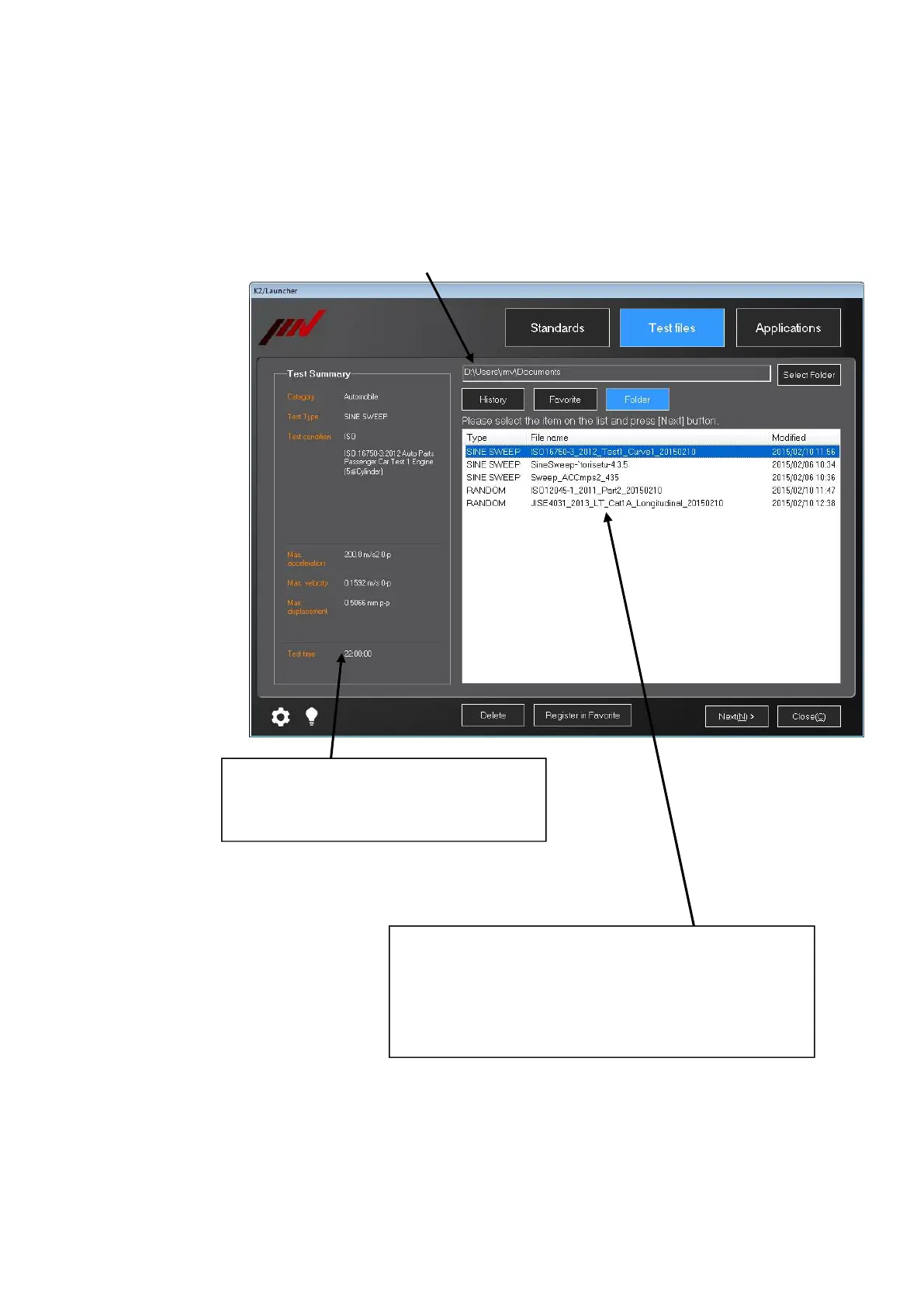
When ‘Folder’ is selected in the ‘Test files’ mode, the list of test files in the selected
folder is displayed.
Test summary information of the selected test
file is displayed. For the test files not created by
‘Standards’, only test type is displayed.
Test files in the selected test folder are displayed. The displayed
test files are of the test types applicable in the ‘Test files’ mode
only. Items in gray characters are the items of test types without
license. Even if the test file of the test type without license is
selected, the next screen will not appear.
The selected folder is displayed.



 To Next Page