4 - 30
4.3.4.2 Peak search
< Operating procedure >
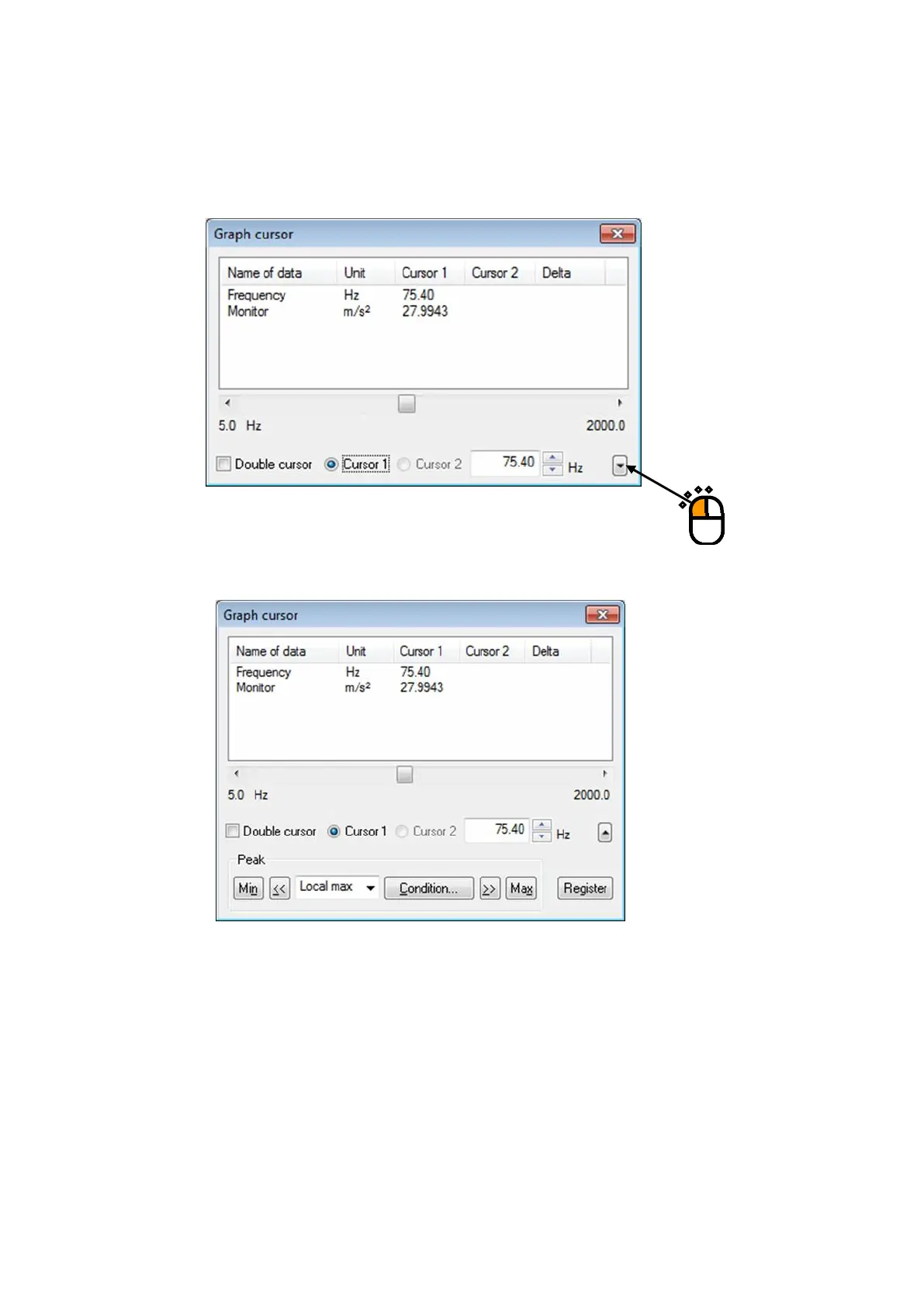
< Step 1 >
Press the down arrow at the lower right corner of the graph cursor dialog box.
< Step 2 >
The peak search setting window opens.
Press the following buttons to search the peak and move the cursor:
[<<] : Searches the peak in the horizontal axis minus direction.
[>>] : Searches the peak in the horizontal axis plus direction.
[Min] : Searches the minimum value.
[Max] : Searches the maximum value.
[Condition] : Sets the conditions of peak determination.
・Peak is searched within the displayed graph scale range.
・The peak to search can be selected from ‘Max./ Min./Both’.
・Click the data displayed in the list to select the data to search.



 To Next Page