4 - 89
<Step 2>
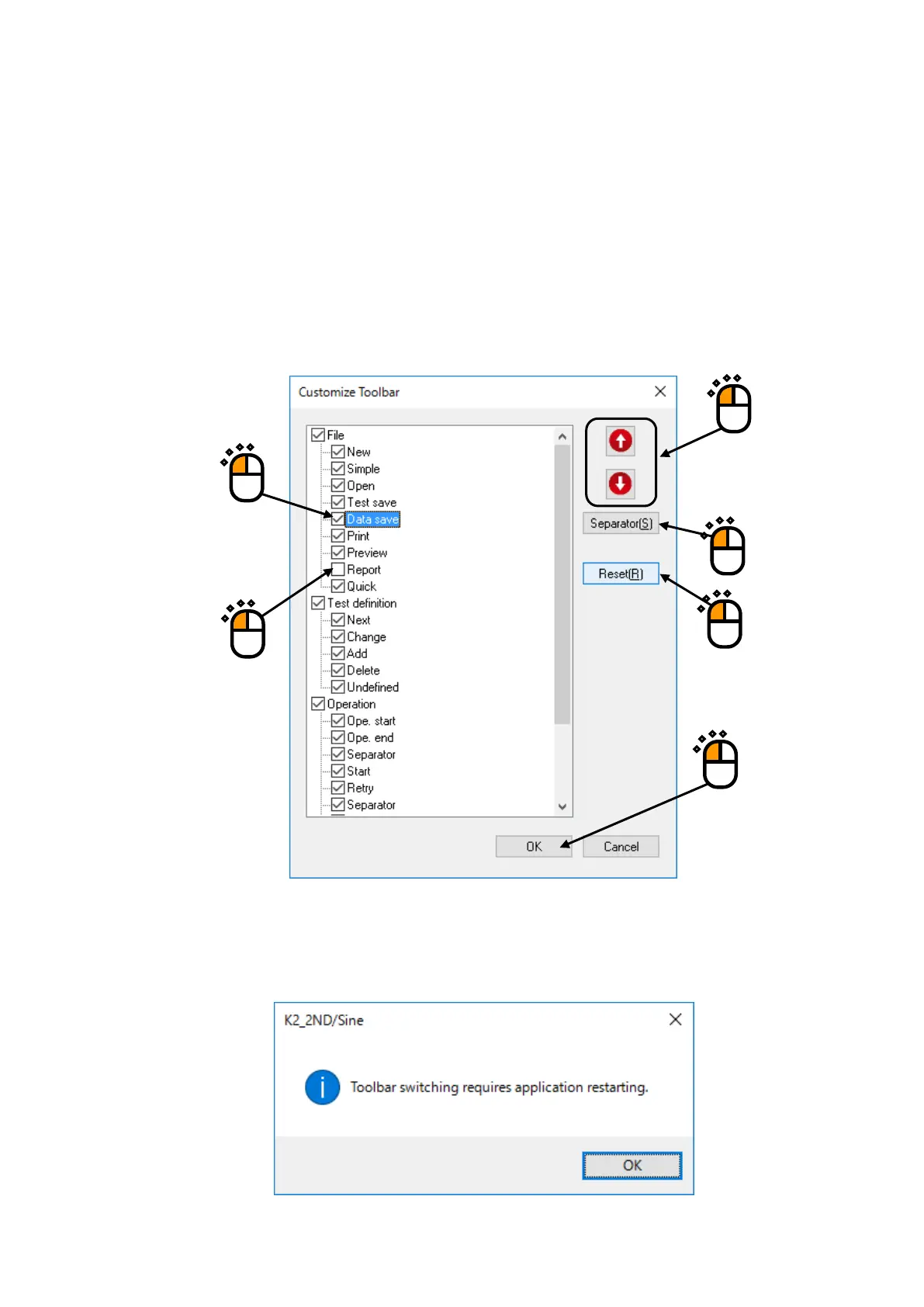
Remove check in the checkbox of a toolbar button not to be displayed (①).
* One or more buttons need to be displayed in each toolbar.
If order of any button needs to be changed, select the button first (②), and move the cursor with
upward or downward arrow button (③).
If any separator needs to be inserted, select the button just above it, and press [Separator] button
(④).
To return to the initial status, press [Reset] button (⑤).
After all procedures are complete, press [OK] button (⑥).
Message shown below appears. After the application is rebooted, display of tool bar is changed.
①
④
⑤
⑥



 To Next Page