6 - 13
<Step 4>
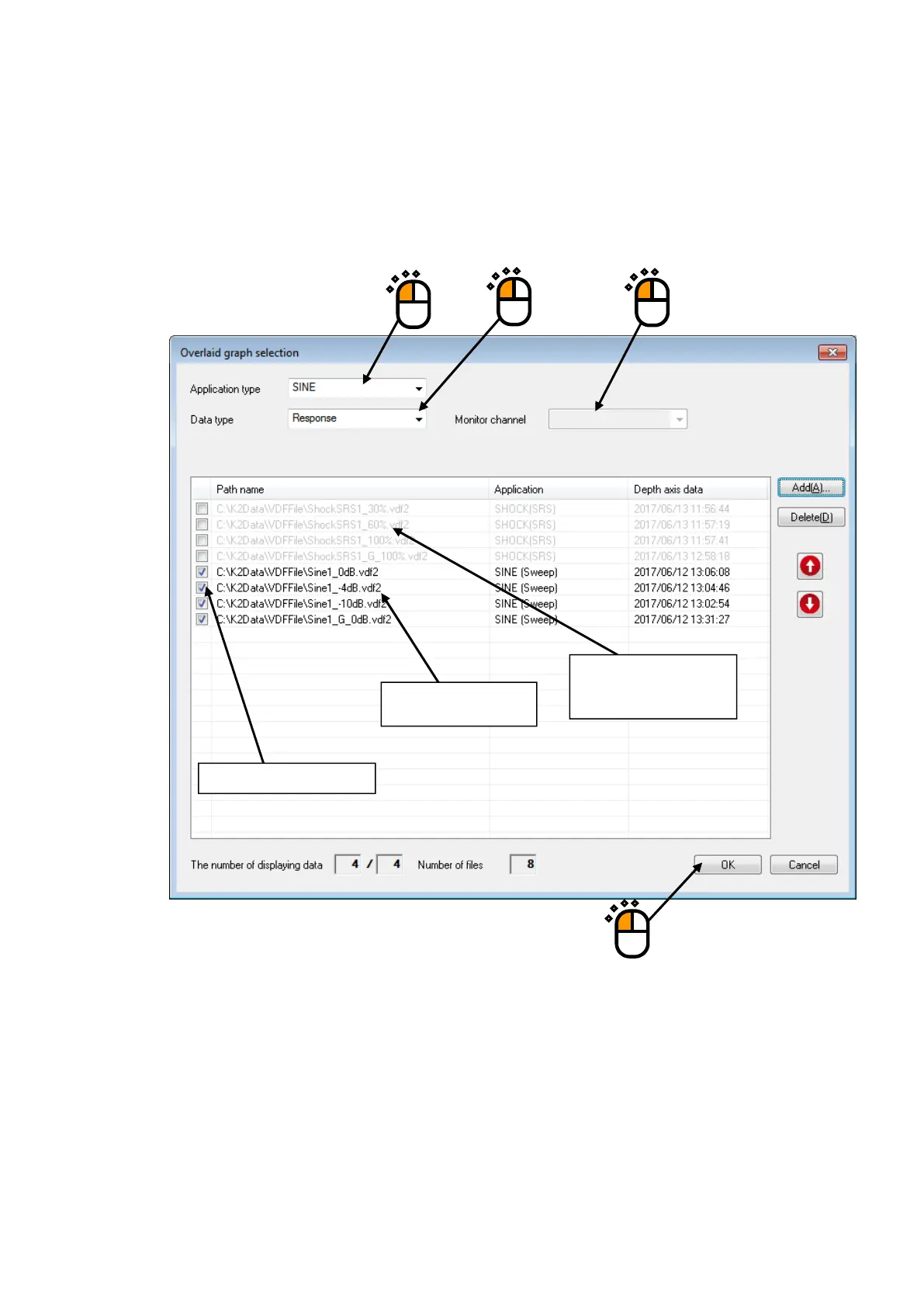
Selected data files are set as the target of overlaid.
Select application type, display type and data type.
If the data type is set to “Monitor”, select the monitor channel.
If data files different from the selected application type are displayed, they are displayed in gray.
①
③
④
Checked items are to be displayed.
Data files whose types are
different from application type
are displayed in gray.
Graph data files to be
displayed appear.
②



 To Next Page