2 - 17
<Step 9>
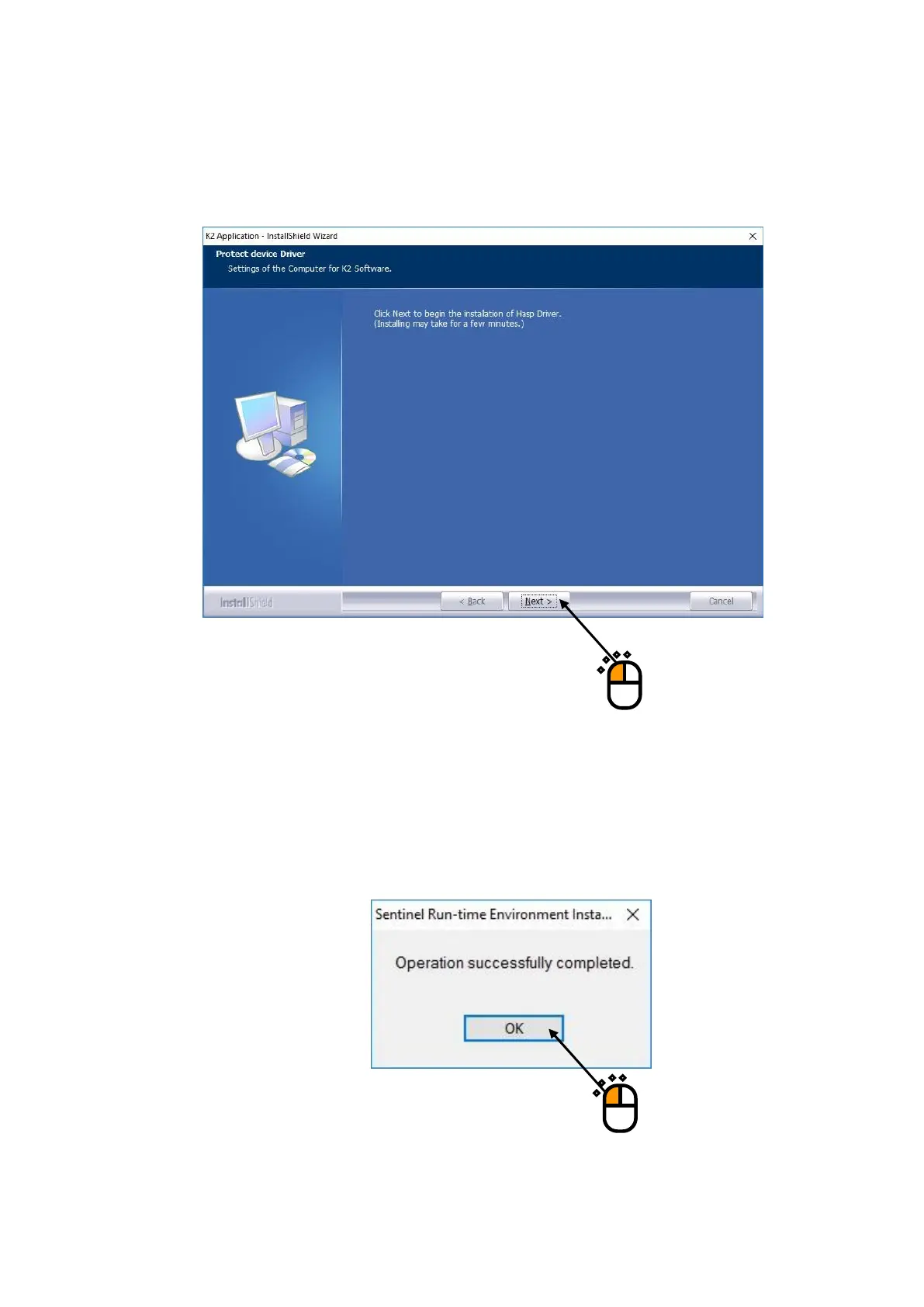
After the installation of the device driver of the K2 interface board is finished, screen of starting
the installation of the device driver of protect device appears.
Press the button of [Next].
<Step 10>
After installation of the protect device driver is finished, the screen of noticing the completion
of installation appears.
Press the button of [OK].



 To Next Page