Affinity
2.0
Additional Information Page 217
Sweep delays: This is relevant if Continuous measurement is selected for Pure Tone or Warble
Tone. In this case sweep delays (in milliseconds) may be entered between the individual
sweeps (see section 0 for details).
Measurement time (in seconds): Duration for the measurement can be set using the slider. This
is only relevant for broad band signals. A number of seconds can freely be selected between 1
and 1200. By default the measurement time is the same for all signals.
Instructions: This allows for adding picture instructions. If the box is ticked an instruction box
explaining how to perform the measurement will appear each time upon pressing START.
3) Recording Method:
Resolution (of frequency): Select the preferred resolution in the dropdown. The higher the
resolution the slower the measurement.
Keep in mind that 1/3 is what is used in many hearing aid manufacturers software. If the curve
is to be compared to this you may consider choosing this resolution. Also note that when using
a broad band signal the dropdown list will be greyed out and automatically choose FFT. This
makes the distance between frequency bins 43 Hz which ensures precision in the
measurement.
4) Colour:
Select a colour for the Right and Left curve.
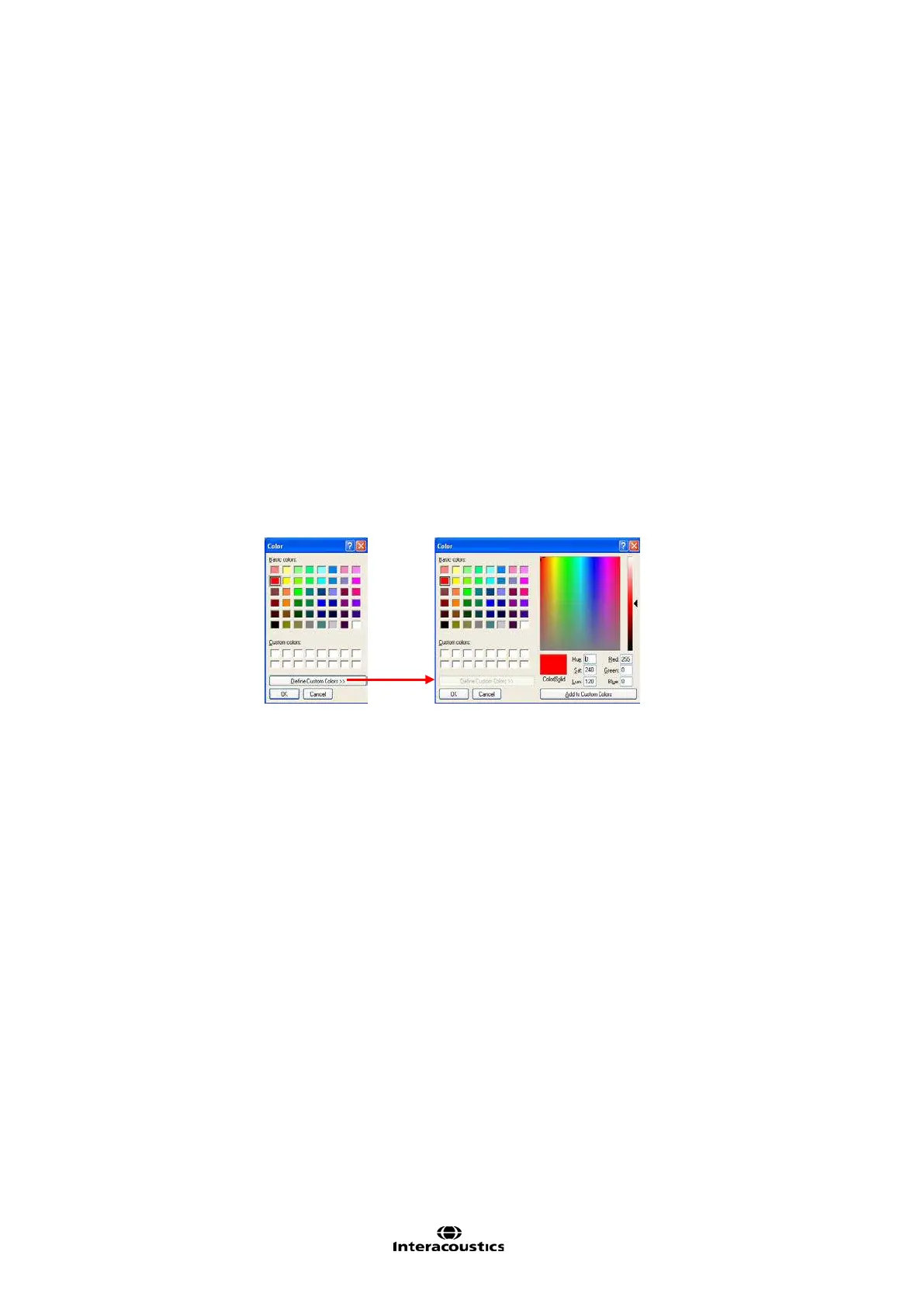
Press each of the buttons to have the custom colour selection below. Choose the desired colour
by clicking on it and press OK.
Note the option to Define Custom Colours to get a more extensive selection. When having
found the exact colour, press Add to Custom Colours.
5) Predicted Curve
Show predicted curve: If you wish not to measure the REUR/REUG you can select to use a
predicted REUR/REUG as default by ticking the check box.














 To Next Page